vale79
Guest
Hello everyone
is my first day of revit, usually using inventor.
for the moment we have followed 4 hours of course, of which much on the concepts regarding the bim in general, and a very small part on how to draw objects in revit and insert the properties, so they are just at level 0.
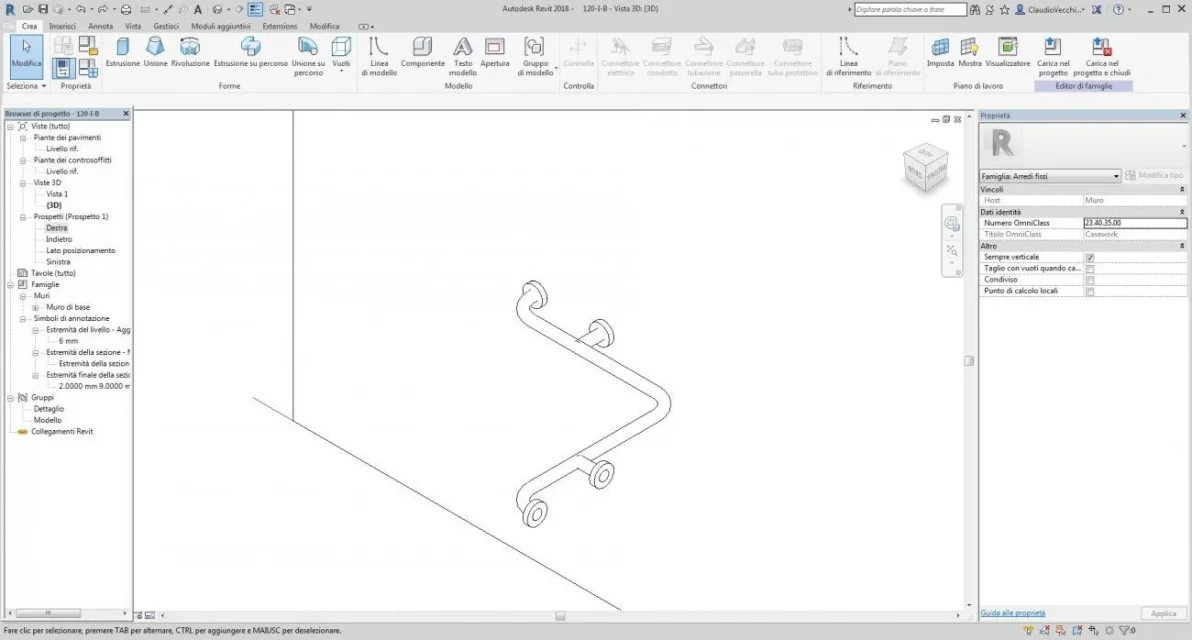
I designed this handle because I can't load the harp or even zip it?) but while I drew it I didn't insert parameters, I put fixed odds.
Can I still change them, putting a parameter instead of the quota? If so, how?
Thank you very much
That's right.
is my first day of revit, usually using inventor.
for the moment we have followed 4 hours of course, of which much on the concepts regarding the bim in general, and a very small part on how to draw objects in revit and insert the properties, so they are just at level 0.
I designed this handle because I can't load the harp or even zip it?) but while I drew it I didn't insert parameters, I put fixed odds.
Can I still change them, putting a parameter instead of the quota? If so, how?
Thank you very much
That's right.