• This forum is the machine-generated translation of www.cad3d.it/forum1 - the Italian design community. Several terms are not translated correctly.

s key: how to reassociate it?

  • Thread starter Thread starter graziano-g
  • Start date Start date

graziano-g

Guest
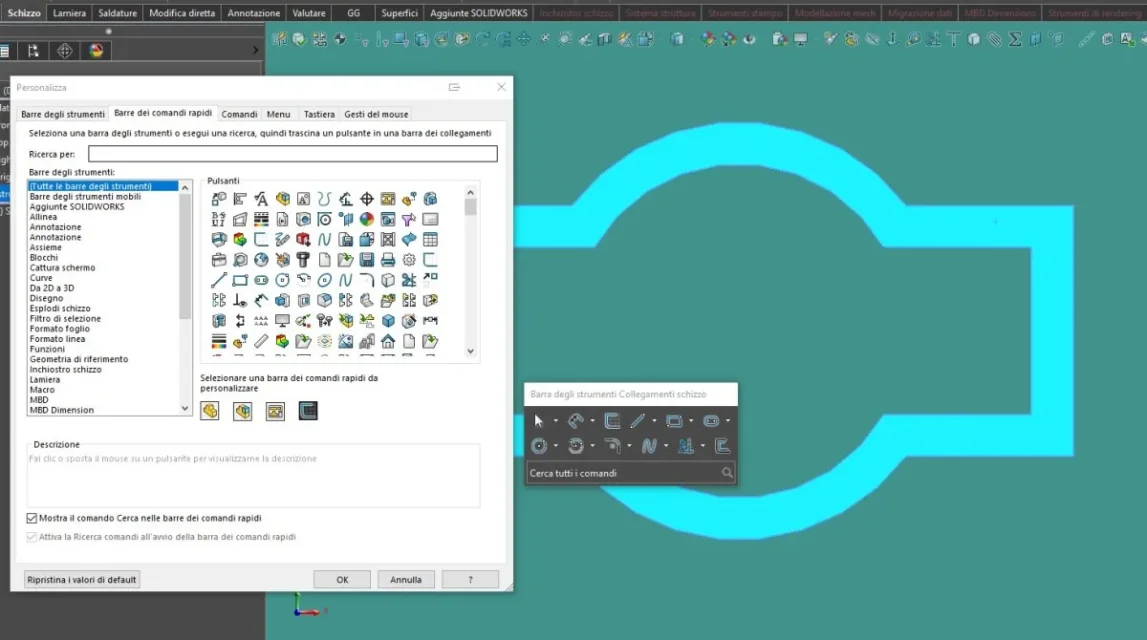
hi, following the customization of the keyboard fast commands, the s key pressed in the various contexts no longer makes the link toolbars appear. ...

Can someone give me indication to reassociate the s button then reactivate the functionality?
Thank you.
 

Attachments

  • Immagine 2024-03-06 202054.webp
    Immagine 2024-03-06 202054.webp
    57.9 KB · Views: 19
  • Immagine 2024-03-06 202016.webp
    Immagine 2024-03-06 202016.webp
    52.5 KB · Views: 12
  • Immagine 2024-03-06 201927.webp
    Immagine 2024-03-06 201927.webp
    6.6 KB · Views: 14
Hi, I can't find the link bar command. . .
also in the menu customize the last item...
What version do you use?
 

Attachments

  • immagine_2024-03-08_212136438.webp
    immagine_2024-03-08_212136438.webp
    14.3 KB · Views: 5
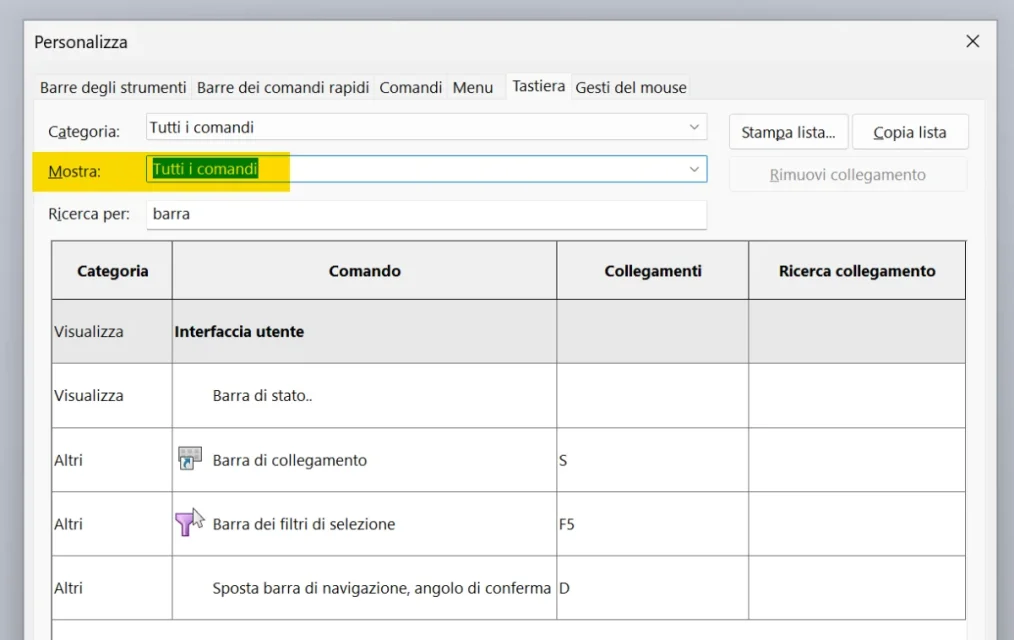
2022sp5. You may not find it because you are showing only the commands with already an applied keyboard shortcut (voice "show"). try to remove it so you should view all available commands.
 
hello, you tried to show all the commands from the show menu. in this screen I used solidworks 2023 and the voice is...1709976462997.webpif you continue not to have it then perhaps the best thing is to repair the register or installation of solidworks
 
hi, repair the installation, no effect.
then so by chance in the tab gestures of the mouse....
 

Attachments

  • immagine_2024-03-09_195557053.webp
    immagine_2024-03-09_195557053.webp
    37.7 KB · Views: 9

Forum statistics

Threads
44,997
Messages
339,767
Members
4
Latest member
ibt

Members online

No members online now.
Back
Top