
• This forum is the machine-generated translation of www.cad3d.it/forum1 - the Italian design community. Several terms are not translated correctly.

set sheet thickness and material type

  • Thread starter Thread starter justablink
  • Start date Start date

justablink

Guest
Good morning.
My name is francesco and I am beginning to use spaceclaim, the company for which I work has purchased it but still we have to do the training course at the company that sold it.
I wanted to start doing something myself, because I personally know a little inventor, but here things are quite different.
how do you set the thickness?
Can I change it even after finishing the modeling?

thanks for your answers.

france
 
Hi, Frank.
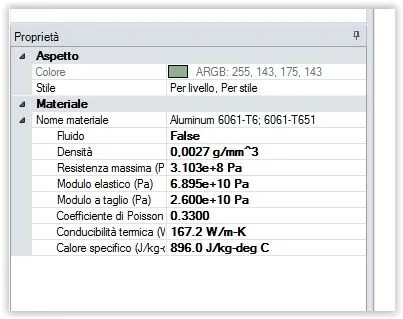
the thickness of the sheet can be changed between the properties (left down).
you can change the thickness even after finishing the modeling, but I strongly disagree. for 2 reasons:
-you still don't know that sc holds a face as a reference, the other is simply an offset of the first. you have to know how to change the reference face, it is very important.
- if you do an omega-type profile, it doesn't have any ink problems, but if you do a cashier, these could bind the model to a very precise thickness.

do well to start using it before the course, but there are some less immediate parts (folding table, k factor, fold deduction, ...) which should be explained to you well.

p.s.: which company has sold it?
 
Good morning.
I think I fixed it, thank you.

in the processing tree you have to click on "sign1" and not on "solid" and then go into the property panel.
I have to say that they could do it a little simpler..........however thank you.
 

Forum statistics

Threads
44,997
Messages
339,767
Members
4
Latest member
ibt

Members online

No members online now.
Back
Top