simone9999
Guest
Bye to all,
I tried to see similar discussions, but I couldn't solve the problem.
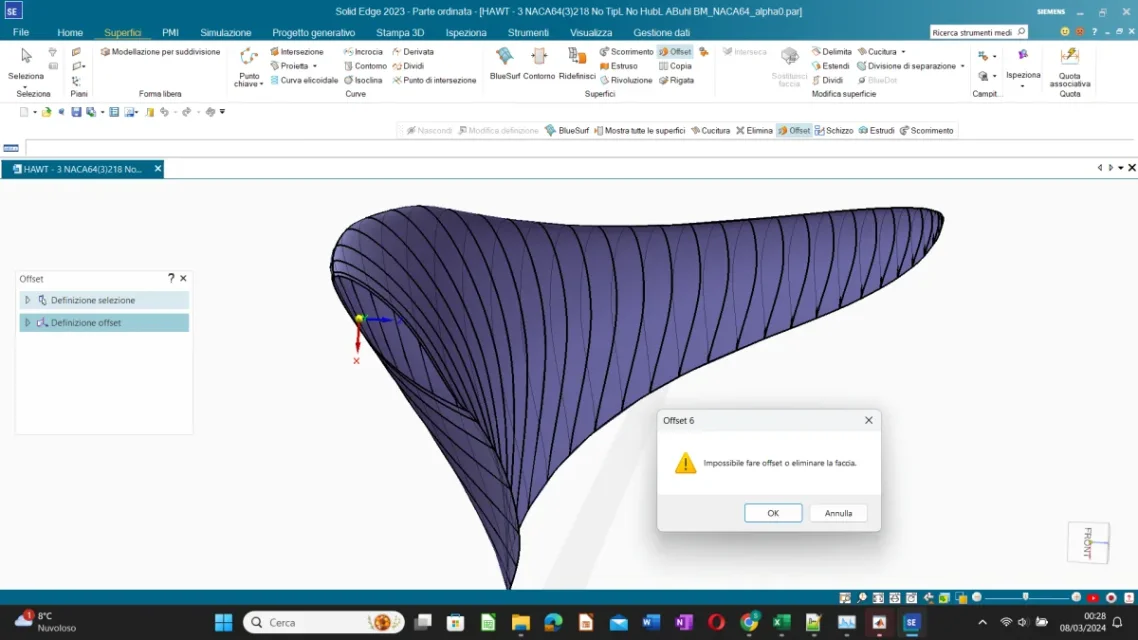
I have a shovel of a wind turbine divided into a number n of cross sections and connected each by two curves (leading and trailing edge) to the extremes of that sections. not manually created geometry, but is output of a simulation with a program. I created the lateral surfaces (in purple) between two successive sections through the blue surf command, using the two curves to the extremes as guidelines. Now I have to sew them in such a way as to obtain a single surface. when I use the 'cucire' command after selecting two adjacent surfaces gives me this error "unsuccessful sewing: impossible to sew a single sheet"... does anyone know how I can solve?
I tried to change the tolerance in the options of the seam function.
version of solid edge 2023
does not charge me the file directly then I place the link for the drive:
I tried to see similar discussions, but I couldn't solve the problem.
I have a shovel of a wind turbine divided into a number n of cross sections and connected each by two curves (leading and trailing edge) to the extremes of that sections. not manually created geometry, but is output of a simulation with a program. I created the lateral surfaces (in purple) between two successive sections through the blue surf command, using the two curves to the extremes as guidelines. Now I have to sew them in such a way as to obtain a single surface. when I use the 'cucire' command after selecting two adjacent surfaces gives me this error "unsuccessful sewing: impossible to sew a single sheet"... does anyone know how I can solve?
I tried to change the tolerance in the options of the seam function.
version of solid edge 2023
does not charge me the file directly then I place the link for the drive: