cadrev
Guest
Hello, guys, I have a problem with a flank that I can't solve in any way.
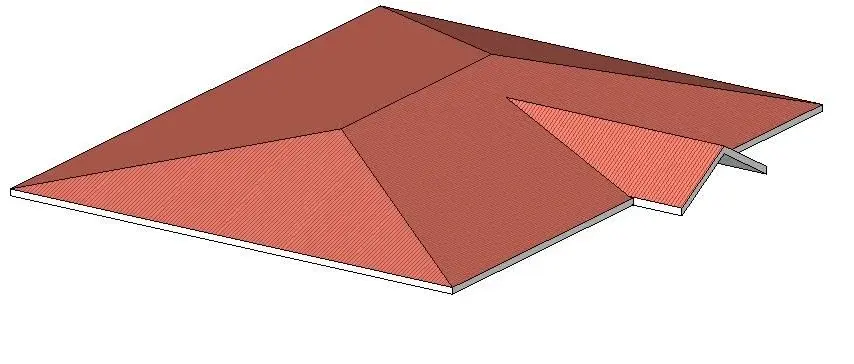
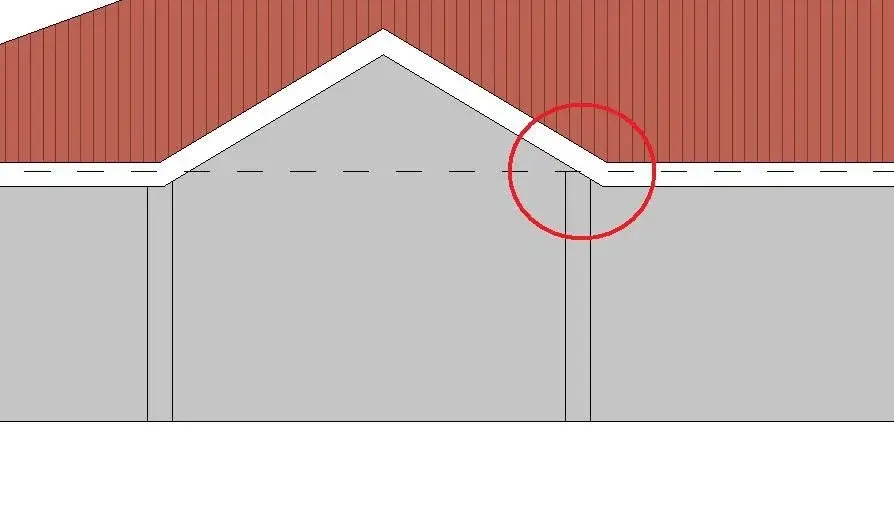
I should create a ground (photo 01) and to do so I used the method "unisci/disgiungi roof" before and then for the opening I used the abaine command. It's okay as you see. (photo 02). the roof is cut and joined and there is also opening even if nn you see in photo. the problem is that I don't want the groundwater (abaino) to get off the main ground.
I would rather have it aligned to the outer wire of the main flap. but when I go to align the two bonfires, revit warns me that it is impossible to join the roof (photo 03). I tried different ways but nothing. Is there a way to achieve this?
I had tried to create the single layer with the command "secondary elements" thinking that you could do the whole layer with the various points of hooking but I couldn't.
Can you give me a hand? Thank you very much
I should create a ground (photo 01) and to do so I used the method "unisci/disgiungi roof" before and then for the opening I used the abaine command. It's okay as you see. (photo 02). the roof is cut and joined and there is also opening even if nn you see in photo. the problem is that I don't want the groundwater (abaino) to get off the main ground.
I would rather have it aligned to the outer wire of the main flap. but when I go to align the two bonfires, revit warns me that it is impossible to join the roof (photo 03). I tried different ways but nothing. Is there a way to achieve this?
I had tried to create the single layer with the command "secondary elements" thinking that you could do the whole layer with the various points of hooking but I couldn't.
Can you give me a hand? Thank you very much