
framas22
Guest
hello to all, following cathetical videolet, I noticed that during the creation of a solid multisection, the prof selects only one of the two guide profiles (the one in the bottom right) using the right key as in the image and clicking on 'create extraction':
 after following his steps identically I click also the right button but no tendon appears to me, or better, only the final part in gray (not clickable) that also appears to him and that you see in the image. In this way it is impossible to select the only spline in the right stick and the software automatically selects both spline coming, so, to generate an error:
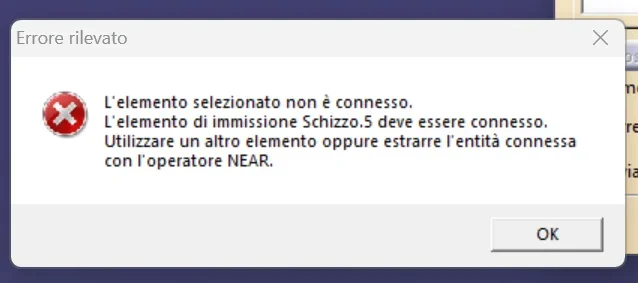 splines are totally bound to rectangles with coincidence constraints. I also tried to close the profile but always the same story. If, instead, I go to eliminate the spline to the left (or right) it fails the need to select only one and therefore the software allows me to proceed giving me, of course, the complete figure but only for the side where I kept the spline.
Could it be due to a different version of catia?
after following his steps identically I click also the right button but no tendon appears to me, or better, only the final part in gray (not clickable) that also appears to him and that you see in the image. In this way it is impossible to select the only spline in the right stick and the software automatically selects both spline coming, so, to generate an error:splines are totally bound to rectangles with coincidence constraints. I also tried to close the profile but always the same story. If, instead, I go to eliminate the spline to the left (or right) it fails the need to select only one and therefore the software allows me to proceed giving me, of course, the complete figure but only for the side where I kept the spline.Could it be due to a different version of catia?

