• This forum is the machine-generated translation of www.cad3d.it/forum1 - the Italian design community. Several terms are not translated correctly.

solidworks - component in development how to solve

  • Thread starter Thread starter LUCA MILANESE
  • Start date Start date

LUCA MILANESE

Guest
Good morning.
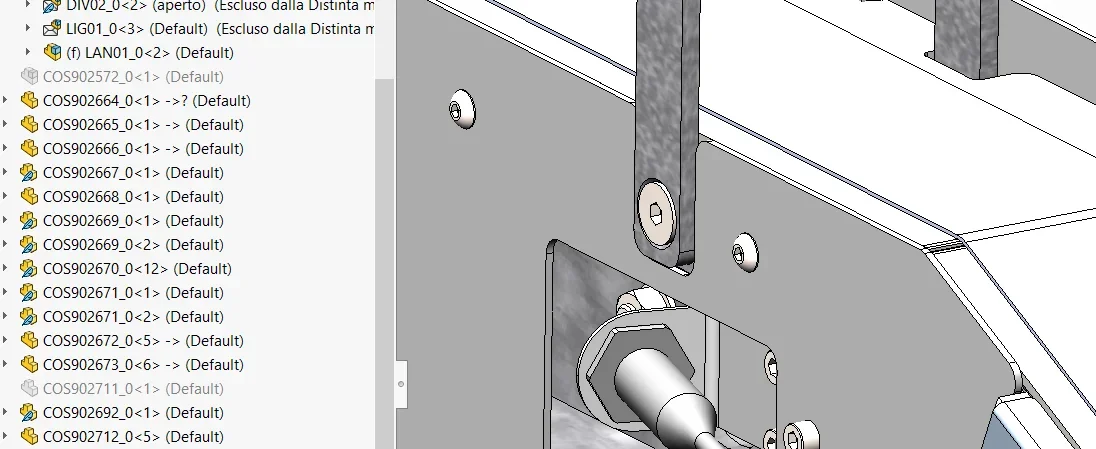
I created a set with solidworks version 2020, by necessity I performed a saving/copy of the file in *.step format, this operation modified the original file bringing in transparent view some under assemblies of the overall axieme and displaying in the tree some assemblies as "in development" through the envelope icon. I do not understand how to restore everything as what turns out in development is not visible in the drawing board
 

Attachments

Last edited:
If I didn't get it wrong, a sldasm saved it in step and you opened the step always with solidworks, correct? I exclude problems with the sole operation of "save by name" to the source file.
 
Bye.
not in development, but "inviluppo". .
It's an option that you use when you want to show a clutter on the 3d without it appearing in the table.
(there is however the way to show it in the table and will appear with dotted lines; But you won't see what's behind it, for sw is still a solid so if you have something to show behind that trick you'll have to ask to see the hidden lines of the particular concerned.
but let's go with order. )

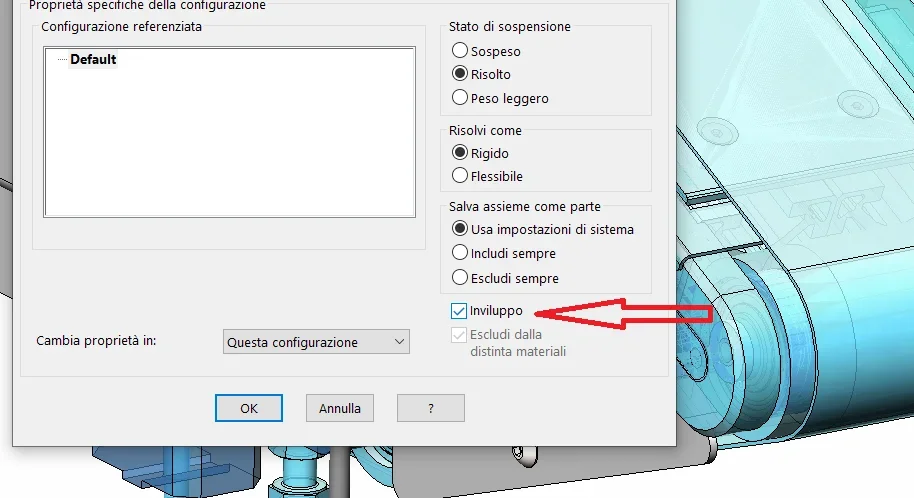
to remove the "develop" option you have to right-click on the item, then choose "component property"1726066164730.pngin the menu that opens you deselections the option "invilude" (if you have multiple configurations also uses the item "change properties in:" and select "all configurations", so you do it once.1726066220287.pngand will return the "normal" icon and your particular/assieme will be visible1726066310250.pngin case you use an envelope and, in order to give references, you want to see it, you must proceed as follows:

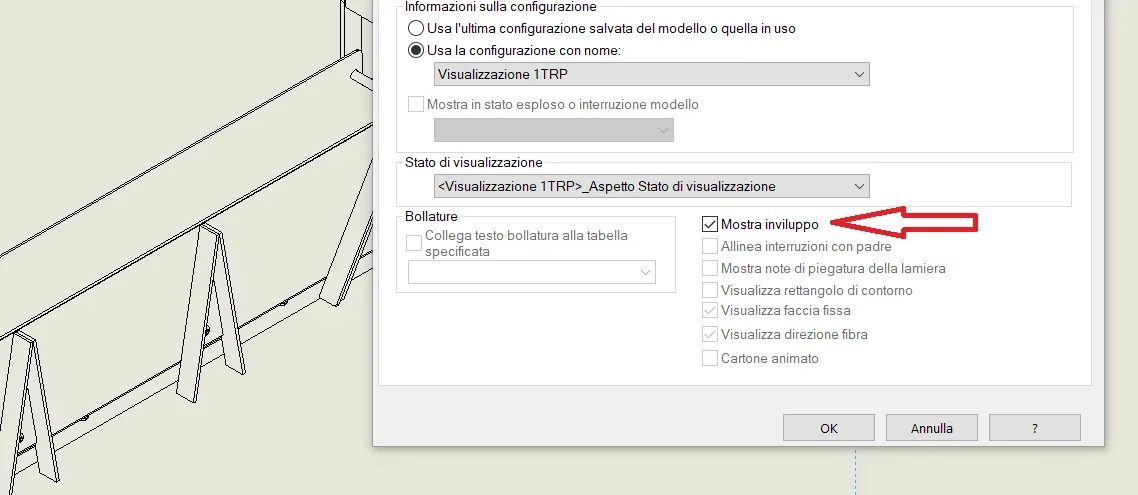
this is the standard view that creates sw with an envelope1726066439560.pngright click on the view, choose properties
1726066483423.pngthen select the item "show envelope"1726066537010.pngand this will be the result
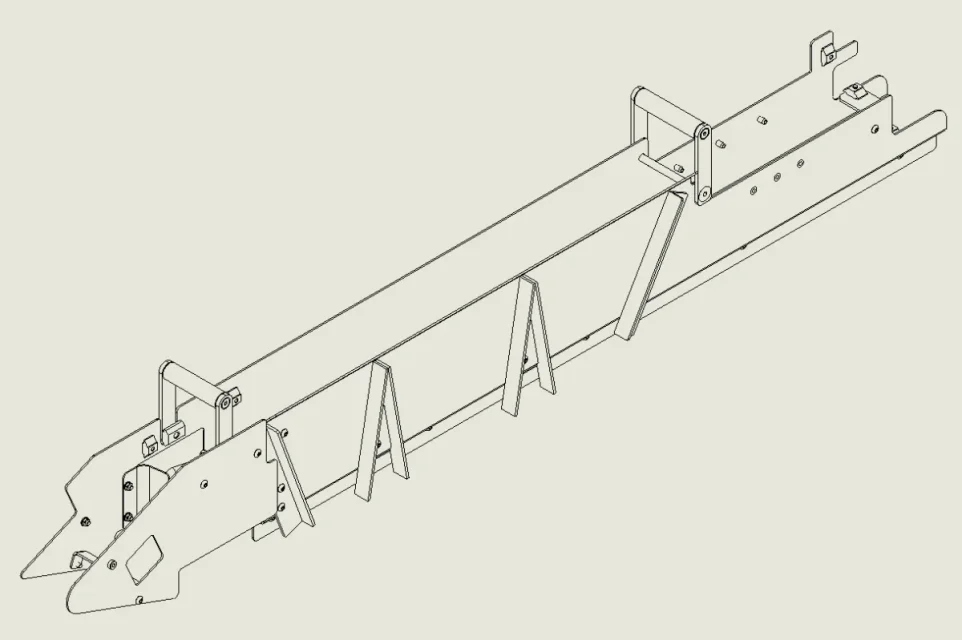
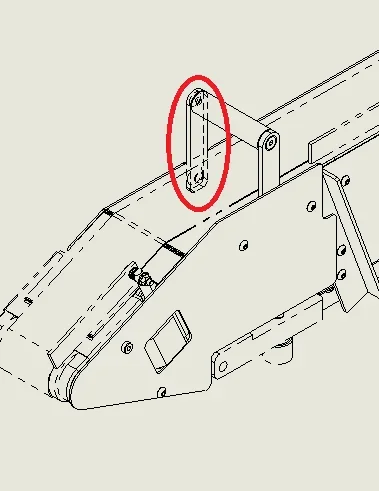
1726066599305.pngas I told you, see that in the red selection the bracket is not seen, it remains covered by the envelope that sw manages however as a solid); in case you want to show it (or show other components) you have to click in the drawing sheet with the right button on the item that interests you (or you go to look for it in the tree) click on exhibition/hiding, choose "show hidden edges".
this is the result
1726066749203.pngthe envelope is convenient to put in the assemblies any encumbrances of adjacent groups, because even if you show it in the drawing, he automatically removes it from the bom.

I have written quickly, I hope I have been clear:)
 
In a hurry, I forgot a bit.

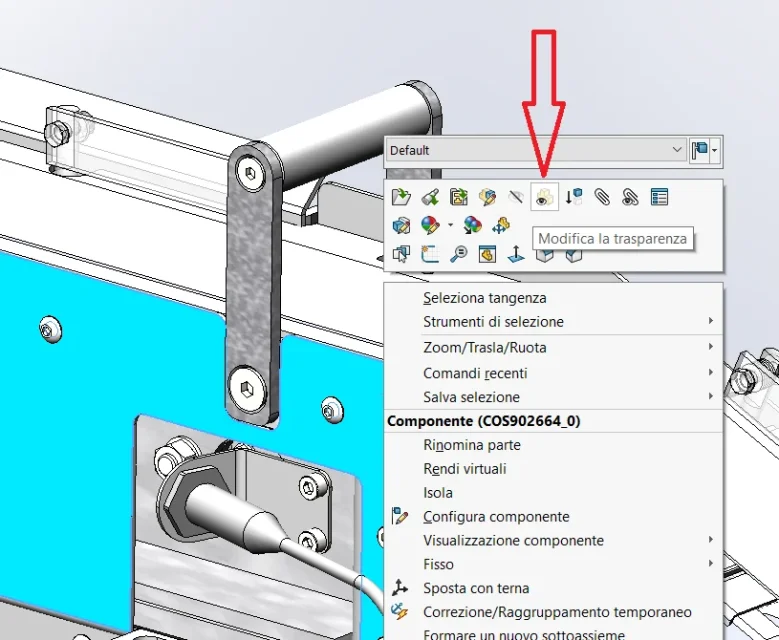
as far as transparency is concerned, you can always play it by right-clicking on the particular/axis that interests you and then making it transparent or not with the icon "change transparency"
1726067285771.webpbut this is only a graphic aspect of the 3d does not alter in any way the bom and even the table.
 

Forum statistics

Threads
44,997
Messages
339,767
Members
4
Latest member
ibt

Members online

No members online now.
Back
Top