• This forum is the machine-generated translation of www.cad3d.it/forum1 - the Italian design community. Several terms are not translated correctly.

stampa pdf in due

emanuele grasso

Guest
Hi.
How do I generate a pdf divided into two?
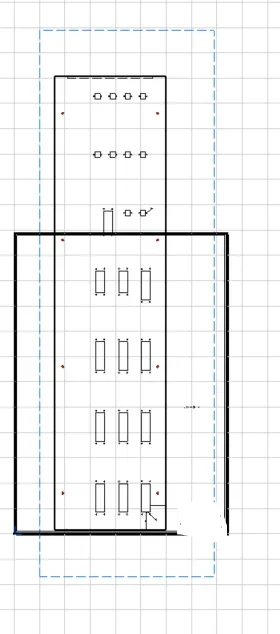
I explain: from the attached image I made the 1:1 scale view of a 1800mm high sheet in a vertical a0 sheet.
how do I generate so many pdfs (in this case two) that join together give me the drawing in scale 1:1?
Thank you.
 

Attachments

  • Cattura.webp
    Cattura.webp
    10 KB · Views: 14
hello why 2 pdf?
Wouldn't it be easier to print a first part and then move the view into the drawing and reprint?
 
I can do as you say, but it's longer because I have to do two prints
if instead there was a command to "smezzare" (pass me the term) I generate my vector file in pdf with so many sheets as they serve to contain the drawing and I do once the printing
 
have you pegged to see between the options in the v5 cat panel when you want to print?
 
Hi.
How do I generate a pdf divided into two?
I explain: from the attached image I made the 1:1 scale view of a 1800mm high sheet in a vertical a0 sheet.
how do I generate so many pdfs (in this case two) that join together give me the drawing in scale 1:1?
Thank you.
I think the system is this.
I've never used it so I can't help you so much.
try and let us know1658344038351.png
 
I think it works.
In theory you could print a drawing, made for an a0 format, on different a3 formats and then assemble them.
there is also the possibility to make them to overcome and to print the edge for the crop.
If you try it, then let me know. Thank you.
 
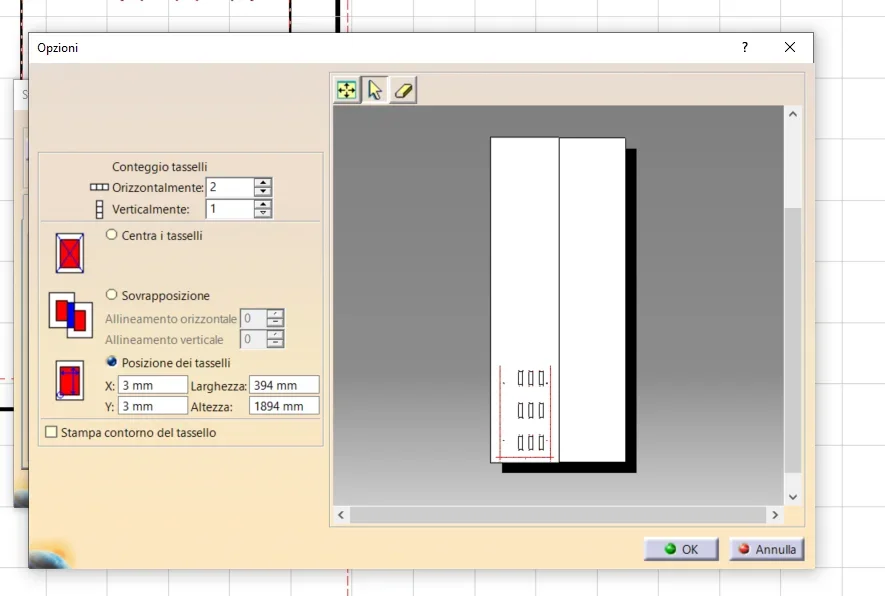
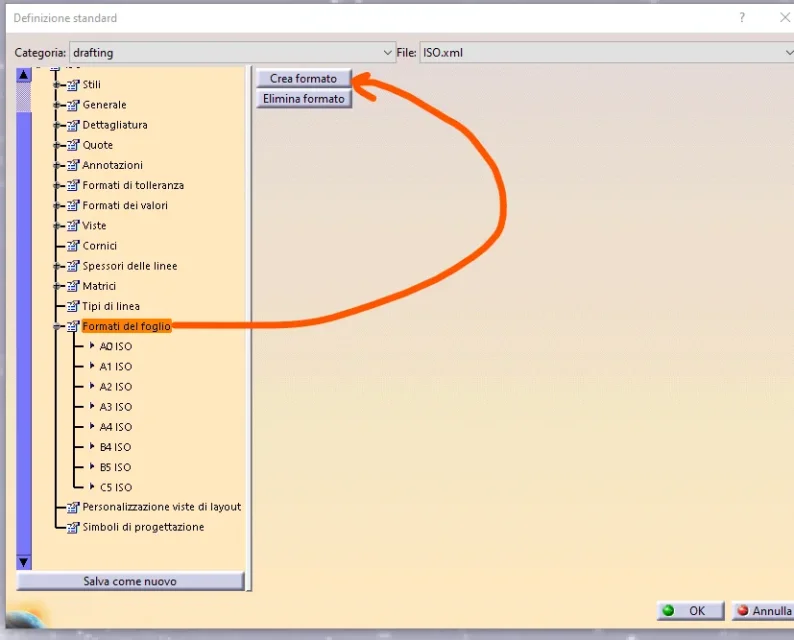
But in your case... first you need to create a large "user" format when enough to hold all your drawing in scale 1:1 and then fragment it with the "keys"1658345822734.webp
 
So... I made my user format 400 and 1900 wide and I want to try to fragment it on so many vertical a3 sheets (I don't do the a0 because I don't have the plotter) but if I activate the dowels I only fragment the content of the a3 sheet and not even everything that is outside
now the configuration is like the one you see attached
 

Attachments

  • Cattura1.webp
    Cattura1.webp
    12.3 KB · Views: 5
  • Cattura2.webp
    Cattura2.webp
    20.9 KB · Views: 4
Maybe you have to create your sheet size?

then in print ..instead of a0 choose the created format that should appear in the choices1658392318932.png
 
I did just the one on the format and I increased the print area and I generated the pdf but it gives me only a3 of the whole sheet and not many a3 in scale 1 : 1 how many serve to recreate the design
 

Attachments

  • Cattura.webp
    Cattura.webp
    22.2 KB · Views: 3
I did just the one on the format and I increased the print area and I generated the pdf but it gives me only a3 of the whole sheet and not many a3 in scale 1 : 1 how many serve to recreate the design
But did you put 100%?? ?

I just made a test
I simulated an a0 format print and generated n°10 a4
1658395096617.png
 
Last edited by a moderator:

Forum statistics

Threads
44,997
Messages
339,767
Members
4
Latest member
ibt

Members online

No members online now.
Back
Top