• This forum is the machine-generated translation of www.cad3d.it/forum1 - the Italian design community. Several terms are not translated correctly.

table, layer as autocad

skia51

Guest
Hello I have a problem with it at solidworks table. the default table sets everything in black color, the various entities such as quotas, axes, sampling etc. are lines of different thickness, the printed design is often unreadable compared to autocad where for each entity I gave a different color.
Now I managed to do this in the dwg rescue, but I would like to do it automatically in solidworks.
Is it possible? or is it not exactly intended for this software?
use solidworks 2010 but we are going to 2012 if it can serve.
thanks to who will help me
 
Hello masivonweizen,
thank you but I have already followed the procedure of driving solidworks but I can not get what I look for, for example: I would like that if I do a section, automatically the section line was of one color, while the sampling of another, or if I show the hidden lines these are of another color and thickness, I created a mapping file and in the passage to dwg the various entities, automatically, acquire the properties of the layer defined previously. I can't do the same in soliworks would be very useful if you can do it.
I hope I explained.
 
Here is an example
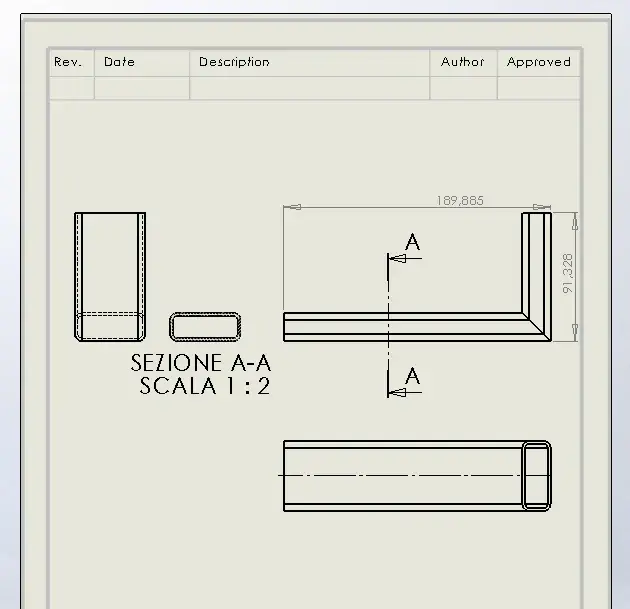
this is the solid works file:
Cattura2.webpand this is what I get automatically with saving in dwg format:Cattura1.webpI would like the entities to be recognized and changed in solodworks without converting to dwg.
 
Screenshot_8.webpI do not know if I understood correctly:confused:... but to set the colors of the various lines of solidworks you have to do it from them:finger:
 
Bye-bye
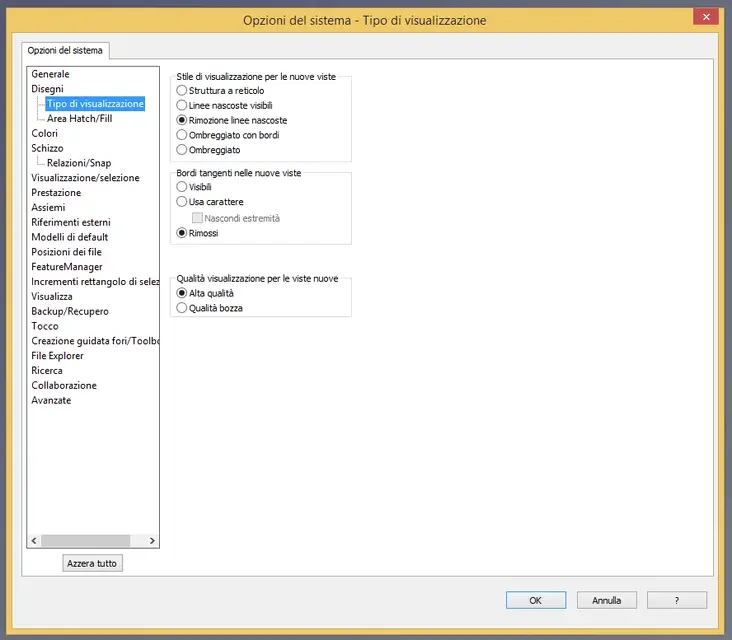
I can't establish lines colors or style
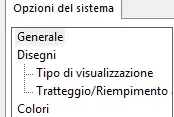
I attach what I see in this menu item optionsCattura.webpWhere do I set the color?
 
then keep in mind that there is another menu of options only for the part of the boards you find when you have an open table... You should make a model with everything set to start from every time. . .
 
in the color menu I find only the possibility to change the background or color of the sketch, selected faces, inactive functions etc. opening a table in the options shows me the possibility to establish the line style and the thickness but not the color, where do I change it? Also defining the levels every time I have to select for example a quota and define the level, but if I want to change the sampling or hidden lines changes all the geometry.
 
in the color menu I find only the possibility to change the background or color of the sketch, selected faces, inactive functions etc. opening a table in the options shows me the possibility to establish the line style and the thickness but not the color, where do I change it? Also defining the levels every time I have to select for example a quota and define the level, but if I want to change the sampling or hidden lines changes all the geometry.
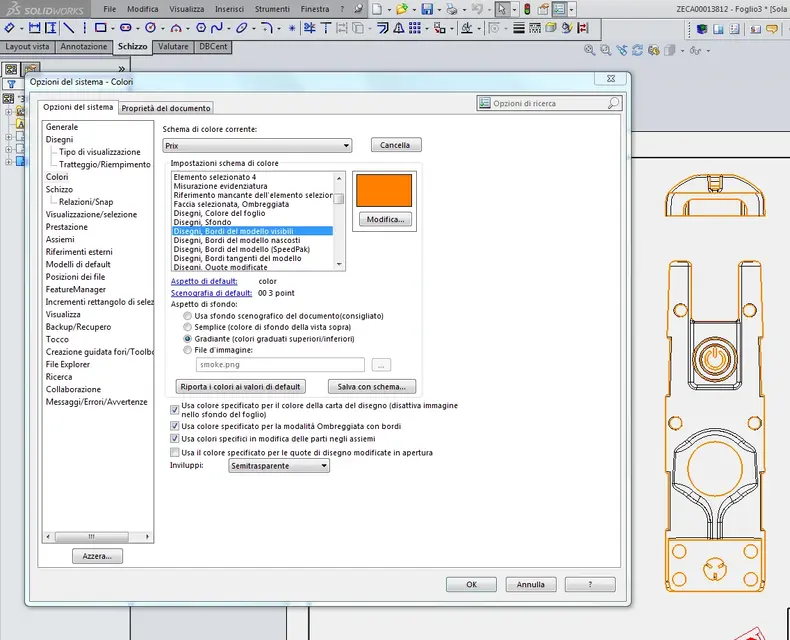
when you are in the options go in the "color" section and find "drawings - edges" and change the color of the lines. then save the pattern with a name. I attach photos. greetingsCattura.webpCattura 01.webp
 
Here's what I do
Thank you very much
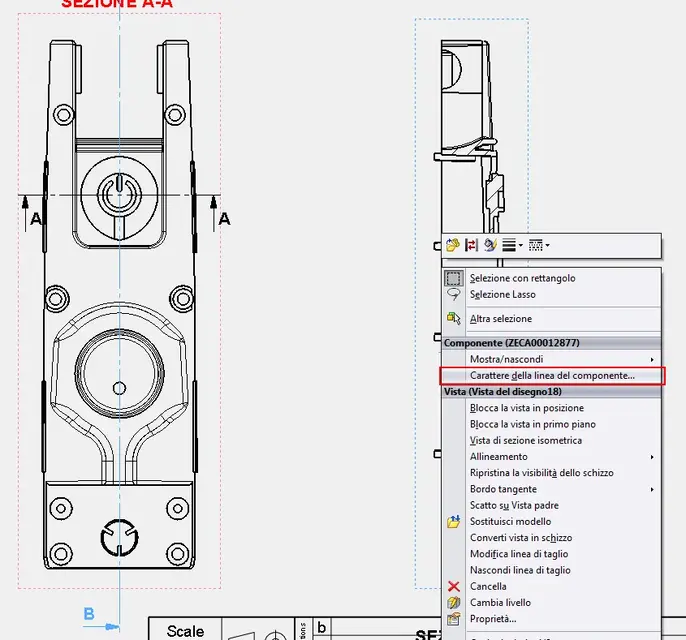
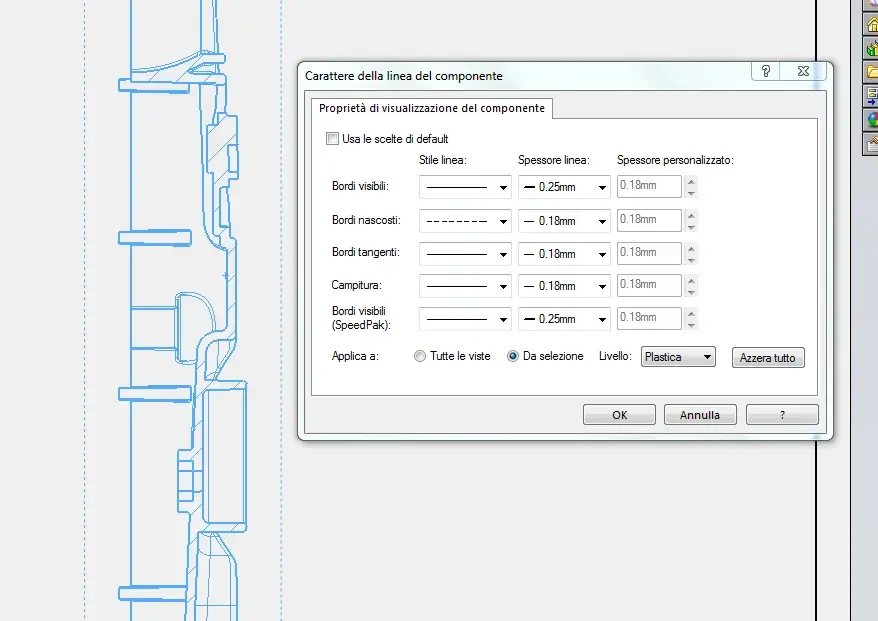
I want there is also another option... I saw the autocad photo well. you can create all the views of the case, ect section, then click on a view line and mouse button. opens a drop-down menu and choose "component line character" opens an interface and you can choose line thickness and type and especially change layers. just create a diegno model with the layers you need and then eventually move only that viist (section = layer section). Obviously this involves more time and should be done for every single design and view.cattura 00.webp
cattura 01.webp
 
thank you but in this case, as you have already written, I have to select all the entities I want to change, the first method seems faster, I will try to deli.
In any case I have another question, the quotas in solidworks are of only one color both lines and text, can you change and make sure that the lines are, for example, black while the green text? I use the 2010 version of solidworks, in later versions can you get this result?
Thank you.
 
Hello, excuse me but how do you export to autocad by giving them these colors? I can't understand it, and I want to do it too.
Thank you very much
Greetings
 
Hi, I hope I understand your problem.
I to convert from solidworks to dwg I created models of the table setting with the levels and set the properties of the document as I felt most suitable for my needs. . .
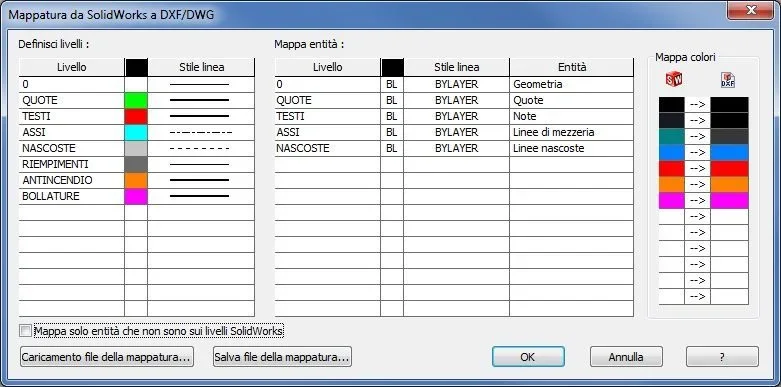
proprietà del documento.webpthen I created a mapping from solidworks to dwg with the colors and layers of autocad.. .
MAPPATURA DA SW A DWG.webpI hope to have been helpful, even if I read ke massivonweizen as usual has already given you the right information...
 
hello to all...thank you so much for your help because I managed to map the levels and especially now I save a lot of time in converting the tables from sw to autocad...but one thing, what is the map of the colors on the right?
Sorry if I ask you obvious things but being completely self-taught I have to bang my head until I can do it:36_1_13:
 
hello to all...thank you so much for your help because I managed to map the levels and especially now I save a lot of time in converting the tables from sw to autocad...but one thing, what is the map of the colors on the right?
Sorry if I ask you obvious things but being completely self-taught I have to bang my head until I can do it:36_1_13:
I'm self-taught, too. .
x regarding the table on the right I don't remember, I did it at first and I have no memory of the thing...
However if you wait a few minutes surely Massivonweizen will take away all your doubts... :wink:
 
Well, since you're so kind, I still take advantage of it:wink:. .
when I convert from sw to autocad and decide to convert the text style into the options by putting true type, when I open the dwg in the cartiglio the writings come to me gigantic. Why? everything else remains unchanged. ...
 

Forum statistics

Threads
44,997
Messages
339,767
Members
4
Latest member
ibt

Members online

No members online now.
Back
Top