
You are using an out of date browser. It may not display this or other websites correctly.
You should upgrade or use an alternative browser.
You should upgrade or use an alternative browser.

geppetto
Guest
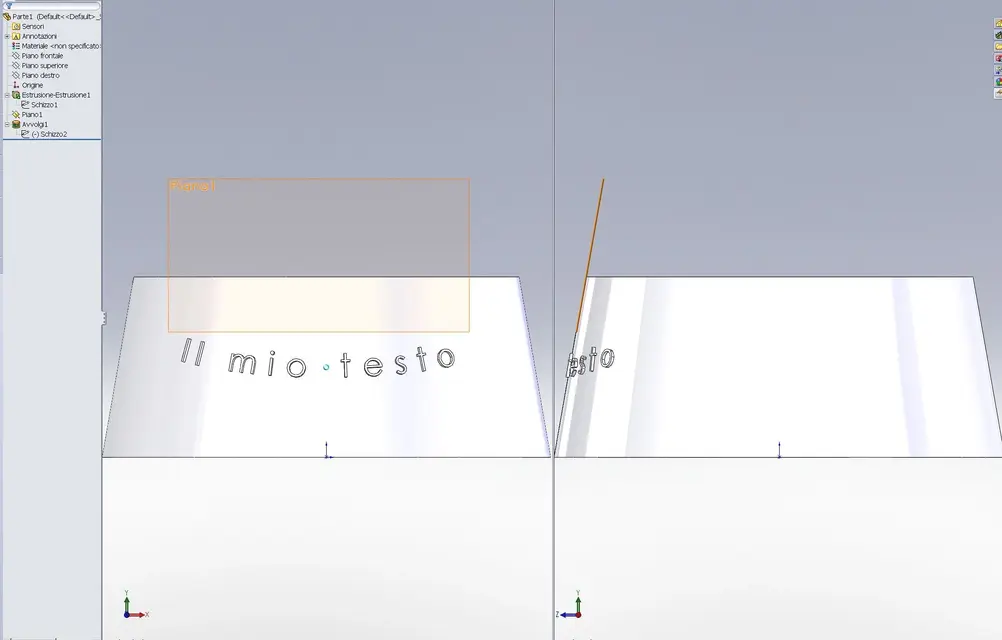
Geppetto82
Guest
We call ourselves the same.
Thank you for the answer, in sti days I try then I let you know.
greetings
geppetto82
Thank you for the answer, in sti days I try then I let you know.
greetings
geppetto82
Geppetto82
Guest
Hello, geppetto,
I'm trying as you told me, I have to ask why the writing doesn't exactly follow the curvature of the piece?
how do I follow the curvature and wrap it entirely?
I'm trying as you told me, I have to ask why the writing doesn't exactly follow the curvature of the piece?
how do I follow the curvature and wrap it entirely?
Geppetto82
Guest
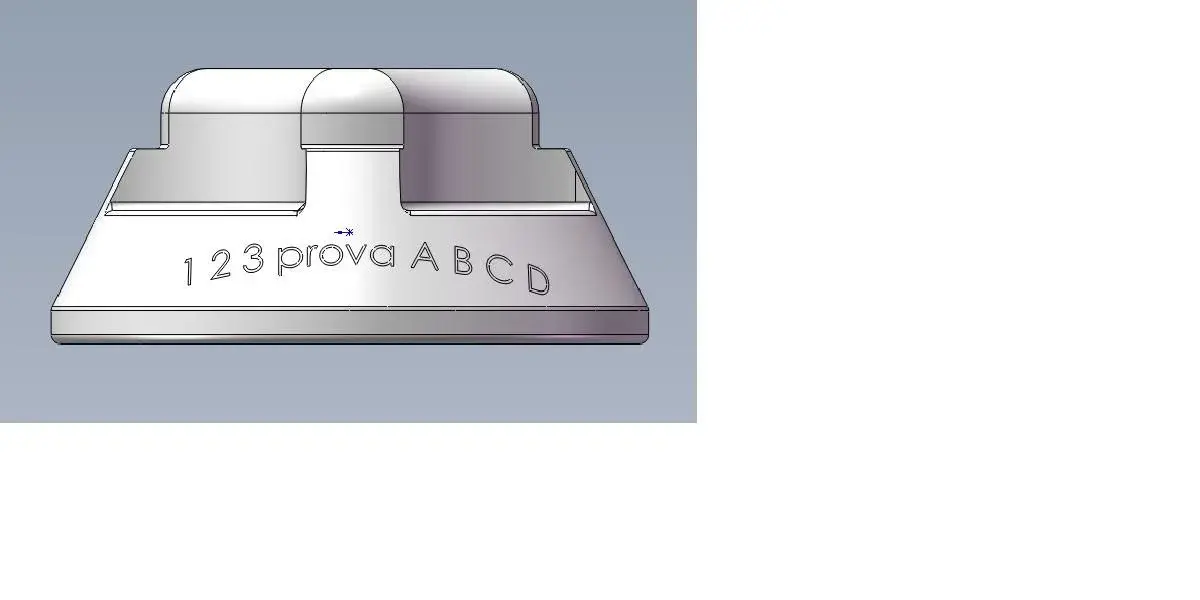
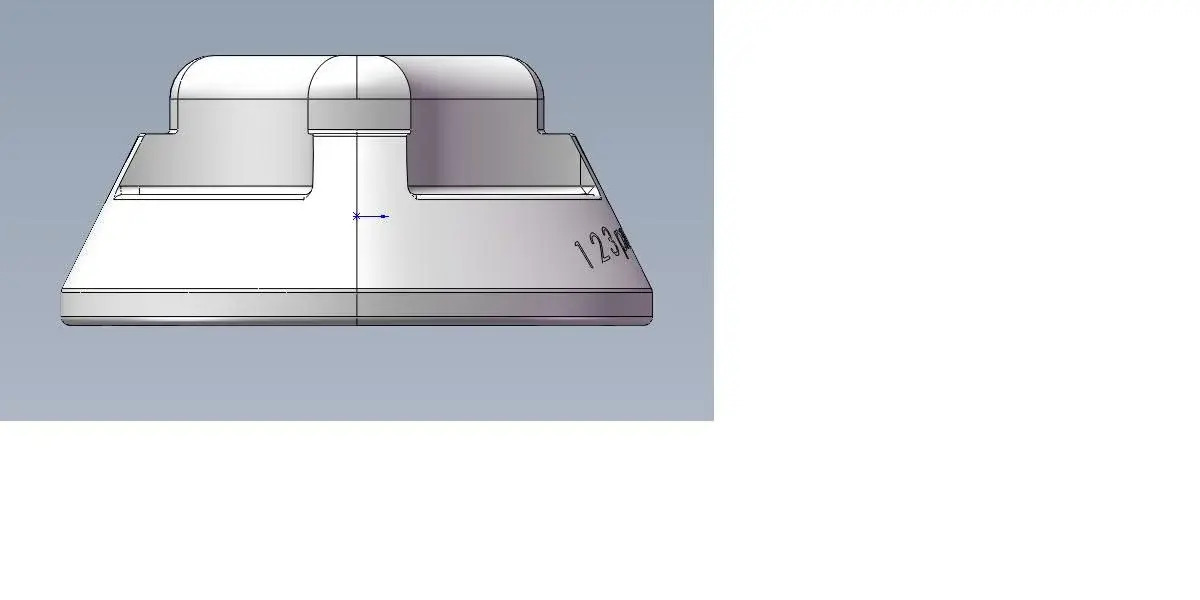
That's what I got.
but it is not as I wished (see fig. Test 1 and Test 2)
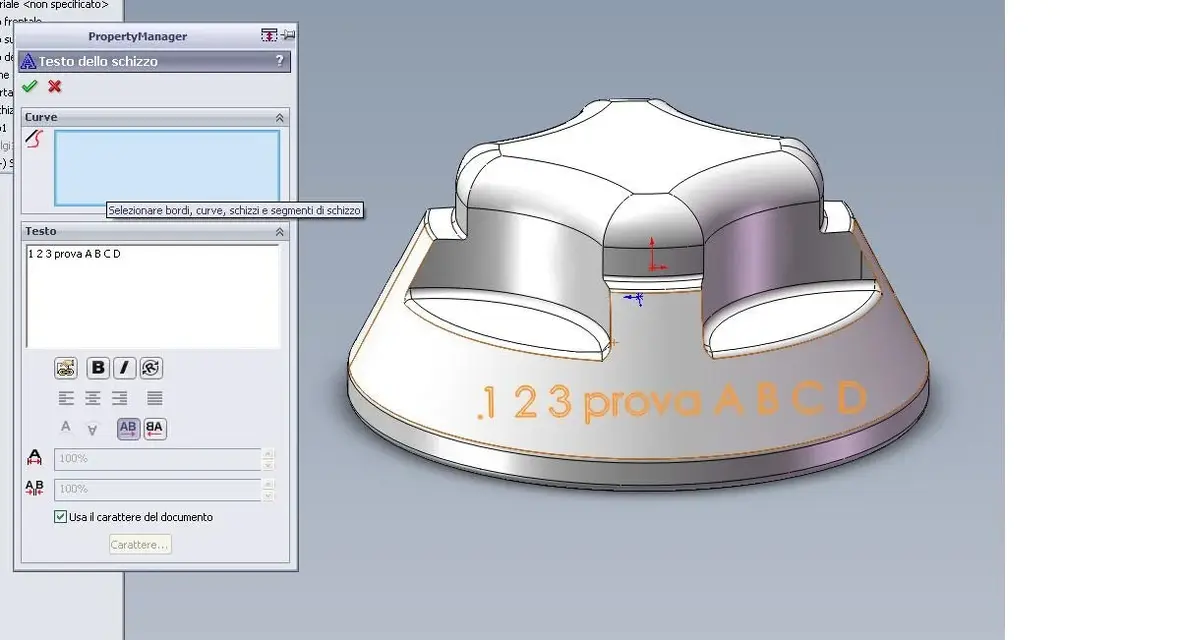
I would like the writing to follow the curvature; I noticed the "curve" option in "scratch text" (see test 3), asks me to select a edge or curve, try to select them but nothing happens.... maybe it is right there the trick?
but it is not as I wished (see fig. Test 1 and Test 2)
I would like the writing to follow the curvature; I noticed the "curve" option in "scratch text" (see test 3), asks me to select a edge or curve, try to select them but nothing happens.... maybe it is right there the trick?
Attachments
geppetto
Guest
in the sketch text function asks you a curve that you have not selected. when you do the sketch, add a line, arch or spline that acts as a guide. the driving curve can also be an external sketch.
Geppetto82
Guest
I tried to insert an external arc (projection of the diameter of the knob), but it does not make me select it.
I tried in the sketch of the text to insert another arch and that makes me select it, but still does not follow the tilted wall and the text is curved but not as required... .
I can't get my legs. .
I tried in the sketch of the text to insert another arch and that makes me select it, but still does not follow the tilted wall and the text is curved but not as required... .
I can't get my legs. .


