Giul
Guest
Hello everyone,
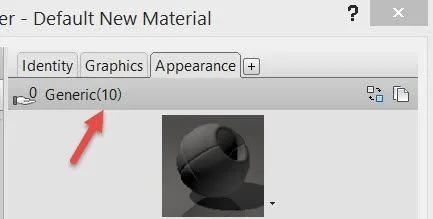
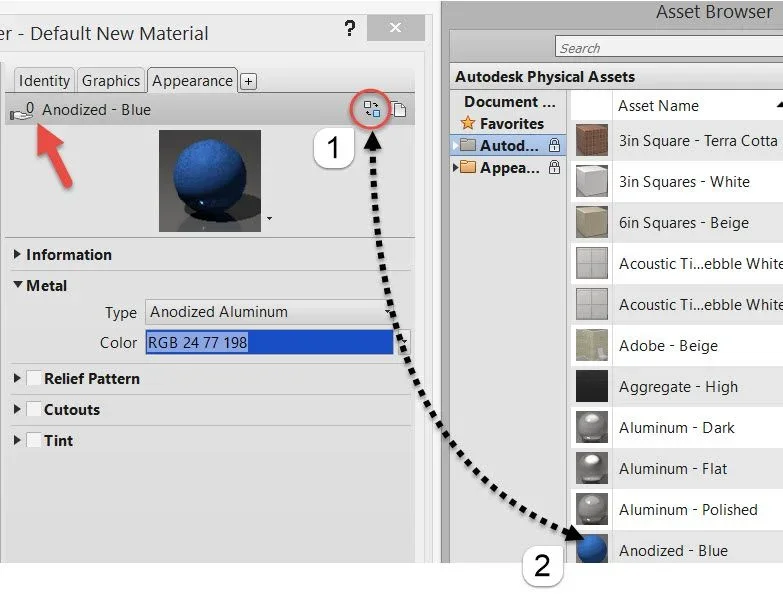
I started using revit 2016 recently and I am learning now while I run several 3d for a study. inserting the textures has arisen a problem. when I modified the family I duplicated a generic material and put the photo as a texture. when I change the material on a different family and insert another photo and then another texture also changes the fam I have previously modified. in a few words it combines all the textures in one, though then the photos are different. I cannot therefore have different materials in the different rooms. Is there a way to block the textures unknown to me? or should I put the photos in a specific place? I tried to redesign changing always family, and to divide the photos into distinct folders, but nothing.
I hope I've been clear
thanks in advance
(I hope it's not a repeated discussion, but I haven't found any more precedent on this)
I started using revit 2016 recently and I am learning now while I run several 3d for a study. inserting the textures has arisen a problem. when I modified the family I duplicated a generic material and put the photo as a texture. when I change the material on a different family and insert another photo and then another texture also changes the fam I have previously modified. in a few words it combines all the textures in one, though then the photos are different. I cannot therefore have different materials in the different rooms. Is there a way to block the textures unknown to me? or should I put the photos in a specific place? I tried to redesign changing always family, and to divide the photos into distinct folders, but nothing.
I hope I've been clear
thanks in advance
(I hope it's not a repeated discussion, but I haven't found any more precedent on this)
 first of all thank you for the answer.