• This forum is the machine-generated translation of www.cad3d.it/forum1 - the Italian design community. Several terms are not translated correctly.

thinkdesign 64 bit

  • Thread starter Thread starter lubos
  • Start date Start date

lubos

Guest
hello to everyone, should date the 64-bit version but the presentation of
October 3rd, which had been advertised was canceled.
said it's only going to be done the one ahead of linate(x I had to send more tickles to different people since the inscription was supposed to be in theory by September 21st...).
I have the impression that in think3 there is some confusion, or at least at the level
of organization/communication are leaving a little to desire(my
personal experience),someone can tell me something about it?

Thanks
 
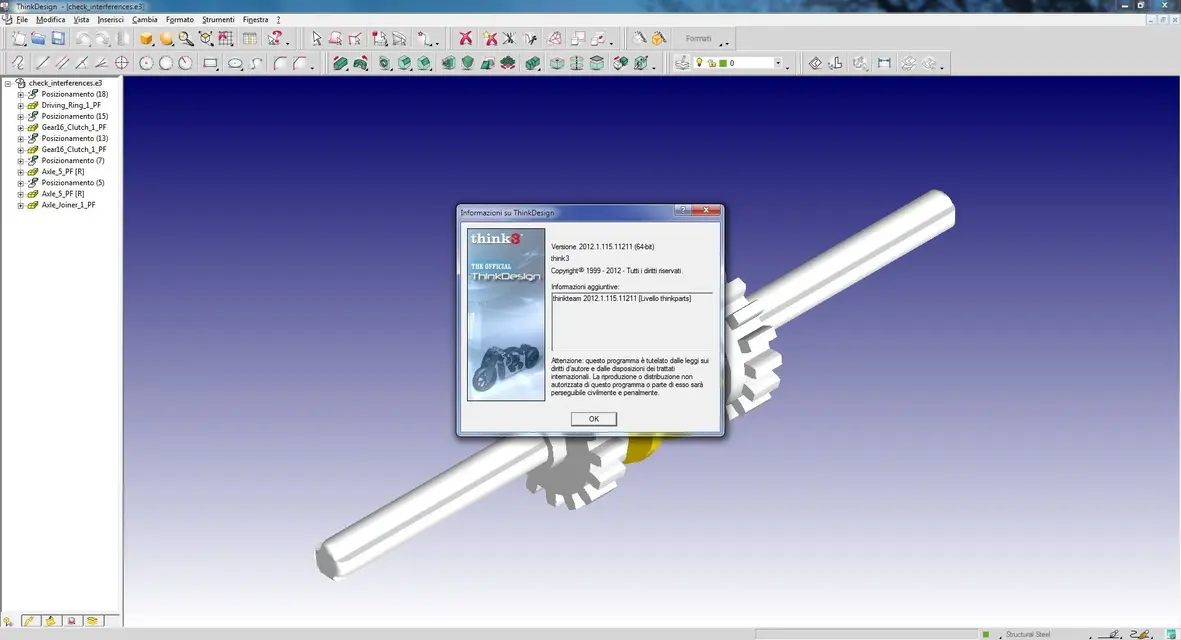
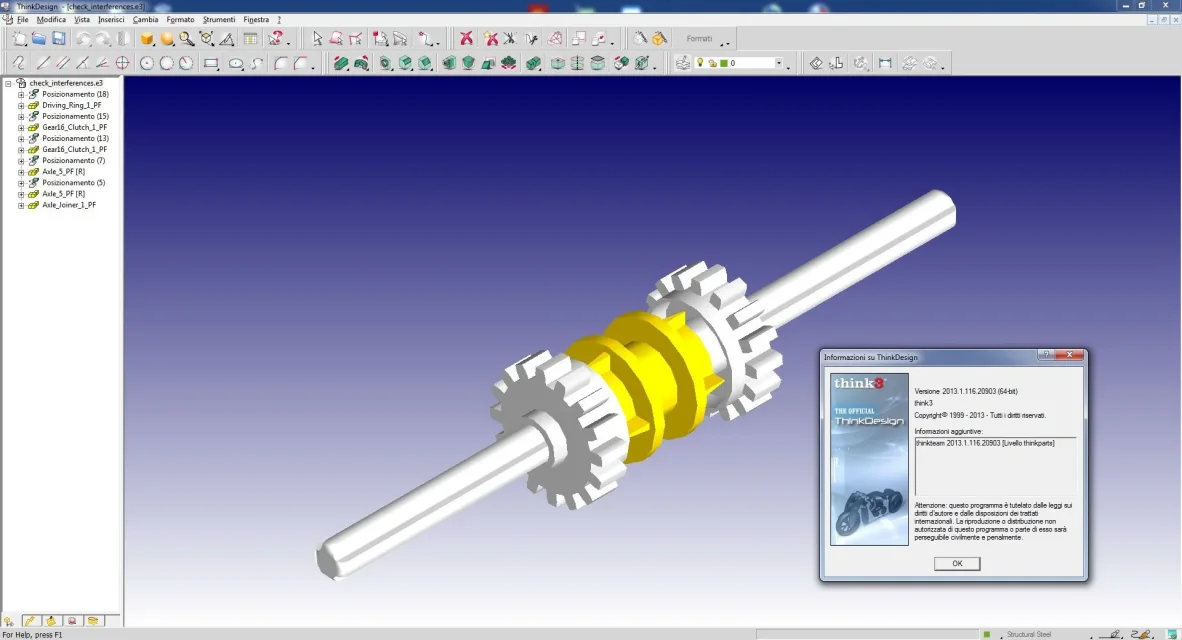
if you may be interested we started the beta in our company about 4 months ago.
the version we have installed will probably be the last before the official release.
really high performances now especially on assemblies and gsm.

I don't know how to help you.
 

Attachments

  • Cattura.webp
    Cattura.webp
    21.5 KB · Views: 141
Hello everyone
I want to see this new version too
also because I am firm (and very affectionate) to my 2008.1
But where do I go fishing for a preview without directly engaging the company?
 
You don't know how much I hate the ribbon interface. Perhaps it is true that it reduces the km we make with the mouse, but I still struggle to get used to it. td2013x64 turns very well at 64 bits, with regard to solid modeling+superfici in my opinion is placed at the top with zw3d, while the sheet-metal in comparison with sw still leaves much to be desired. However this latest release of td I see mature, appears a stable and consolidated product, which certainly can satisfy a wide range of users. all considering obviously only the characteristics cad, certainly not the various economic/administrative implications of society. we leave them to those who are obliged;)
 
the 2013.1 version has numerous improvements, each of which is briefly described, along with new features, in this document.
Axioms
plug-in ansys
data exchange
property entity
Moldovadesign
list of components and bubbles
performance improvement
sheet metal
processing
surfaces
think3 wizards (api-com)
windows 8

Assiemiain previous versions, if the relationship of a simple component broke, this was renamed using the generic name: compo<numero_progressivo>.
in version 2013.1, the command breaks relationships renames the component by following the rules set in the settings area automatically renames the axiemi/shared groups of system options. when the check box enabled (present in the area indicated above) is unchecked the name is <nome_componente><numero_progressivo>.

----------------------------------------------------------------------------------------------------------------------------------------------------------------------------------------------------------------------------------------------------------------------------------------------------------------------------------------------------------------------------------------------------------------------------------------------------------------------------------------------------------------------------------
</numero_progressivo></nome_componente></numero_progressivo>plug-in ansies in this version you can install the plug-in ansys v14.5 during installation from the customization window of the installation wizard. the plug-in is available both in the 32-bit and 64-bit environment.

----------------------------------------------------------------------------------------------------------------------------------------------------------------------------------------------------------------------------------------------------------------------------------------------------------------------------------------------------------------------------------------------------------------------------------------------------------------------------------------------------------------------------------
data exchangein the previous version the td xchangereader module allowed to read catia® v5 (*.catp*), pro/engineer (*.prt*; *.asm*; *.neu*) and parasolid® (*.x_*; *.x_*).

now can read solidworks© files (*.sld;*.sld*), autodesk® inventor® (*.ipt*; *.iam*), jt (*.jt) and siemens nxtm (unigraphics) (*.prt) simply using the open command and its options.
for solidworks© format, it allows to read the files of any version until 2012; for autodesk® inventor® any version until 2013; for jt any version up to 9.5; for siemens nxtm (unigraphics), any version from v11.0 to nx 8.

in addition to the supported versions in thinkdesign 2012.1, it allows to read catia® v5 (*.catp*) rel 22.

----------------------------------------------------------------------------------------------------------------------------------------------------------------------------------------------------------------------------------------------------------------------------------------------------------------------------------------------------------------------------------------------------------------------------------------------------------------------------------------------------------------------------------
property entityin the type drop-down list: of the category quota-text-font and frame in the tab property entity of the options/properties dialog box were added four elements.

choosing one of them and performing the label command with the selected multiline mode option, you get one of the following results:

jis underline all stresses are as long as the longer text and are joined by a vertical line
jis stress (not longer) stresses are as long as the text to which they are referred and are united by a vertical line
jis underline (not vert.) all underlines are as long as the longer text and there is no vertical line
jis underline (not vert + not longer) the stresses are as long as the text to which they are referred and there is no vertical line

----------------------------------------------------------------------------------------------------------------------------------------------------------------------------------------------------------------------------------------------------------------------------------------------------------------------------------------------------------------------------------------------------------------------------------------------------------------------------------------------------------------------------------
mold designthe standardized mold component command now allows you to select as positioning points not only snap points, but also free points on the work plane. Graphic feedback is different: each snap point is displayed using a red ball, each free point is displayed using a gray cross.

this improvement allows you to place the normalized component at any point (free positioning) and then, by clicking on its anchoring point, to move it by specifying the x and y values or to drag it. coordinate-related mini-dialogues are only available if you select a normalized component. In the other case (snap) you can change it to free positioning through a double click on the anchor point or selecting it and using the command breaks relationships in the context menu.

the new delete command is now available in the context menu and allows to remove one or more normalized components. you can select more than one normalized component by holding down the shift button during the click; if the multiple selection does not contain free positions, in the context menu will be available the relationships and delete commands, otherwise only the delete command will be available.

the new exhaust drop down list was added to the cooling command under other options. you can define how to choose the components in which the cooling holes should be created. the available options are:

Automatic automatic
when selected, cooling holes are created in all components through which the cooling profile passes.
manual manual manual
when selected, cooling holes are created in only selected components. the component selector allows you to perform the selection.

another improvement is the new component list editor dialog box that allows you to change the component list in a simple way.
in the 3d environment, shows a preview of the components list (without groupings).
you can order the table according to the needs.
Moreover, it allows to drive the numbering sequence of components.

----------------------------------------------------------------------------------------------------------------------------------------------------------------------------------------------------------------------------------------------------------------------------------------------------------------------------------------------------------------------------------------------------------------------------------------------------------------------------------------------------------------------------------
list of components and bubblesin the previous version in the presence of a set with a hierarchical structure, it was possible to use the commands for the numbering, for the insertion of bubbles and for the creation of the component list only for the upper level. now the improvements in these commands allow to work also on the leaf level.

to the command enter property position article was added the drop down list hierarchy level:; it is possible to choose between first and leaf, the successive selections will take into account this choice. when the first level is selected, renumbering is done only for selected components. Similarly, when the leaf level is selected, the renaming is done only for the leaf components of the selected components.
in the model environment, the command allows multiple selections when sorting is set to values by code or by input order: the new select components selector is available:.

the hierarchy level drop-down list: was also added to the automatic bubble controls and bubbles in manual.

the leaf value has also been added to the drop down list hierarchy level: in the category list components of the fi dialog options list components. in the same category you can select in character you want to use as a separator: list of components in a file.

also the component list tool command contains the same modification in the hierarchy level drop-down list:.

in the model environment, the component list toolbox now opens the component list editor dialog box instead of the selection list.

this window contains the list of each component with its properties without regrouping, differently than the normal component list.
the button exported to csv file allows you to save the component list on a cvs file, you can choose the path to save with the standard OS selection window. the Options button shows the Component List options dialog box that allows you to browse and change the properties of the Component List.

Moldovadesign users can use this window to change the component list.

the table can be ordered according to the growing or decreasing order of a data column simply by clicking on the header of the corresponding column.

by clicking on the code of a component you can change it.

the item position property area is enabled after selecting a row with a click. you can enter the number you want to assign to the first selected component (start) and the numerical difference between two successive components (pass). you can also specify the behavior required in the case of multiple occurrences of the same code (the same article position for the same code).

you can perform multiple selections. if the rows are contiguous, holding shift and selecting the first and last row. otherwise you select rows holding ctrl. to select all components, just click on the top left table corner.
with the assign button updates the component list.

another important feature is the zoom command entity of the context menu; after selecting a component increases or decreases zoom magnification so that the selected entities fit exactly within the current display.

with apply you can save the changes without closing the dialog box; with ok save the operation and closes the dialog; pressing cancel you delete all changes and close the dialog box.
 
--------------------------------------------------------------------------------
performance improvementin this version significant improvements have been made to increase thinkdesign performance in different and complex situations.

move surfaces and faces with the selected copy option is faster. for each entity, the greater the number of copies and the complexity of the entity, the greater the gain. creating 20 copies of a solid with more than a thousand faces, the operation is about twice as fast.

when you regenerate very complex solids (mills of faces, hundreds of processing) having selected the property propagation option, the calculation time is reduced (on average less than 70%).

when you create many section curves on a solid complex using color increase options and level increase, the result is faster.

when changing a split solid by moving faces, edges or vertices, the time to redesign is reduced (up to 97%), this is visible especially by handling large models with thousands of points on the grid. Also extruding a face takes much less time (up to 93%), this improvement is evident in small models with hundreds of points, but it is more striking on large models.

having a model that contains many components (approximately more than 100) and/or solids with many processes (about more than 100), you get faster creating a table from it both the first time each time you rebuild it.

all these improvements are visible in both 32-bit and 64-bit environments.

----------------------------------------------------------------------------------------------------------------------------------------------------------------------------------------------------------------------------------------------------------------------------------------------------------------------------------------------------------------------------------------------------------------------------------------------------------------------------------------------------------------------------------
lamierein the solid flap command now it is possible to keep under control the direction of the thickness of each edge. this allows you to create your own profile and make it parametric without considering the thickness on the single edge.

to the solid flap command has been added the new control box direction local thickness. if selected, the direction of the thickness of each edge is shown as a red arrow. you can change it with a double click on the corresponding arrow.

the local thickness direction option is allowed only for straight profiles; in other cases you get an error message.

----------------------------------------------------------------------------------------------------------------------------------------------------------------------------------------------------------------------------------------------------------------------------------------------------------------------------------------------------------------------------------------------------------------------------------------------------------------------------------------------------------------------------------
processingin the previous version of thinkdesign, when after the selection of a cylindrical hole created with the check box for unselected screw, the thread command was executed, the thread was added to the hole. the model structure changed as illustrated in the following image.

in v. 2013.1 instead, in the same situation, the program performs the command redefine machining on the hole and automatically selects the option for screw and thread in the drop-down list type of hole. this behavior ensures the creation of a standard thread hole.

in the case of a cylindrical hole created with check box for unchecked screw and blind as extension and the selected final angle option, the behavior of the program is the same as the previous version.

the mode drop-down list was added to the hole command to allow the same type of thread available in the thread command. you can choose between complete, height and double. blind value is available in the extension drop-down list only when the mode value is complete or double.

if you want to create a non-standard thread hole (the diameter values of the hole and thread are not a standard combination), you need to create the hole with the linear pocket command and then use the thread command.

to improve the usability of the change-solid subdivision command have been introduced the internal buttons of cancel( ) / rerun ( ).
when you change some settings within the command, the top in the selection list is available the cancel button to cancel the changes. just clicked on this button, you undo the changes and the rerun button will be shown in the same location. by pressing it, the previous changes will be applied again.

----------------------------------------------------------------------------------------------------------------------------------------------------------------------------------------------------------------------------------------------------------------------------------------------------------------------------------------------------------------------------------------------------------------------------------------------------------------------------------------------------------------------------------
surfacesin previous versions it was not possible to cut or extend a surface on its cut borders when the mode drop-down list was fixed to a parameter.

now it has been added to the parameter mode the drop-down list edges: the uncut value produces the same result of the previous versions; the value select allows you to select the edges of any surface

another improvement is related to the double connection command. in previous versions it was only possible to draw a connection between two surfaces. Now with the new mode drop-down list, you can create a connection surface between a curve and a surface. the available options are:

surface - surface allows to create a connection or bevel between the two selected surfaces.
when this mode is selected, the command works exactly as in the previous version.
curve - surface allows to create a connection surface between the curve and the selected surface. the surface can be rounded (agreement) or straight (smused). when in the type drop-down list is selected fitting, the ray drop-down list is available and you can choose between constant, variable, and parabolic.
when this mode is selected, all options under other options are disabled and the dial selector is not available, because useless.

in this command is available the reset mode selection for selections and settings.

----------------------------------------------------------------------------------------------------------------------------------------------------------------------------------------------------------------------------------------------------------------------------------------------------------------------------------------------------------------------------------------------------------------------------------------------------------------------------------------------------------------------------------
think3 wizards (api-com)think3 wizards (used in the api-com environment) were completely redesigned.
new packages are now available for different versions of microsoft© visual studio®:

microsoft visual studio 2005
microsoft visual studio 2008
microsoft visual studio 2010
microsoft visual studio 2012
are available in both 32-bit and 64-bit environments.

----------------------------------------------------------------------------------------------------------------------------------------------------------------------------------------------------------------------------------------------------------------------------------------------------------------------------------------------------------------------------------------------------------------------------------------------------------------------------------------------------------------------------------
windows 8Windows 8 operating system is now supported.
 
--------------------------------------------------------------------------------
performance improvementin this version significant improvements have been made to increase thinkdesign performance in different and complex situations.

move surfaces and faces with the selected copy option is faster. for each entity, the greater the number of copies and the complexity of the entity, the greater the gain. creating 20 copies of a solid with more than a thousand faces, the operation is about twice as fast.

when you regenerate very complex solids (mills of faces, hundreds of processing) having selected the property propagation option, the calculation time is reduced (on average less than 70%).

when you create many section curves on a solid complex using color increase options and level increase, the result is faster.

when changing a split solid by moving faces, edges or vertices, the time to redesign is reduced (up to 97%), this is visible especially by handling large models with thousands of points on the grid. Also extruding a face takes much less time (up to 93%), this improvement is evident in small models with hundreds of points, but it is more striking on large models.

having a model that contains many components (approximately more than 100) and/or solids with many processes (about more than 100), you get faster creating a table from it both the first time each time you rebuild it.

all these improvements are visible in both 32-bit and 64-bit environments.

----------------------------------------------------------------------------------------------------------------------------------------------------------------------------------------------------------------------------------------------------------------------------------------------------------------------------------------------------------------------------------------------------------------------------------------------------------------------------------------------------------------------------------
lamierein the solid flap command now it is possible to keep under control the direction of the thickness of each edge. this allows you to create your own profile and make it parametric without considering the thickness on the single edge.

to the solid flap command has been added the new control box direction local thickness. if selected, the direction of the thickness of each edge is shown as a red arrow. you can change it with a double click on the corresponding arrow.

the local thickness direction option is allowed only for straight profiles; in other cases you get an error message.

----------------------------------------------------------------------------------------------------------------------------------------------------------------------------------------------------------------------------------------------------------------------------------------------------------------------------------------------------------------------------------------------------------------------------------------------------------------------------------------------------------------------------------
processingin the previous version of thinkdesign, when after the selection of a cylindrical hole created with the check box for unselected screw, the thread command was executed, the thread was added to the hole. the model structure changed as illustrated in the following image.

in v. 2013.1 instead, in the same situation, the program performs the command redefine machining on the hole and automatically selects the option for screw and thread in the drop-down list type of hole. this behavior ensures the creation of a standard thread hole.

in the case of a cylindrical hole created with check box for unchecked screw and blind as extension and the selected final angle option, the behavior of the program is the same as the previous version.

the mode drop-down list was added to the hole command to allow the same type of thread available in the thread command. you can choose between complete, height and double. blind value is available in the extension drop-down list only when the mode value is complete or double.

if you want to create a non-standard thread hole (the diameter values of the hole and thread are not a standard combination), you need to create the hole with the linear pocket command and then use the thread command.

to improve the usability of the change-solid subdivision command have been introduced the internal buttons of cancel( ) / rerun ( ).
when you change some settings within the command, the top in the selection list is available the cancel button to cancel the changes. just clicked on this button, you undo the changes and the rerun button will be shown in the same location. by pressing it, the previous changes will be applied again.

----------------------------------------------------------------------------------------------------------------------------------------------------------------------------------------------------------------------------------------------------------------------------------------------------------------------------------------------------------------------------------------------------------------------------------------------------------------------------------------------------------------------------------
surfacesin previous versions it was not possible to cut or extend a surface on its cut borders when the mode drop-down list was fixed to a parameter.

now it has been added to the parameter mode the drop-down list edges: the uncut value produces the same result of the previous versions; the value select allows you to select the edges of any surface

another improvement is related to the double connection command. in previous versions it was only possible to draw a connection between two surfaces. Now with the new mode drop-down list, you can create a connection surface between a curve and a surface. the available options are:

surface - surface allows to create a connection or bevel between the two selected surfaces.
when this mode is selected, the command works exactly as in the previous version.
curve - surface allows to create a connection surface between the curve and the selected surface. the surface can be rounded (agreement) or straight (smused). when in the type drop-down list is selected fitting, the ray drop-down list is available and you can choose between constant, variable, and parabolic.
when this mode is selected, all options under other options are disabled and the dial selector is not available, because useless.

in this command is available the reset mode selection for selections and settings.

----------------------------------------------------------------------------------------------------------------------------------------------------------------------------------------------------------------------------------------------------------------------------------------------------------------------------------------------------------------------------------------------------------------------------------------------------------------------------------------------------------------------------------
think3 wizards (api-com)think3 wizards (used in the api-com environment) were completely redesigned.
new packages are now available for different versions of microsoft© visual studio®:

microsoft visual studio 2005
microsoft visual studio 2008
microsoft visual studio 2010
microsoft visual studio 2012
are available in both 32-bit and 64-bit environments.

----------------------------------------------------------------------------------------------------------------------------------------------------------------------------------------------------------------------------------------------------------------------------------------------------------------------------------------------------------------------------------------------------------------------------------------------------------------------------------------------------------------------------------
windows 8Windows 8 operating system is now supported.
potreste sendarmelo? courteously?
 
I should like to apologize if my question does not concern the subject or is not in accordance with the regulation.

I am doing an internship at a technical study where I came across the program "thinkdesign 2006" for 3d design (I had stayed in version 2000 for 2d used only for converting dwg in dxf format) and I was curious , I would like to be able to learn how to manage this type of program and I was wondering where I can find a trial or complete version (with *****) to be able to use just a little practice
Thank you.
 
I should like to apologize if my question does not concern the subject or is not in accordance with the regulation.

I am doing an internship at a technical study where I came across the program "thinkdesign 2006" for 3d design (I had stayed in version 2000 for 2d used only for converting dwg in dxf format) and I was curious , I would like to be able to learn how to manage this type of program and I was wondering where I can find a trial or complete version (with *****) to be able to use just a little practice
Thank you.
If you are still enrolled at some school/university, you can contact think3 directly and ask for a student license, otherwise, you can always feel the service and request a trial version explaining your motivations... if you have any problems contact me ..

greetings
Matteo
 
in 2018.1 someone tells me in which folder are the icons of the tools, I find them or too small or too big, I wanted to change thempiccoleImmagine.webpgrosseImmagine.webp
 
seems a trivial problem, and instead it is serious, the icons of this new interface have been dimensioned "à l'arrache", so much to understand. Unfortunately, it is only possible to choose between one of the three default settings from the toolbars window. Usually all interface icons are resources memorizing and tabled in rsrc files (for those with some knowledge of c++), so I doubt that you can apply a scale factor that in our case would be the easy solution to a real problem. Also the new colored icons of the last release certainly do not solve the problem, it remains in fact that the old gui was perfect, the current three are from carnival.
 
the 2020 version, but unfortunately my subscription has expired, so I can't verify if the new interface has the icons a little less ostical to find:(
 

Attachments

  • td2022.webp
    td2022.webp
    34.2 KB · Views: 7

Forum statistics

Threads
44,997
Messages
339,767
Members
4
Latest member
ibt

Members online

No members online now.
Back
Top