• This forum is the machine-generated translation of www.cad3d.it/forum1 - the Italian design community. Several terms are not translated correctly.

view not wireframe but see some lines

  • Thread starter Thread starter kubbah
  • Start date Start date

kubbah

Guest
view not wireframe but see some lines

I don't understand
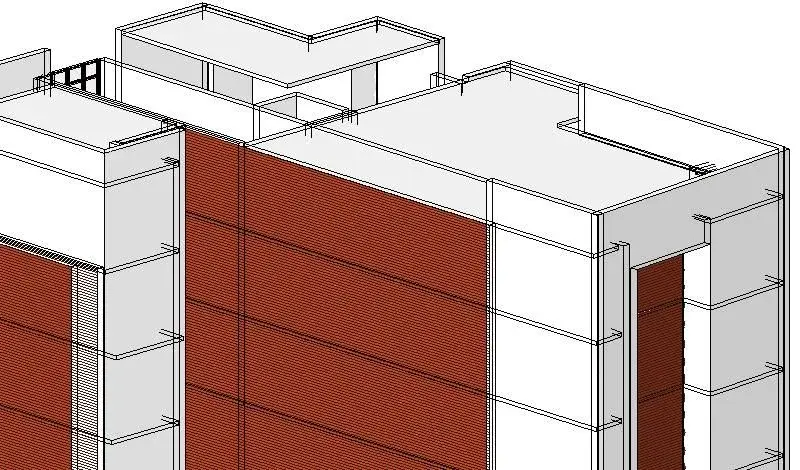
if I put the shaded view with the edges
but also "hidden lines"
lines are displayed just behind the wall
(I'm sure the paviemtno lines are backwards than the wall)

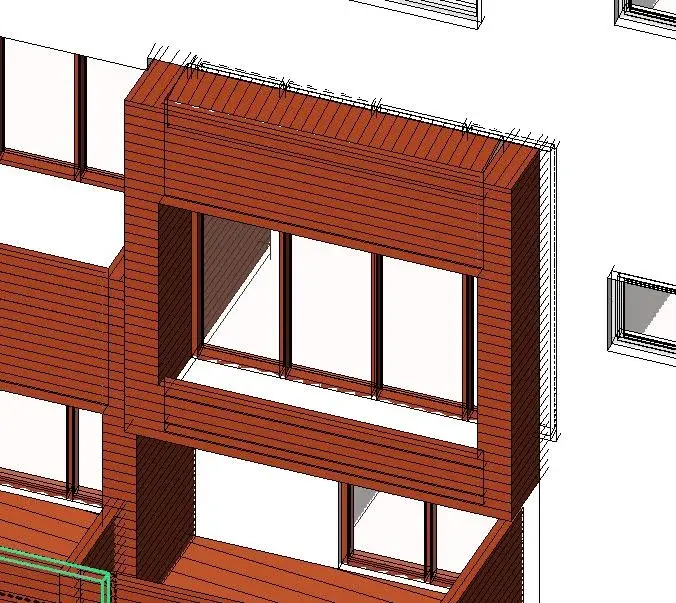
yesterday I worked on it and it was fine, today I reopened the file and it seems almost a wireframe effect but you only see the lines immediately behind the walls
Any suggestions?

Thank you.
 

Attachments

  • prova.webp
    prova.webp
    91.8 KB · Views: 14
  • Immagine.webp
    Immagine.webp
    42.5 KB · Views: 16
hmm. the file is more than 40 mb... :
cmq only happens in view 3d by default.. creating a new 3d view there is no longer this effect

Is there a possibility of hiding a certain line?
Thank you.
 
change > line setting > invisible lines ... and select line/line. only applies to the selected view and therefore it is advisable to do so only before the table
 
thanks for the answer

cmq I think you're referring to "lines" objects, right?

I was talking about hiding some lines that are actually corners of a wall

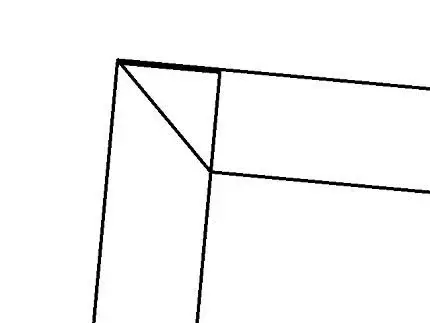
in the example carigato we have 2 walls that intersect, they should create 1 edge only, but since in both walls I "modified the profile"
the edge does not fit perfectly because they do not "join" we say

so I would like to have a solution for this problem

or join cmq in some way (remember that have modified profiles)

or hide lines I don't want to see in a date view


Thanks again gfrank!
 

Attachments

  • linee.webp
    linee.webp
    12.6 KB · Views: 16
1) deletion of edge lines (in the view on which you operate):
change> line setting... select the lie of the edge ... > invisible line style
and "turn off." the edge lines of the elements are manageable with the "styles" of the lines

2) arrived in the walls (all views)
check that both walls are of the same type (structural/non structural) and the problem of the union on the edge should be resolved

or (from a view in the plant) try with:
changes in walls > ... placed on the joint ...[ il cursore diventa un quadrato] >calcola le unioni
 
Last edited:
Your straights are always fantastic
and in some cases it worked;)

the problem is that if the "wall profile" has been modified the heads of the walls do not fit perfectly and therefore the resutlate is the one illustrated previously, so not if there is a method to make it match cmq...
Thank you.
 
I also noticed that choosing the angle joint a wall tilts to 45 other no...
What's the cause?
Thank you.
 

Attachments

  • giutno.webp
    giutno.webp
    4.6 KB · Views: 7
... and with the command: change> reduce and then select the two walls?

or, reduce a wall to the point of manipulation (the pallino blù), or even less, and then repeat the union (reduces), oppresses the opposite extends the walls besides the edge and then uses the "reduces" ...

I recommend, before editing tests, make a copy of saving the file...

p.s. : in the edge, do the two walls have different heights?
 
I would like to ask again the title thing:

I have a 3d view "shading with the edges"
But I see it as if it were wireframe, I see some edges that should not be seen. Is it a bug or any other commando that can fix it?
Thank you.
 
Maybe I upload a view where you see well

practically the view is shaded with the edges
instead I see a little above the wall, but a little too if I should not see those lines
Can you help me? ? ?
Thank you.
 

Attachments

  • cad3d.webp
    cad3d.webp
    93.2 KB · Views: 15
as I told you in previous posts, it is difficult to answer without viewing the file.
It is possible that there is a interference caused between the objects is the host in which they are inserted.
you see the lines of the visible part (the red part) that continue in the wall. How were they made?
 
Yes, as you see in the disengagement you see the lines that are actually covered, as you know they crossed a little wall...

realization

generic wall - profile change /for wall)
windows inserted normally.

cmq theprocedure is ok, in other views it does not happen, only in that 3d assonometric and not always, then in the render do not come out, but here my damage p fasts because I am working on it. .
 
Therefore, the rows you see, are "scanaling/reliefs" to create a coating effect, made with the modification of the profile (outside) of the wall.
can erase such walls to see if the effect disappears (the frame of the window should return unseen)
If so, try:
- report the profile of the wall modified with the modification of the profile to the normal profile (retilinear line)
- insert grooves/reliefs using the command "wall extrusions" bands and/or grooves
and see if the problem disappears
 
horizontal lines of the groove effect (wood)
are billt ocon simple addition of the material with bucket, no change to the "wall lamp"
 

Forum statistics

Threads
44,997
Messages
339,767
Members
4
Latest member
ibt

Members online

No members online now.
Back
Top