• This forum is the machine-generated translation of www.cad3d.it/forum1 - the Italian design community. Several terms are not translated correctly.

what scale do i use?

  • Thread starter Thread starter hoffman
  • Start date Start date

hoffman

Guest
Hello, guys, I'm having trouble on the type of scale to use to represent a 100 meter high ground.
At first I had opted for a 1:400 scale, the problem comes out when I have to divide this portion.

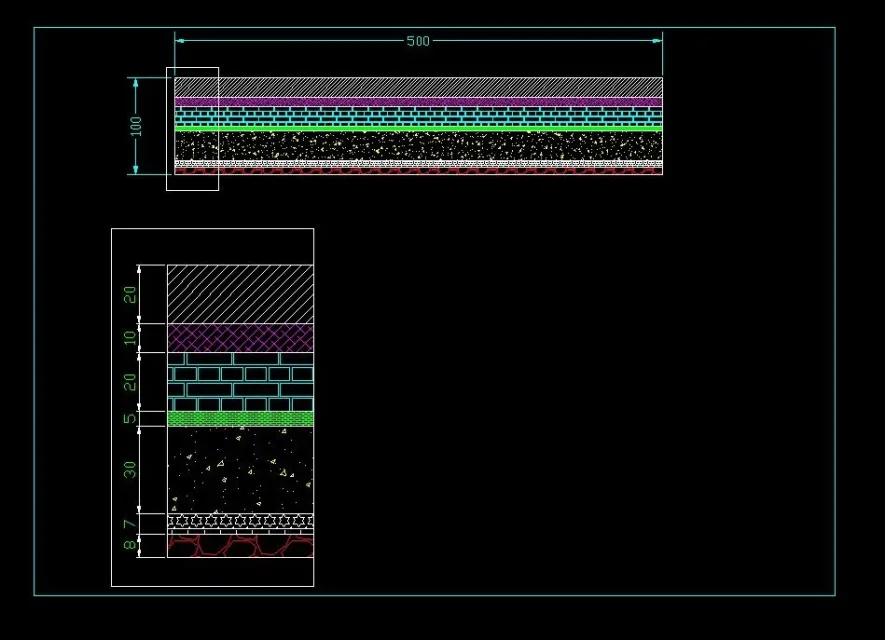
I have to represent a block 100 meters high and divide it in turn, type 4 meters will be limestone, 15 meters fine sandstone. the problem comes out with the subdivision of portions of 1 m . would go out too small and you would not see anything
 
do the general view and then one or more details 1:100 or 1:50 or 1: cowhide in which you see well the split and size of the faults
 
do the general view and then one or more details 1:100 or 1:50 or 1: cowhide in which you see well the split and size of the faults
I may have made a mess, so maybe it's better if you tell me step by step. I had done right button, options and had put on '' unit sign of origin''' and on '' unit sign of destination'' meters and I had made the design normally but so to what I see it is not okay.
- - - updated - - - -use autocad 2016 and are not very experienced of the program
 
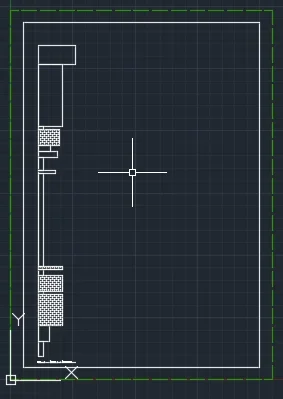
sincerely I'm not understanding anything . I created a simple square of a sheet a4 and when I go into the print preview or it comes out too small or too big
 
It doesn't seem difficult to me.
drawings in space model 1:1; make the views in layout/paper space depending on the need. autocad thinks in unity: meters, centimeters, yards is a definition that you must indicate to those who read the drawing.
would be the case before using a program to learn at least the basics.
I had done right button, options and had put on '' unit sign of origin'' and on '' unit sign of destination'' meters
I have no idea what you're talking about. in the options there are 8 tabs with different options to manage, but I would say that none of these has a feature with drawing representation
use autocad 2016
and in the profile you wrote 2007... confused ideas?
 
if you read the guide you found written that that entries refer to the insertion of blocks and xref
Input scale
check the default scale for inserting blocks and drawings into a drawing.
so it has nothing to do with the decimal reference you use.
I repeat that autocad thinks for unity and you decide, according to the type of design what those units represent.
each field has its implicit parameters (mechanical millimeters, carpenter centimeters, geographer kilometers) otherwise it will be necessary to specify in some way the decimal factor used (eg design a yard in meters and then I do a detail of a pillar and I indicate that the values are in centimeters).
I work in mechanics and I don't know the representations definition systems well, but I know for certain that if you give a design to a builder these will not ask you if in autocad you set meters or centimeters.
just to make an exampleImmagine.webp
 
I admit I'm very rusty with autocad, but they told me to deliver such a job, and in the representation of small thicknesses I have problems because it comes out too small
 
bhé no is that I made a random example, I went behind that understood from your request.
I repeat
drawings in space model 1:1; make the views in layout/paper space depending on the need.
 
ah asp, so you ask me to make more sheets to be delivered where in other ''zoommo' sheets for interested parties
 
I don't know what you have to deliver or how you were asked.
If you don't even know how to create multiple windows of different stairs in the same layout space or multiple representations scaled in the model space it is obvious that you don't know how to use the program, so my advice is to do some tutorials or some course to learn at least the basics.
 
for the design I believe I have solved . now but I do not understand why the restraints or the writings made in the drawing do not result in the printing or export pdf
 

Forum statistics

Threads
44,997
Messages
339,767
Members
4
Latest member
ibt

Members online

No members online now.
Back
Top