• This forum is the machine-generated translation of www.cad3d.it/forum1 - the Italian design community. Several terms are not translated correctly.

wound on sheet for air inlet aeration carter

  • Thread starter Thread starter reggio
  • Start date Start date

reggio

Guest
Hi, I was sure this topic had already been dealt with, but I can't find anything about...

In essence I must create wounds on sheet metal for air intake,
attached an example only to understand, made with extrusion instead of "sheet".

I was just wondering how can I make such a move? injured? deformations?
 

Attachments

  • areazione.webp
    areazione.webp
    59.3 KB · Views: 67
Perhaps, if I understand what you mean, you have to use the forming tools from the solidworks library.
choose the one that interests you and then drag it on the sheet metal part and the quoite positions.
If you don't find what you do for yourself, you create "the tool" of forming, i.e. the part with indicated the various options (positioning , faces to be removed) . try to see the help on the command : forming tool

Hi.
 
hi I found everything, only that when I move it doesn't show me the preview but asks me if "you want to create a derivative part? "
no= opens the tool
si= creates me a new part and puts the tool in the drawing (do not do the processing. . . )

Where am I wrong?
 

Attachments

  • no.webp
    no.webp
    67.4 KB · Views: 24
  • si1.webp
    si1.webp
    61.9 KB · Views: 10
  • si2.webp
    si2.webp
    40.2 KB · Views: 7
  • si3.webp
    si3.webp
    74.9 KB · Views: 11
task bread, dx folder key forming tools.save
 

Attachments

  • cartella fo.webp
    cartella fo.webp
    19.2 KB · Views: 36
Thank you. "task bread, dx button folder forming tools." necessary or there is nothing.

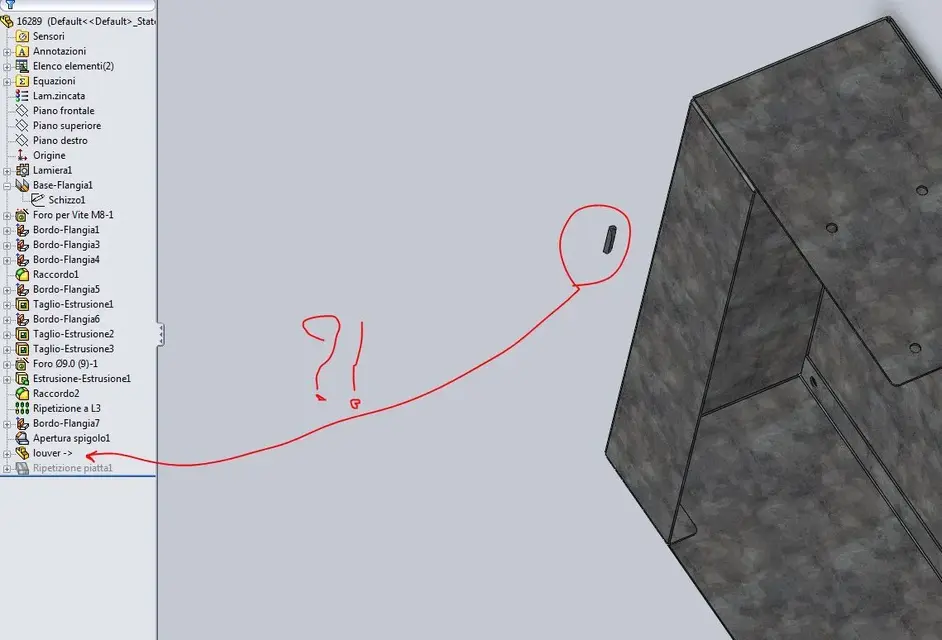
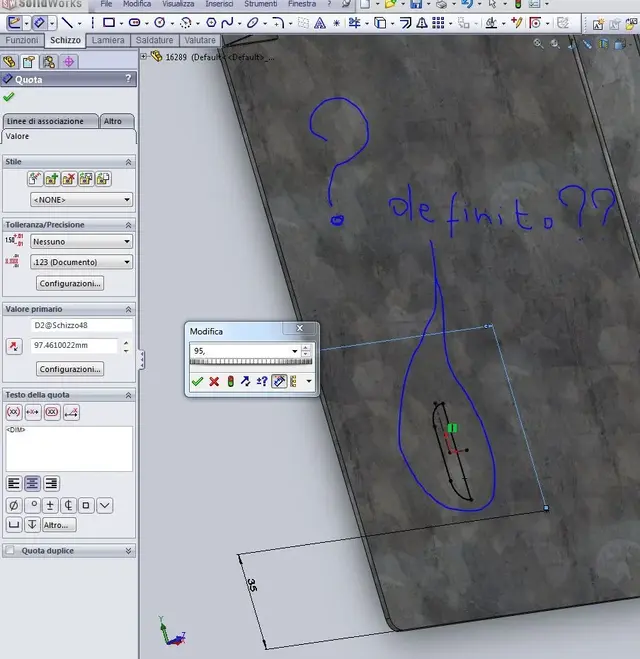
but now I must turn the "louder" (how do you call it technically? 90° and there is no way to move it: the commands move, wheel, ... are grigetti, just quoto the point of reference you define me the sketch of the "louder" that I do not even touch... :confused:

If then I try to place an angle, the sketch of the "louder" is ultra-definite but does not move...

How are you doing?
 

Attachments

  • louver1.webp
    louver1.webp
    134.5 KB · Views: 13
  • louver2.webp
    louver2.webp
    93.8 KB · Views: 9
Thank you. "task bread, dx button folder forming tools." necessary or there is nothing.

but now I must turn the "louder" (how do you call it technically? 90° and there is no way to move it: the commands move, wheel, ... are grigetti, just quoto the point of reference you define me the sketch of the "louder" that I do not even touch... :confused:

If then I try to place an angle, the sketch of the "louder" is ultra-definite but does not move...

How are you doing?
if you have no tool to "turn" it, look at the constraints of individual lines, eliminate horizontal or vertical. .. hold the form with the quotas and then turn it. is a typical error of many automatic processing if not done well originally on the master.
 
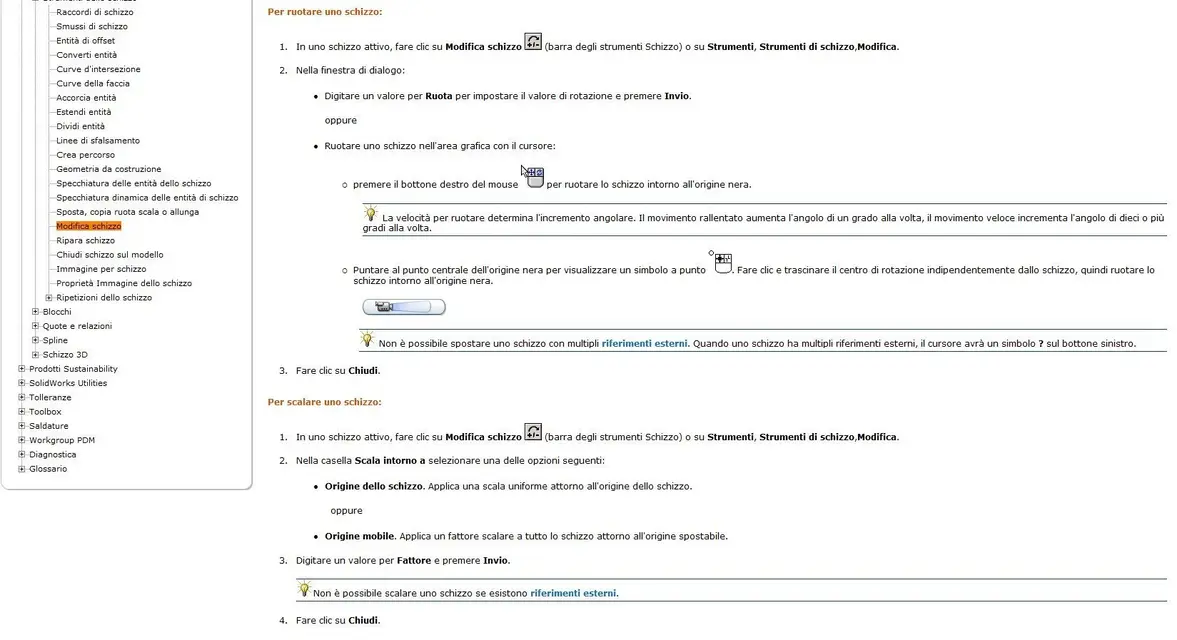
hi, it is not a problem of constraints is a correct tool problem, in fact to change and place this type of sketches you have to use:

tools / sketch tools / modification :frown:
 

Attachments

  • strumento-modifica1.webp
    strumento-modifica1.webp
    91 KB · Views: 16
  • strumento-modifica2.webp
    strumento-modifica2.webp
    24.3 KB · Views: 16
  • strumento-modifica3.webp
    strumento-modifica3.webp
    43.7 KB · Views: 20
  • strumento-modifica4.webp
    strumento-modifica4.webp
    129.2 KB · Views: 13
  • strumento-modifica5.webp
    strumento-modifica5.webp
    113.7 KB · Views: 13
hi, it is not a problem of constraints is a correct tool problem, in fact to change and place this type of sketches you have to use:

tools / sketch tools / modification :frown:
That's what I meant. in the sketch geometry is defined by 2 categories of entities:

(1) the quotas
2) geometric constraints: horizontal, hives, tangent, medium point, coincidence etc.
 

Forum statistics

Threads
44,997
Messages
339,767
Members
4
Latest member
ibt

Members online

No members online now.
Back
Top