
• This forum is the machine-generated translation of www.cad3d.it/forum1 - the Italian design community. Several terms are not translated correctly.

block views before the update

  • Thread starter Thread starter mastmotion
  • Start date Start date

mastmotion

Guest
good day to all.... .
I'd need a little help.
My problem as described by the subject of the discussion and that is driving me crazy is:

Why every time I launch the update of the views on the 2d all the views as by magic move to please them?!?!?!?!? ! ?
Is there a way to block the location in the view sheet?? ? ? ?

Thank you very much in advance.
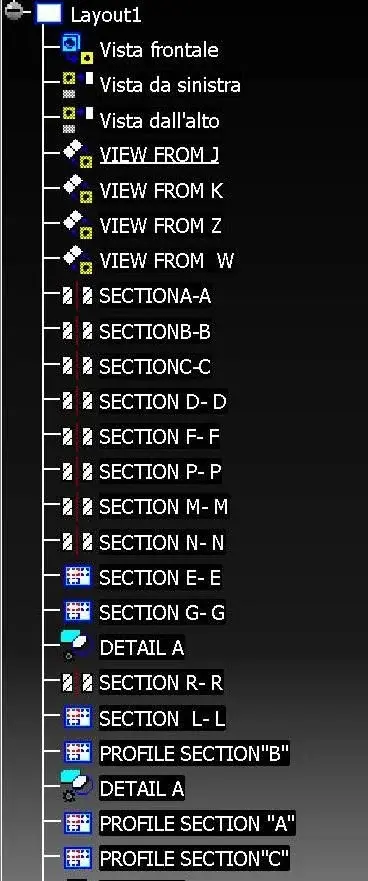
 
good day to all.... .
I'd need a little help.
My problem as described by the subject of the discussion and that is driving me crazy is:

Why every time I launch the update of the views on the 2d all the views as by magic move to please them?!?!?!?!? ! ?
Is there a way to block the location in the view sheet?? ? ? ?

Thank you very much in advance.
Can you post the drawing screen or even the drawing???? ? I would like to understand how you created the views... :smile:
If you place the photo you do so as to show (set "f3") the description of how you created the views .. .
 
Hi.
I found the right setting.
you need to enable in the sheet settings "part 3d axis "

greetings
 
Hello, could you post the imagination of this option?
I'm curious to see how my cv5 reacts.

Thank you.
 
Sorry for the delay, but I had changed a little cad :°d

I inserted the image you asked me if it can be useful for the cause.
Thank you.
 

Attachments

  • Immagine.webp
    Immagine.webp
    47.8 KB · Views: 21
I'm sorry if I insist, but could you post the magic of the option to set? ? ?

Thank you
 
Hi.
the place tonight from home from the office you can not send attachments (work at fort nox)

greetings
 
I'm sorry if I insist, but could you post the magic of the option to set? ? ?

Thank you
I think it's......... go with the dx button on sheet (list of views in the drawing "f3") and find the set ................................................. .
I'm using "volume center" but I've never had vision positioning problems . :biggrin:
 
Okay, it works in case you have created an aprtier view from an assembly.

Usually, however, the 1. component must always be fixed so we guarantee that we always have the view at the right place.

fixing the 1. component this option is superfluous
 
Okay, it works in case you have created an aprtier view from an assembly.

Usually, however, the 1. component must always be fixed so we guarantee that we always have the view at the right place.

fixing the 1. component this option is superfluous
not to fix a component in the assebly is not very "salute" ........ especially if it is complex .
cmq then I figured out why I never needed to use this option..................... I didn't know what it was like:
 
Neither do I. and I was curious to see where this thread was going. .
In short, it is an option for those who do not work with the healthiest method, namely to leave a complex set with some gdl of too much.. .
 

Forum statistics

Threads
44,997
Messages
339,767
Members
4
Latest member
ibt

Members online

No members online now.
ciao
Back
Top