• This forum is the machine-generated translation of www.cad3d.it/forum1 - the Italian design community. Several terms are not translated correctly.

nigi

  • Thread starter Thread starter kikko088
  • Start date Start date

kikko088

Guest
Hello everyone, I'm trying to make a simple coupling between gears but I can't...
I open the toolbox->ansi metric->ingranaggi I build a gear without particular characteristics, once I open a set and insert two equal gears... at this point how do I mate them?if I go in coupling gears it doesn't work...I'm afraid to skip some steps...you have any advice or there is any tutorials to see?


Hi.
generally it tends to bind the couplings as if they were actually mounted on the respective rotation axes, then with the "wiring" constraints where you specify the ratio and constraints at least 2 faces of the opposing teeth you have the result.
I hope I've been helpful...... .
 
but in the online help I didn't find anything on the gears and on the simulation of the movement.......I hope I was wrong because I need it!:confused:

Hi.
 
on the handling there is the material.... I banged our head a few days ago....both on you tube and here on the forum....
 
Hello everyone, I'm trying to make a simple coupling between gears but I can't...
I open the toolbox->ansi metric->ingranaggi I build a gear without particular characteristics, once I open a set and insert two equal gears... at this point how do I mate them?if I go in coupling gears it doesn't work...I'm afraid to skip some steps...you have any advice or there is any tutorials to see?
the parts of the toolbox are inserted into an existing and open assembly of course; I don't understand your passage:I open the toolbox->ansi metric->ingranaggi I build a gear without particular characteristics, once I open a set and insert two equal gears>. first you have to open the axieme and then inside this insert the elements from the toolbox. As soon as you move one in the graphics area opens the property manager and make the configuration, you don't have to "build" anything.
the axieme that will accommodate the dense wheels (a pair of gears at least, I suppose) will be formed by at least two trees on which the wheels will be cast, right? (but you can also bind them "in the void" only with axles)
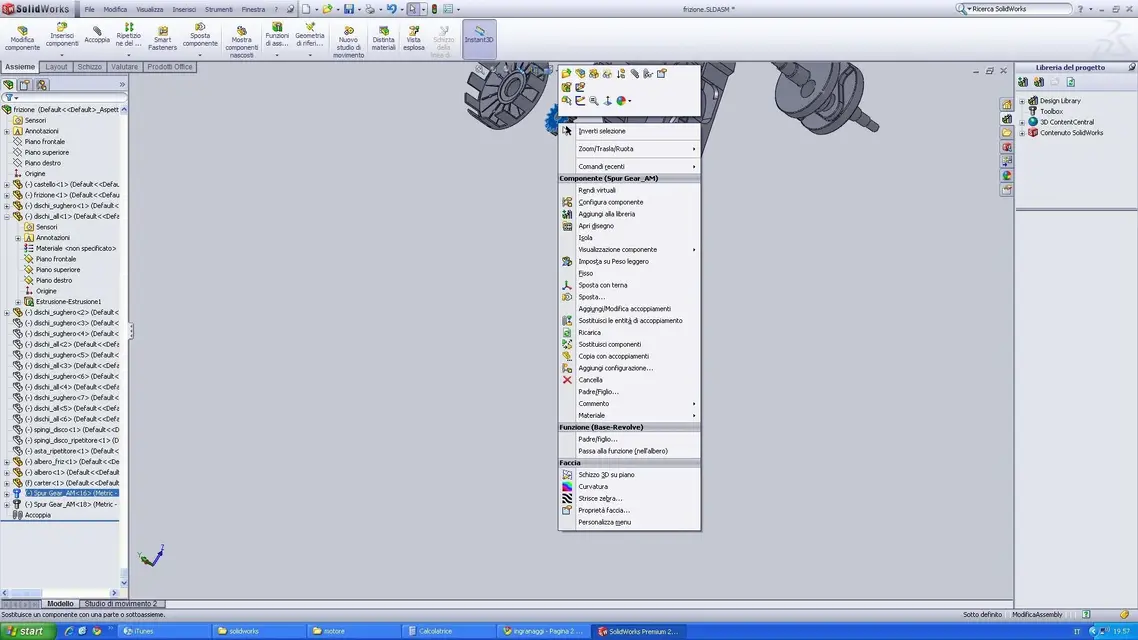
If you move the wheel near a tree automatically takes the concentric bond, you have to establish the axial distance (or send it in line against a shoulder). of course you will let them free to rotate. I am determined to select the coupling ignaggio and touch the two wheels, on a curved face (hole, hub, internal or external truncating etc.), on a sketch circumference or even only the axis (then you will give the transmission ratio), all here. Come on, you're fine.
if you follow the right procedure (which is very simple and in the guide/help is explained) it must work.

greetings
Mar
 
Thank you first!
I made several mistakes, the first was to think that the gear was to be considered as a part, I thought that it should build the gear and then insert it as a component or fix it inside a part.
But I don't understand how I can fix axes in the void? to make it work I had to create both the trees and the frame...I also had to first insert the frame and then the rest, if I tried to insert the gear first and then the frame blocked me the gear and not the frame with the result of having the gear locked and the frame that rotated randomly.. .
Thank you very much


edit: Once I have chosen tooth module diameter and give the ok, is there a possibility to re-enter the data of the toothed wheel?

 
Thank you first!
I made several mistakes, the first was to think that the gear was to be considered as a part, I thought that it should build the gear and then insert it as a component or fix it inside a part.
I wouldn't say stupid, but the toolbox should also work in part mode, so to empty file insert the gear, I don't know with what criterion than the origin, and then save it as you prefer. but it is not a convenient system unless you have to customize the part a lot.
if it is a standard better to work in the axieme.
But I don't understand how I can fix axes in the void?
It doesn't take much, the axes can be created as two-storey intersection, so define the plans on which the gear will be found you can create the axes for coupling.
to make it work I had to create both the trees and the frame...I also had to first insert the frame and then the rest, if I tried to insert the gear first and then the frame blocked me the gear and not the frame with the result of having the gear locked and the frame that rotated randomly.. .
Thank you very much
more or less as they would do in the workshop where you start assembling the machine from the main structure. (for subaxes the concept is more elastic)
the first detail that fits is always fixed because it is assumed that it starts to assemble from a dominant geometry, then all other components will be mobile and will have to be attached.
edit: Once I have chosen tooth module diameter and give the ok, is there a possibility to re-enter the data of the toothed wheel?
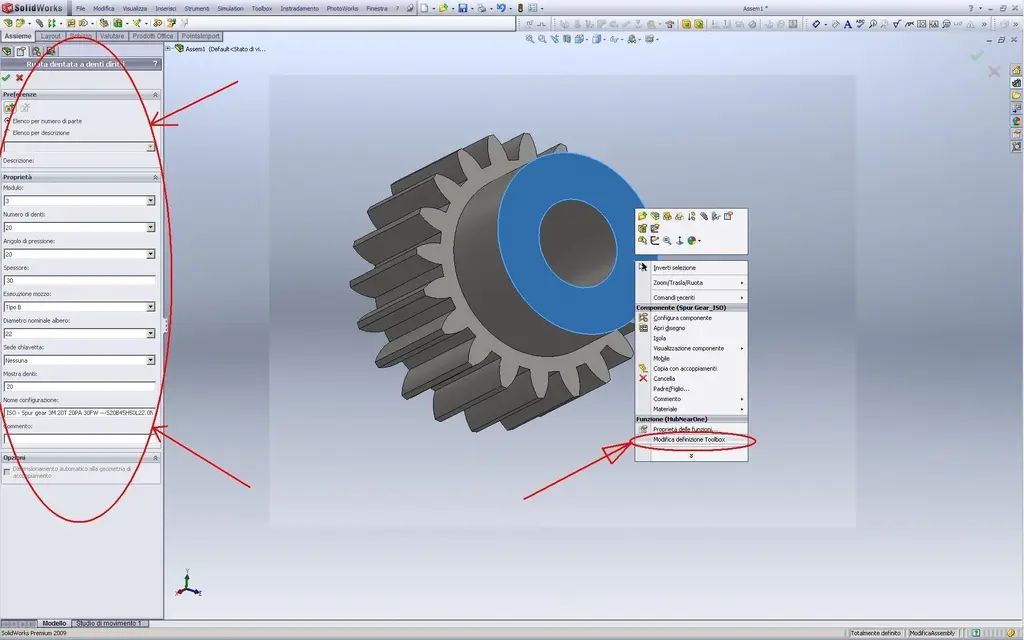
I think it's enough to right-click on the toolbox part and there should be a contextual voice that will allow you to change your data.
 
I saw the help online and found a lot of stuff....but it's not as clear as I have to start, there are too many concepts I can't focus. ....
I would simply like to start turning 3 dentate wheels that interact with each other... or something..... .

In short, make the study a little more practical.

They would help me a lot of sample files to analyze.

Thank you.
 
I wouldn't say stupid, but the toolbox should also work in part mode, so to empty file insert the gear, I don't know with what criterion than the origin, and then save it as you prefer. but it is not a convenient system unless you have to customize the part a lot.
if it is a standard better to work in the axieme.


It doesn't take much, the axes can be created as two-storey intersection, so define the plans on which the gear will be found you can create the axes for coupling.


more or less as they would do in the workshop where you start assembling the machine from the main structure. (for subaxes the concept is more elastic)
the first detail that fits is always fixed because it is assumed that it starts to assemble from a dominant geometry, then all other components will be mobile and will have to be attached.


I think it's enough to right-click on the toolbox part and there should be a contextual voice that will allow you to change your data.
I have tried all but no one gives me the options I have in the initial phase:(


ps. I have another problem, I have to build a tree with gear and then a wheel toothed to internal teeth to mate to this tree... how can I do?
 
I have tried all but no one gives me the options I have in the initial phase:(
I don't understand what you mean.
when right click and context menu choose change toolbox definition in the property manager appear the same options you had in the first step of insertion:TOOLBOX INGR 1.webpYou don't?

greetings
Mar
 
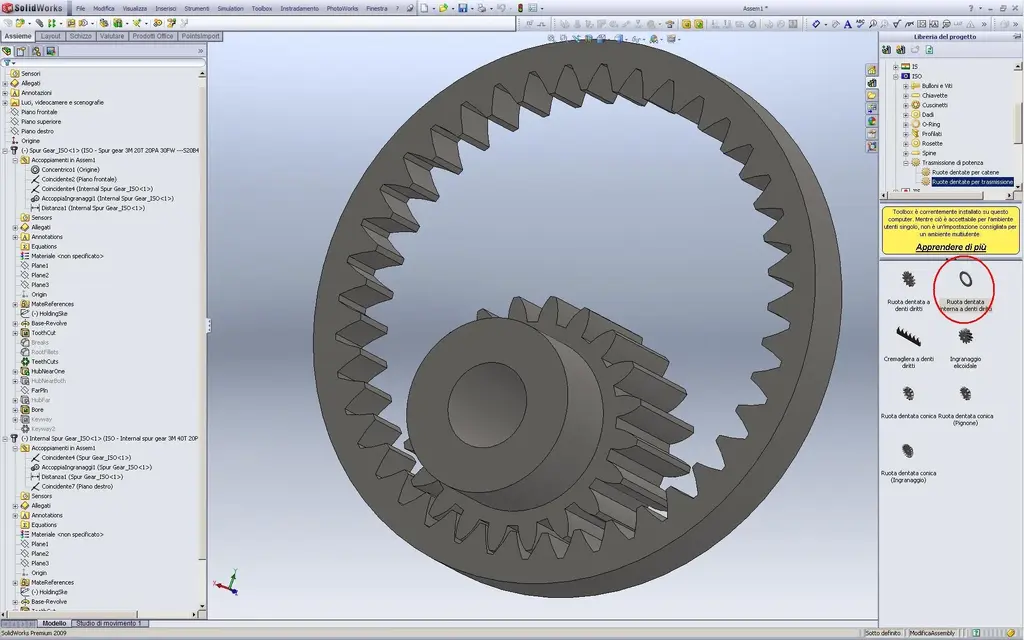
ps. I have another problem, I have to build a tree with gear and then a wheel toothed to internal teeth to mate to this tree... how can I do?
exactly the same way,
only that in addition to the normal wheel toothed by the toolbox you will also take a toothed wheel internal teeth rights.TOOLBOX INGR INT.webpHello
marco
 
That's what I have...
And of course, because that is a subaxieme.
enter/open in the axieme where is that gear you want to change and you will see that in the context menu will be available the voice change toolbox definition.

Hello
marco
 
Sorry I did wrong, to insert it I know how to do, my problem is another, if I make a simple coupling between two gears, one on a tree (normal) and one on a basket clutch (in internal teeth), I do the various couplings (concentric, gear, and coincidence to align them) but if rough does not turn well, the bike is transmitted but after half turn the teeth are offset,

edit. ok :d I understood how to change them! thank you very much

 
I put on a test that I did so it's easier for you, the file you sent me goes smoothly without any interference!


Attachments

I put on a test that I did so it's easier for you, the file you sent me goes smoothly without any interference!
I can't see your files, I haven't installed in 2010.
I told you before I use 2009. As soon as I can control it.
but in the meantime try to do it the same way I posted.

greetings
Mar
 

Forum statistics

Threads
44,997
Messages
339,767
Members
4
Latest member
ibt

Members online

No members online now.
Back
Top