
• This forum is the machine-generated translation of www.cad3d.it/forum1 - the Italian design community. Several terms are not translated correctly.

watermark on background view

  • Thread starter Thread starter PBono
  • Start date Start date

PBono

Guest
Hello, everyone.
is it possible to make sure that a text in the background of a table remains behind the elements of the work views?
practically I would like to make a text like watermark in the word.
Thank you.
 
Surely it is not a fundamental problem :redface:, I was looking for an elegant way to force even the most cocciute of machine operators tool (no offense:tongue:) to realize that a table could be "provisional", and therefore not to leave rocket with the finish of the piece.
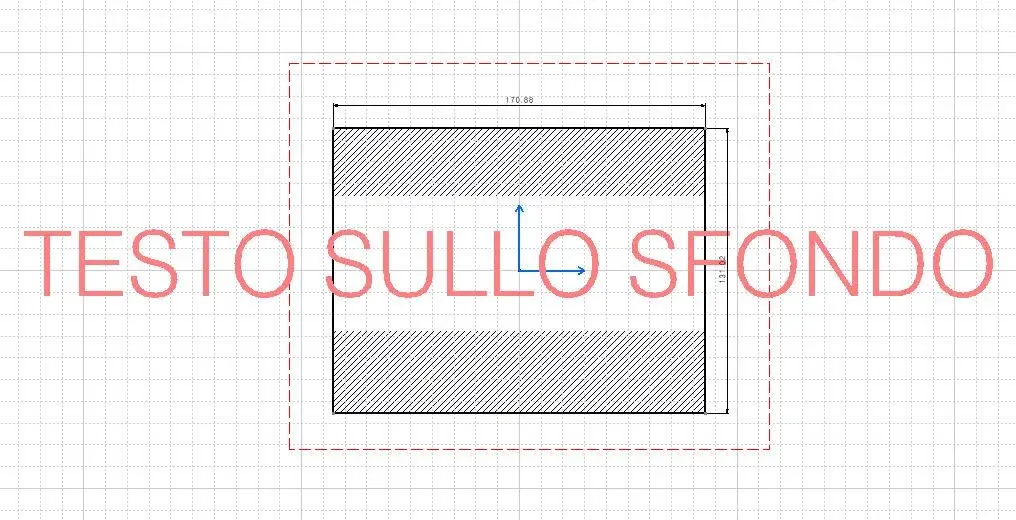
for now the only way I found to do this is to create an image of the writing that I want on white background and to put it in the background of the sheet.
The image is placed behind the geometric elements of the design and the game is done, I hoped for something less slender, so that you can delete or edit the text without having to correct jpeg or other.. .
 
excuse but, if I understood correctly, why in the "sheet background" instead of inserting an image do not insert the text directly?
 
excuse but, if I understood correctly, why in the "sheet background" instead of inserting an image do not insert the text directly?
because when the mold (and even on the screen) I find it in front of the elements of the work views instead of behind (look the s and the f that are in front of the lines of the rectangle).
and from what I see, I have noticed now doing the image that I attach, even the sampling in the views is modified.
 

Attachments

  • Testo su sfondo.webp
    Testo su sfondo.webp
    104 KB · Views: 29
going to the background of the sheet you can insert an image in the background through the command or insert\ image.

Hi.
 
Hello pbono,
Have you tried on text properties to set the option "(no)" on "empty background" ?
the text is always in the foreground but at least the deduction is not interrupted on the text box.
 

Attachments

  • Sfondo_vuoto.webp
    Sfondo_vuoto.webp
    38.3 KB · Views: 29
Thank you so much,
as you said, you solved only the issue of restraints and not the text in the foreground, but your suggestion was useful already in a couple of other circumstances.
Thank you and good evening.
 

Forum statistics

Threads
44,997
Messages
339,767
Members
4
Latest member
ibt

Members online

No members online now.
ciao
Back
Top