
• This forum is the machine-generated translation of www.cad3d.it/forum1 - the Italian design community. Several terms are not translated correctly.

importers da sketchup

  • Thread starter Thread starter ocraM999
  • Start date Start date

ocraM999

Guest
in revit it is possible to create a family by importing a component, car, boat, etc. from sketchup.

very interesting.... but... How do you assign a material?
in making sketchup families are always gray.
Mar
 
in revit it is possible to create a family by importing a component, car, boat, etc. from sketchup.

very interesting.... but... How do you assign a material?
in making sketchup families are always gray.
Mar
have you tried to assign the material parameter?
 
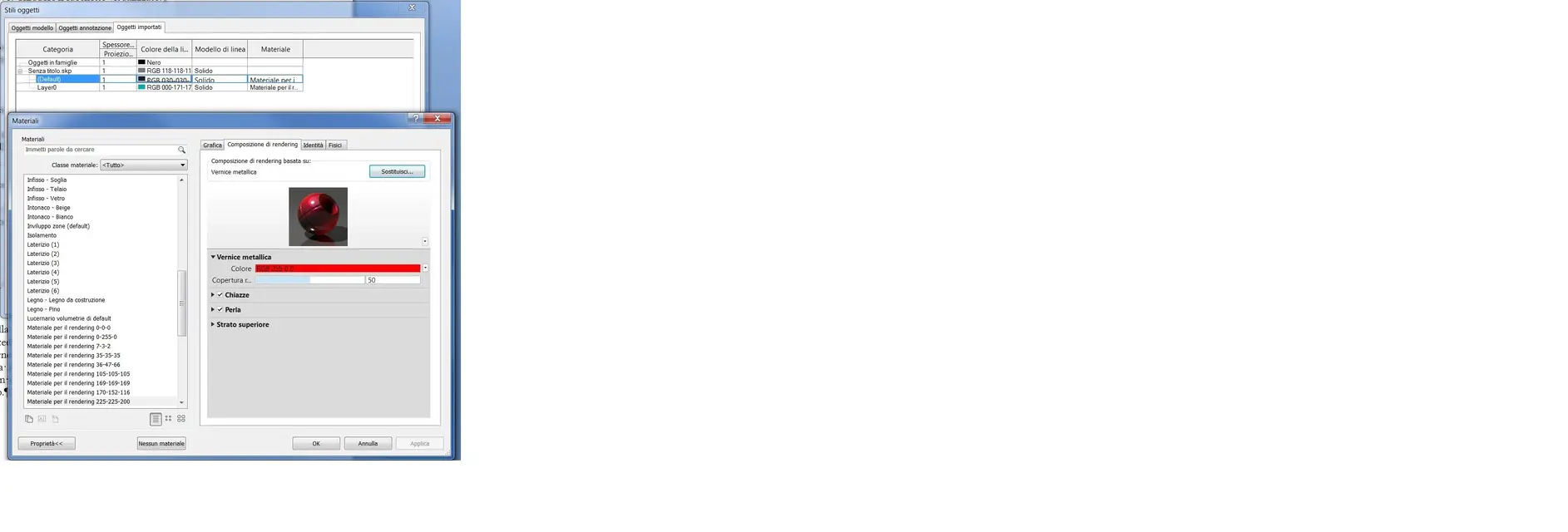
in - object styles - imported categories - I set white paint in the material field of all categories.
Since I wanted everything white, not to be wrong, I set the whole project in this way, both in the family and in the project but, the sketchup families are always gray.

I wanted to try with the <parametro materiale=""> But I don't know how to do... .
Mar</parametro>
 
Are you sure that the applied material also corresponds to a rendering composition?

because it works very well to me. ...
 

Attachments

  • Immagine sk 2.webp
    Immagine sk 2.webp
    82.9 KB · Views: 49
  • Render sk.webp
    Render sk.webp
    48.8 KB · Views: 37
Are you sure that the applied material also corresponds to a rendering composition?

because it works very well to me. ...
I noticed that unlike me you imported the fille.skp directly into the project. I tried and so it works but importing the file.skp into a new family and then in the project I can not.
I don't understand the difference.
Mar
 
Okay, I get it all. This subcategories. . .

in the family:
manage> object styles.. .
object card model>modification subcategory> new
assign the name you want.
select the object of sk and in the palette of the property data card identity assign the subcategory you created. .
amounts in the project. .
cheques to the subcategory that to the creations and that has been imported into the project the material you want.. .
 
I have performed several tests; the best thing is to delete in sketchup all materials, i.e. clean well the file.skp and then perform the procedure described by lance.
if you import the file.skp as well as it is on the network, that is with all the materials assigned, it does not always work.
Maybe there might be a conflict between revit and nested sketchup components (blocks).
Mar
 

Forum statistics

Threads
44,997
Messages
339,767
Members
4
Latest member
ibt

Members online

No members online now.
Back
Top