• This forum is the machine-generated translation of www.cad3d.it/forum1 - the Italian design community. Several terms are not translated correctly.

object is detached from the ground in the videos

  • Thread starter Thread starter AsuraEquation
  • Start date Start date

AsuraEquation

Guest
Hello everyone,
Meet me, my name is gorea and I'm an engineering student. I've been using solidworks recently, and I find it really great.
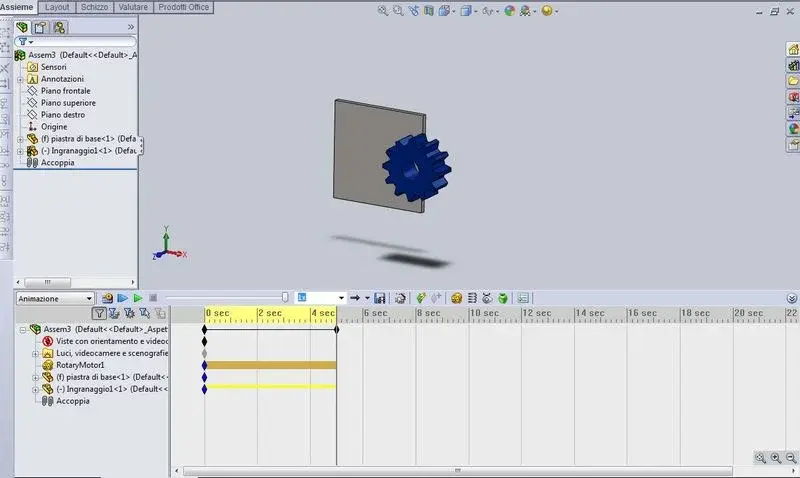
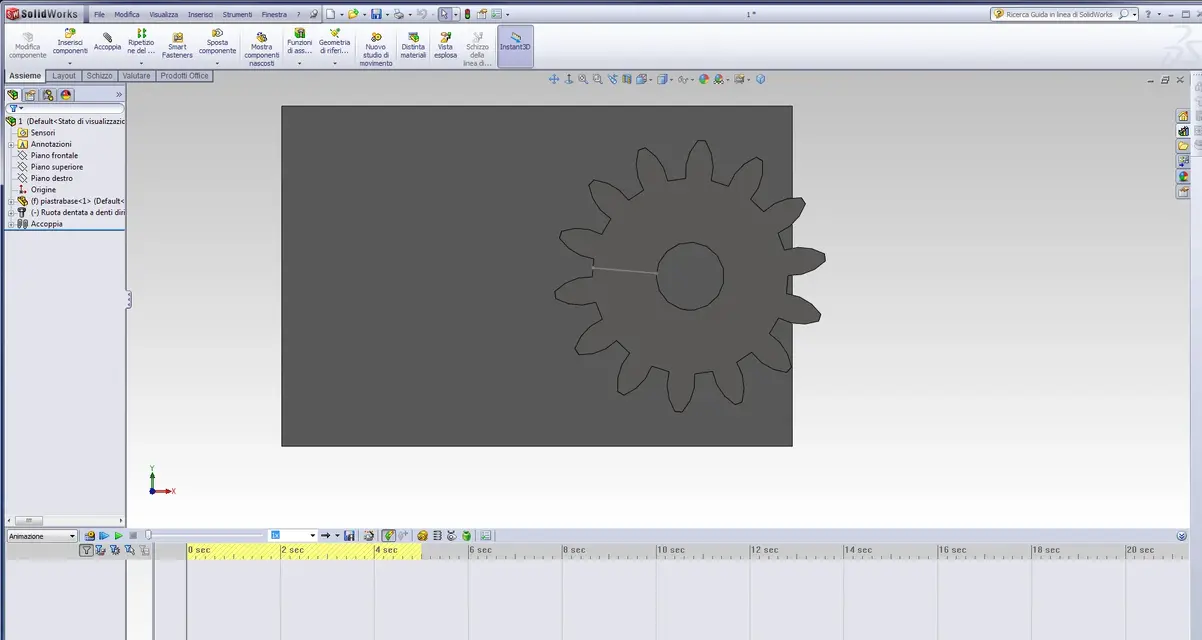
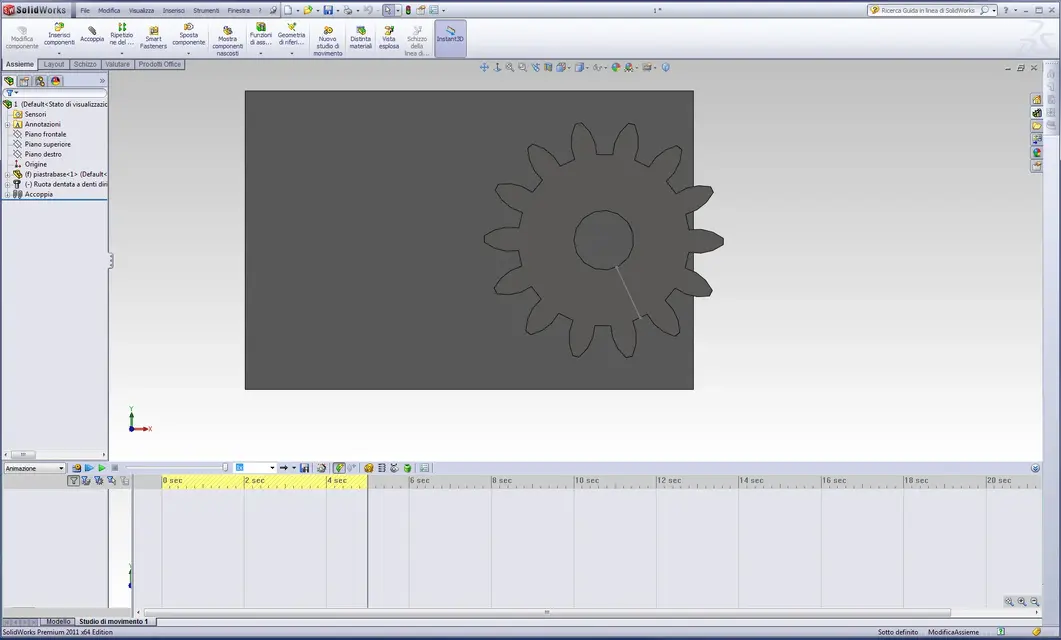
I wanted to ask who understands that. I have solidworks 2010 and I noticed that if in the model my object touches the ground, at the time when I go on study of movement this begins to float in half air.
I realize it's not really a problem, but since I need to make presentations, I'd like to know if it's normal and if there's a way to fix it. .
thanks endless in advance to all and good render.... and... :36_1_3:
You mean I've already tried to search the net but I can't find anyone talking about it.

I attach below pictures
 

Attachments
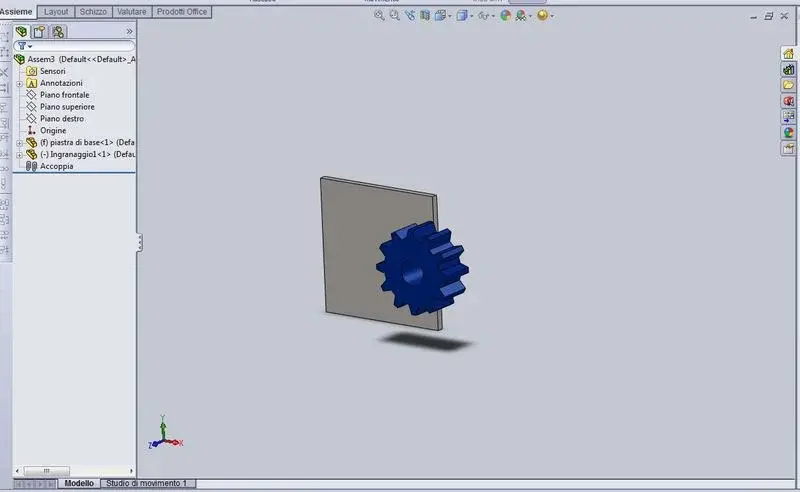
  • modello.webp
    modello.webp
    16.5 KB · Views: 29
  • alzato.webp
    alzato.webp
    27.6 KB · Views: 26
Last edited by a moderator:
Hello everyone,
Meet me, my name is gorea and I'm an engineering student. I've been using solidworks recently, and I find it really great.
I wanted to ask who understands that. I have solidworks 2010 and I noticed that if in the model my object touches the ground, at the time when I go on study of movement this begins to float in half air.
I realize it's not really a problem, but since I need to make presentations, I'd like to know if it's normal and if there's a way to fix it. .
thanks endless in advance to all and good render.... and... :36_1_3:
You mean I've already tried to search the net but I can't find anyone talking about it.

I attach below pictures
First of all welcome. I ask you to read the regulation as it is forbidden to post attachments using external links, you must use attachments from the advanced mode.
 
First of all welcome. I ask you to read the regulation as it is forbidden to post attachments using external links, you must use attachments from the advanced mode.
but couldn't you do it directly on the mask for answers that images from external links cannot be uploaded?
because, the first times that you write on the forum, if there is the button to do so it is not natural not to use it, unless you have learned the regulation to memopria and that is a topic that maybe does not remain in mind.
 
but couldn't you do it directly on the mask for answers that images from external links cannot be uploaded?
because, the first times that you write on the forum, if there is the button to do so it is not natural not to use it, unless you have learned the regulation to memopria and that is a topic that maybe does not remain in mind.
Come on, Marco, do the good thing:... sometimes the simplest things are the most inutlized. . you want for laziness or because you ignore the actual goodness of that function. ..:finger:
sometimes, however, there is to say that there are some forums, that the uploaded image is scaled and lightened so much to make them almost unrecognizable. . .
In any case, the regulation shall, no matter what.
Good we...
 
Come on, Marco, be good. . .
sometimes the simplest things are the most inutlized. . you want for laziness or because you ignore the actual goodness of that function. ..:finger:
Okay, but when needed then have the possibility to insert images from external links?
because if it is not necessary or forbidden to me it would be natural to remove technically the possibility of doing so. But I know, it's me who's weird.

re_solidworks, perhaps it is better that you move this part of the discussion in the specific area
 
Hello everyone,
Meet me, my name is gorea and I'm an engineering student. I've been using solidworks recently, and I find it really great.
I wanted to ask who understands that. I have solidworks 2010 and I noticed that if in the model my object touches the ground, at the time when I go on study of movement this begins to float in half air.
I realize it's not really a problem, but since I need to make presentations, I'd like to know if it's normal and if there's a way to fix it. .
thanks endless in advance to all and good render.... and... :36_1_3:
You mean I've already tried to search the net but I can't find anyone talking about it.

I attach below pictures
lack the constraints.
positioning it on the ground does not create constraints, so it has all the degrees of freedom and therefore it is logical that it flows.
 
and would you know how to set these constraints?? because I tried to search but I can't find anything. .

thanks endless and good make
 
and would you know how to set these constraints?? because I tried to search but I can't find anything. .

thanks endless and good make
I'm sorry, but I don't take courses with questions.
follow the solidworks tutorials in the installation under the menu '? '.
 
I'm sorry, but I don't take courses with questions.
follow the solidworks tutorials in the installation under the menu '? '.
I understand, I tried to search on youtube and google but I had not come to mind to look directly at xkè tutorials, x my experience, are always made a little malino... cmq if you say ke there is the answer to my question I immediately run to check. .

Thanks again
 
but in the normal animation.. You don't need to remove the degrees of freedom... You probably have the wrong engine setup... .
 
No no I'm sure it works well.. I don't know what to say. I tried to search but I didn't find where the problem is... I also tried to place the first piece in the origin but I didn't solve anything... If I find the solution the place for those who could have my own problem.. .
 
then after a long time and thanks to some friends I solved the problem and since, unlike others, I think the forum exists just to answer this type of questions (it is certainly not a "course cad through questions", especially since in the solidworks tutorial you don't talk about it) place below the solution in case someone can serve.
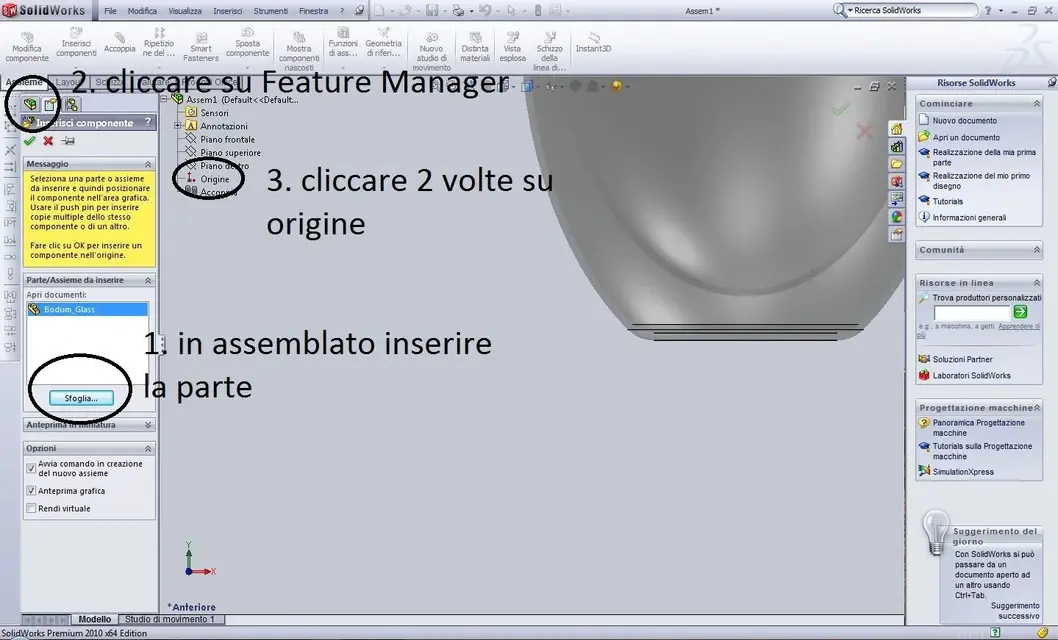
the first object (which will be fixed) in the origin of the system, as from image, in case the object still fluctuates the problem lies in the imposed movement, in practice solidworks goes mad if the axis of rotation (in my case) is directed orthogonally to the plane, in this case it is necessary to carry out some tests until the animation is correct.
hoping to have been useful to this forum soon
 

Attachments

  • Cattura.webp
    Cattura.webp
    110.6 KB · Views: 10

Forum statistics

Threads
44,997
Messages
339,767
Members
4
Latest member
ibt

Members online

No members online now.
Back
Top