• This forum is the machine-generated translation of www.cad3d.it/forum1 - the Italian design community. Several terms are not translated correctly.

orthogonal projections

  • Thread starter Thread starter reye
  • Start date Start date

reye

Guest
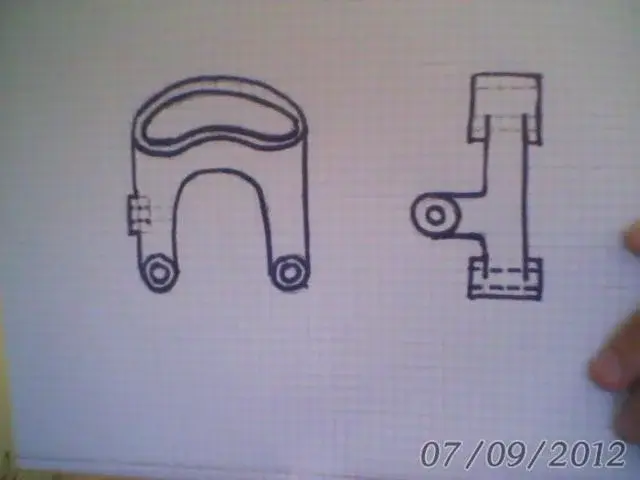
hello to all, I have a little doubt about the orthogonal projection of the attached piece. in the views represented by me, how to highlight the nascorsti edges relative to the empty area placed above? Thank you.

 

Attachments

  • ArcSoft_Immagine17.webp
    ArcSoft_Immagine17.webp
    16.1 KB · Views: 36
  • Immagine.webp
    Immagine.webp
    21.4 KB · Views: 28
if it is empty, then in the asola above there is nothing. then in the right view there will be the restraints of the inner edges of the asola as you did
 
Bye to all,
You could also do a localized section, obviously in the right view.

but it usually serves if you want to show bevels or rays along the perimeter of the asola.
 
Something like this... Forgive me for any mistakes but I did it in 2 minutes.
clearly you will indicate in quotation the fact that the holes are passing.
p.s. sorry but I attached you the wrong section, you have to do the opposite (from the right)
 

Attachments

  • forum.webp
    forum.webp
    45.2 KB · Views: 32
...you could also do a localized section, obviously in the right view.

...
Something like this... Forgive me for any mistakes but I did it in 2 minutes.
clearly you will indicate in quotation the fact that the holes are passing.
p.s. sorry but I attached you the wrong section, you have to do the opposite (from the right)
That's exactly what I meant:
 
explanation and clear design. Yes, of course the section if it is empty is empty, but the hidden edges must however indicate them;) it is not clear to me the line placed in the section at the side hole
 
explanation and clear design. Yes, of course the section if it is empty is empty, but the hidden edges must however indicate them;) it is not clear to me the line placed in the section at the side hole
Leave it alone, catholics:)..I recommend you do the other section
 
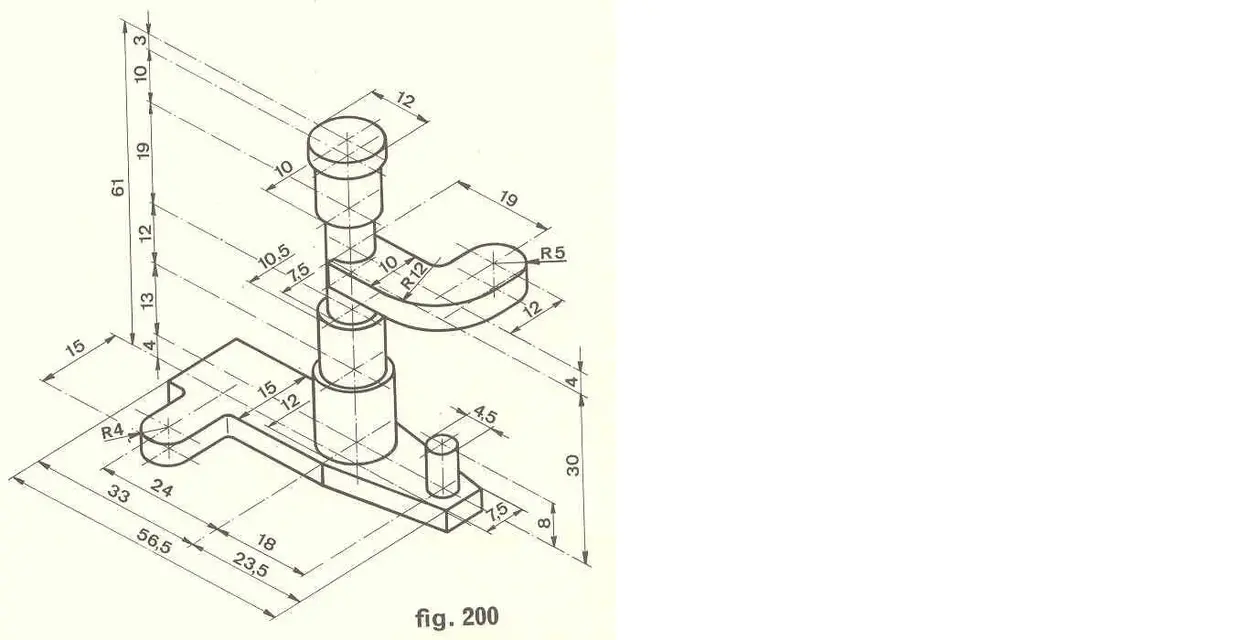
Okay thank you:) how about this that I think is a linear guide?
 

Attachments

  • Immagine.webp
    Immagine.webp
    25.4 KB · Views: 19
  • ArcSoft_Immagine29.webp
    ArcSoft_Immagine29.webp
    18.6 KB · Views: 16
system the position of the section view.
 

Attachments

  • proiezioni ortogonali - Pagina 2 - CAD3D.webp
    proiezioni ortogonali - Pagina 2 - CAD3D.webp
    30.8 KB · Views: 15
yes yes yes nek drawing is not seen but there was an arrow indicating the exact position of the view. So can I take the dotted lines?
 
yes yes yes nek drawing is not seen but there was an arrow indicating the exact position of the view. So can I take the dotted lines?
I think you can leave them, because they indicate that the cuts are passing.
You have to remove the last one on the right because there is no edge.
 
last post do not want to take advantage of your time: on these two views there are errors of axes or edges?
 

Attachments

  • ArcSoft_Immagine32.webp
    ArcSoft_Immagine32.webp
    18 KB · Views: 18
  • Immagine.webp
    Immagine.webp
    46.6 KB · Views: 14
I forgot to erase the axes of the semicircumferences that if I do not err are wrong. in this regard I ask whether the symmetry axis of the cylinder on the right and those of the semicirconferences views of the shortcut
 

Forum statistics

Threads
44,997
Messages
339,767
Members
4
Latest member
ibt

Members online

No members online now.
ciao
Back
Top