• This forum is the machine-generated translation of www.cad3d.it/forum1 - the Italian design community. Several terms are not translated correctly.

separate materials ita/eng

  • Thread starter Thread starter Tantocattivo
  • Start date Start date

Tantocattivo

Guest
Hello.
Can you tell me if you can put two custom properties in the same cell in separate materials? to understand, I made two custom properties: description it and description eng but in the separate materials I would like to put them in the same cell of the type it/eng possiblely formatted in the center. Can you do that? or do you know what and where to look? I tried on google but nothing to do.
after that I would like to feel the experience of someone who designed in ita and ing, to know how he behaved.

Thank you.
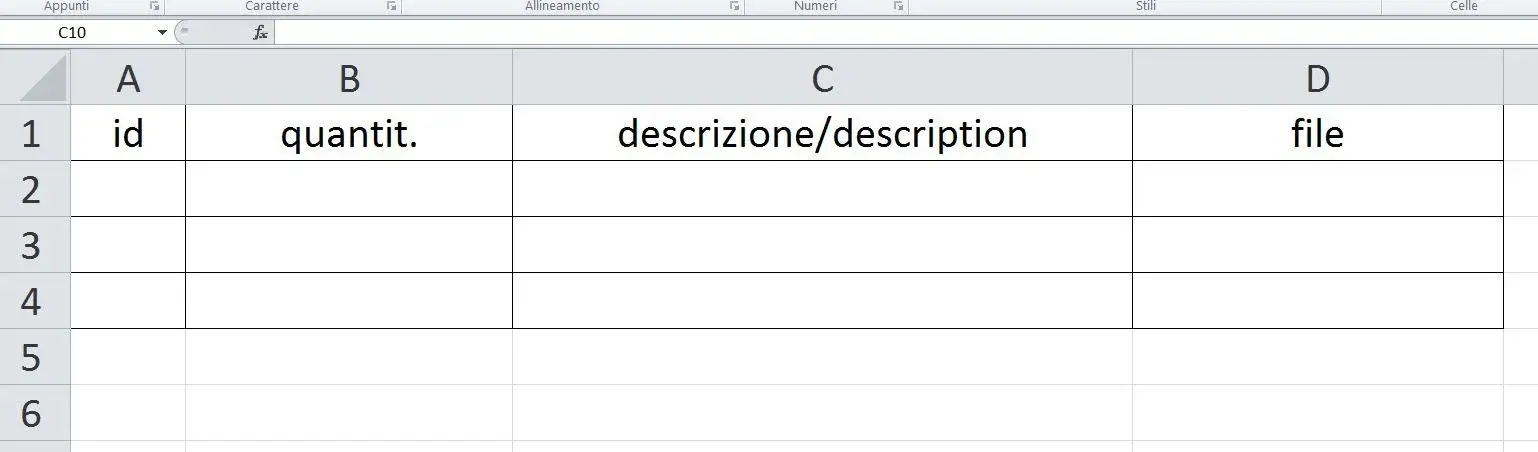
 
When I said two custom properties in the same cell, I meant in the same column.
 
do an excel table on how you would like to have data, because I don't understand where you find problems if values can stand on separate cells
 
practically in column "c" I would like to put two custom properties. doing so in c2 for example I will find written plate/plate because I will put the custom properties description ita/description eng.
 

Attachments

  • cart.webp
    cart.webp
    17.3 KB · Views: 30
then the values must be in the same cell.. .
I don't think that's possible.
you have two possibilities for me:
-make two columns
-compile the double value directly to the source.

Perhaps, but I admit a darker and deeper ignorance about it, you could manage it with a table excel in which you tie the two values (through the function concatena) in one cell and then call it back in the separate.
 
then the values must be in the same cell.. .
I don't think that's possible.
you have two possibilities for me:
-make two columns
-compile the double value directly to the source.

Perhaps, but I admit a darker and deeper ignorance about it, you could manage it with a table excel in which you tie the two values (through the function concatena) in one cell and then call it back in the separate.
I did both, but it's not good. double value at source precludes me to use variables again in a distinct way. the two columns is the current solution I have adopted but occupies a lot of space, often the descriptions in Italian are extensive while the English ones are synthetic!
The thing that makes me rousing is that if I issue a single cell, it makes me put both the properties but then it doesn't replicate me in the rows to follow!
 
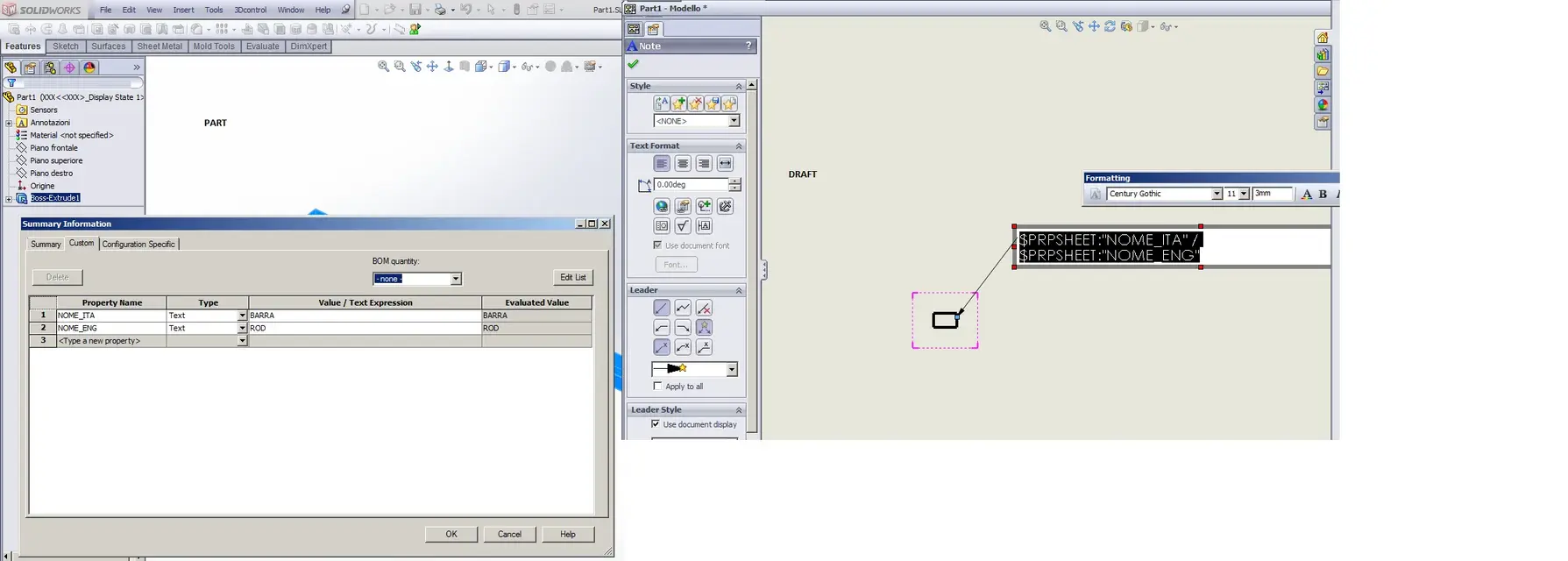
you can concatenate two parametric texts in the same string, in the example you see it on a label, but I think it is possible to do it also in separate. or you can create a property in 3d that is the concatenation of the two properties' ita/eng, and put on the table that doesn't change much.
 

Attachments

  • Immagine.webp
    Immagine.webp
    68.9 KB · Views: 33
Hi.

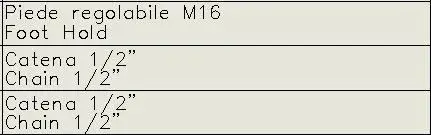
allego example of how I solved

if between a string and another insert also alt+0010 there is the forced apex that makes you two distinct lines and see them as in the image

they also come out in excel so great for documentation

I hope to have been helpful:biggrin:

bye:
 

Attachments

  • Ita-Eng.webp
    Ita-Eng.webp
    22 KB · Views: 27
  • Ita-Eng2.webp
    Ita-Eng2.webp
    6.9 KB · Views: 22
Meanwhile thank you for the answers,
Your romy solution doesn't seem to work in my case. Maybe I was wrong to set up the working method, in fact I used the tab manager ownerty to insert the properties and solidworks put the variables in the configuration specification and not in the customized as you do, so I can't join them with the syntax you wrote.
 

Forum statistics

Threads
44,997
Messages
339,767
Members
4
Latest member
ibt

Members online

No members online now.
Back
Top