
• This forum is the machine-generated translation of www.cad3d.it/forum1 - the Italian design community. Several terms are not translated correctly.

change background color during orbit

  • Thread starter Thread starter Piron88
  • Start date Start date

Piron88

Guest
Good morning to all
I've been working in 3d for some time with autocad. premix that I have autocad 2013 and use it in architectural context.
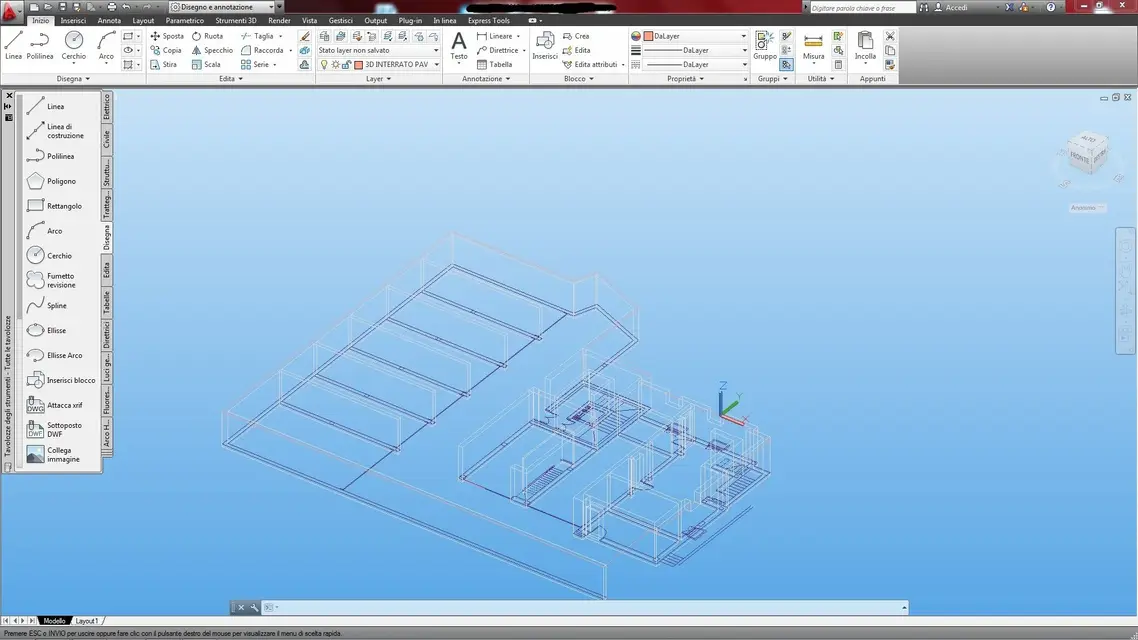
One thing I can't bear is that when I use the orbit command (I often use it in modeling ) the background color changes (it becomes blue ). sincerely every time I become stupid because in some cases I seem to have a stroboscopic light instead of a monitor:mad:. Does anyone know if you can make sure that the background color remains unaltered any command used? thanks
 
you tried to see in the options (_options) the card design design and management colors?
 
Are you in perspective or assonometric view? the skystatus variable is set to...?
then I am in assonometric view and the skystatus variable is set to 1 (I tried naively to set it to 0 but nothing to do the same )
 
I set sunstatus at 0, but nothing to do. Attached the image of how the background appears to me while using the shift+key mouse combination to execute the orbit command at speed.
 

Attachments

  • 3d.webp
    3d.webp
    146.7 KB · Views: 9
already that you set us sunstatus at 0...and can you post an image?
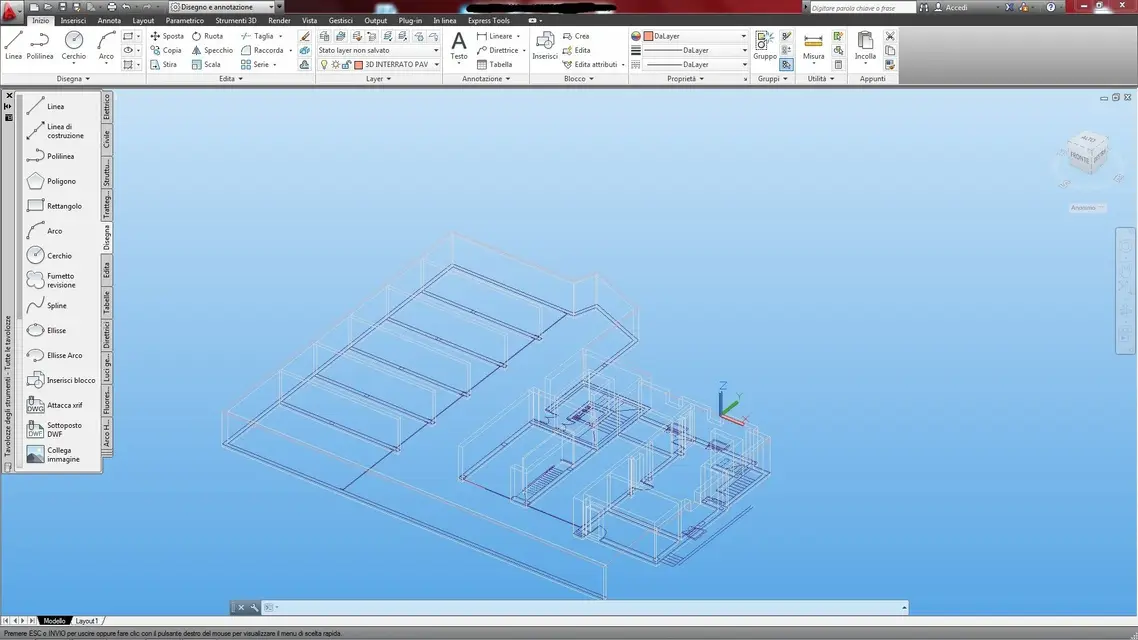
I set sunstatus at 0, but nothing to do. Attached the image of how the background appears to me while using the shift+key mouse combination to execute the orbit command at speed.
 

Attachments

  • 3d.webp
    3d.webp
    146.7 KB · Views: 4
follow these command line steps (after the gate # find a comment):

- magazine #management command views at the promptmemorize me #salvi la vista
aaaa #name of the new view (put what you want)Viewed ♪ Again ♪settings
background
aaaa #put the name of the view you just savedNobody.
(from sending so as to return to the -view command options)
call recall #Reclaim the saved view
aaaa #put the name of the view you just savedso you should solve it!

If you want to clear the saved view, do:
- magazine
Cancel
aaaa #put the name of the view you just saved
 
follow these command line steps (after the gate # find a comment):

- magazine #management command views at the promptmemorize me #salvi la vista
aaaa #name of the new view (put what you want)Viewed ♪ Again ♪settings
background
aaaa #put the name of the view you just savedNobody.
(from sending so as to return to the -view command options)
call recall #Reclaim the saved view
aaaa #put the name of the view you just savedso you should solve it!

If you want to clear the saved view, do:
- magazine
Cancel
aaaa #put the name of the view you just saved
Now another difficulty arises could be because I have autocad 2013? I mean, I don't see the same voices you've given me, in the command line I mean. When I type the view command opens the view manager. I tried cmq to create it through the new button. but then it doesn't give me the chance to change the background. but only at the time of the creation of the sight. In any case I tried to create a view and gave it as background color the black that he defines as color 250, but I have the same result, only that when I orbit the color changes in gray ( instead of blue as before ) :frown:
 

Forum statistics

Threads
44,997
Messages
339,767
Members
4
Latest member
ibt

Members online

No members online now.
Back
Top