vespa_83
Guest
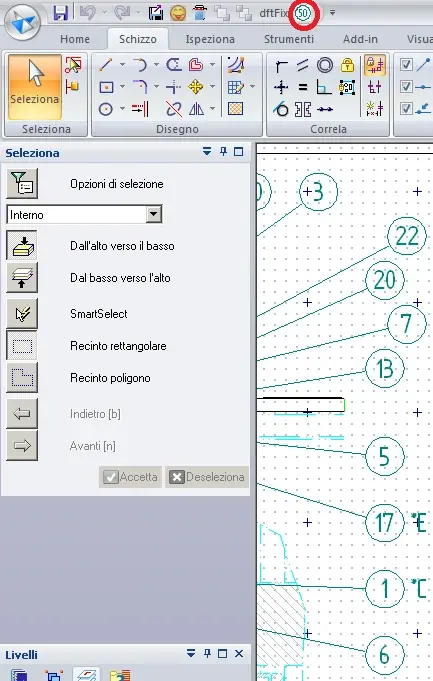
for the ordered drawing maniacs here is the macro that
move views and balls on a grid of 2 mm.
result: the balls almost in a row align, the most shocked are shaken by 2 mm (i.e. more clearly)
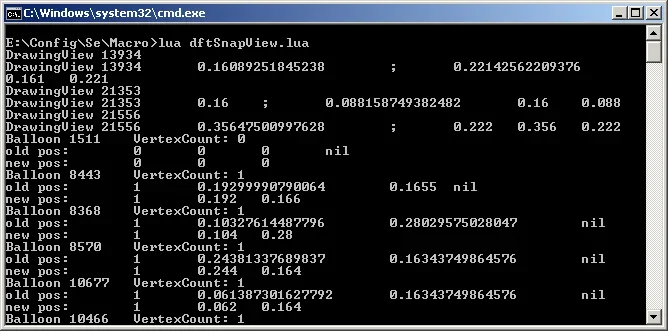
use: launches .bat file
advice: I usually at the time of inserting the balls:
1. launch the macro to make the snap of the views,
2. active grid 40mm/10division = 4 mm,
3. I insert the balls and they come well,
4. happens to move the balls by hand or the view, so
5. towards the end launch the macro and control for good results.
even on very dense designs so far I had no inconvenience.
technology: powered by
 moon moon - a script language, very flexible and simple. I prefer script languages, do not need compilation, just open them with notespad.
vbscript and surrogated in this case do not work: functions such as .getorigin(x, y) require parameters within brackets, the error "non-compliant type" is returned, but in vbscript it is not possible to define the type of data and with x = cdbl(1) conversions does not work the same.
on request I can post the code in vba to easily upload it to vb6 or convert it to vb.net
move views and balls on a grid of 2 mm.
result: the balls almost in a row align, the most shocked are shaken by 2 mm (i.e. more clearly)
use: launches .bat file
advice: I usually at the time of inserting the balls:
1. launch the macro to make the snap of the views,
2. active grid 40mm/10division = 4 mm,
3. I insert the balls and they come well,
4. happens to move the balls by hand or the view, so
5. towards the end launch the macro and control for good results.
even on very dense designs so far I had no inconvenience.
technology: powered by
vbscript and surrogated in this case do not work: functions such as .getorigin(x, y) require parameters within brackets, the error "non-compliant type" is returned, but in vbscript it is not possible to define the type of data and with x = cdbl(1) conversions does not work the same.
on request I can post the code in vba to easily upload it to vb6 or convert it to vb.net