
Filo
Guest
I hope the theme has not already been discussed, with the search I found nothing.
I have to make windows on a cylindrical surface like an enclosed image.
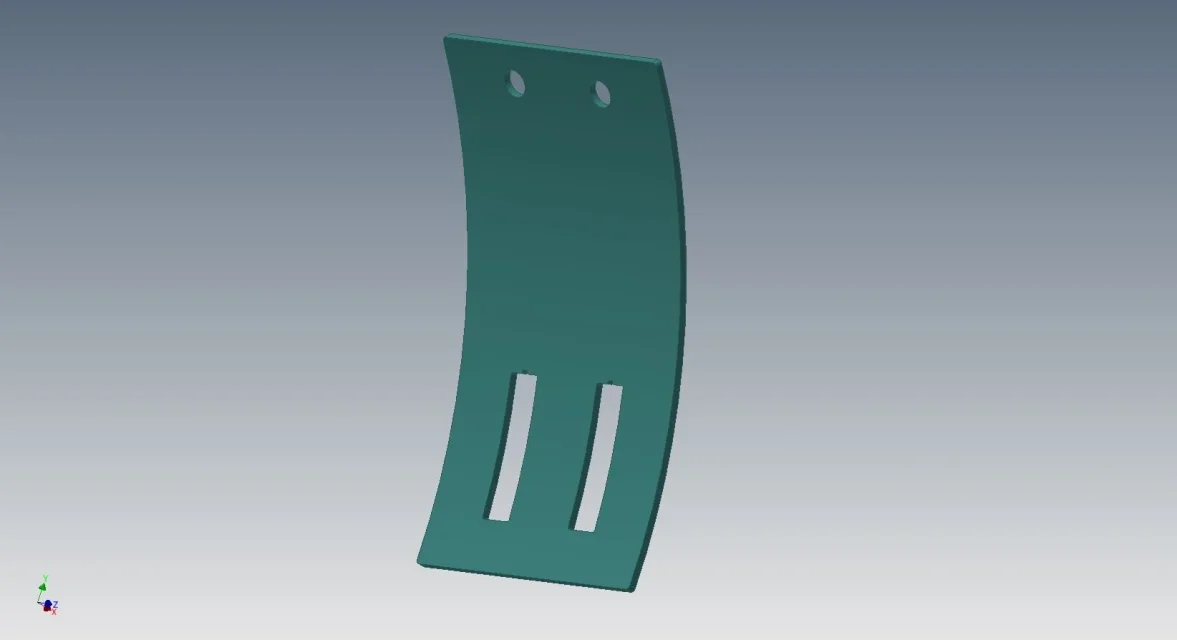 windows are made before the piece is folded.
how to correctly create the 3d model and flat model?
I hope I've been clear
Thank you.
thread
I have to make windows on a cylindrical surface like an enclosed image.
windows are made before the piece is folded.how to correctly create the 3d model and flat model?
I hope I've been clear
Thank you.
thread