
Petrinho
Guest
Hello, everyone! !
I'm at first with autodesk inventor and I have a problem with the assignment of materials, I'll explain:
any material assigned to a piece (material and appearance) this always looks shiny and reflective. . The wood is reflective! ! !
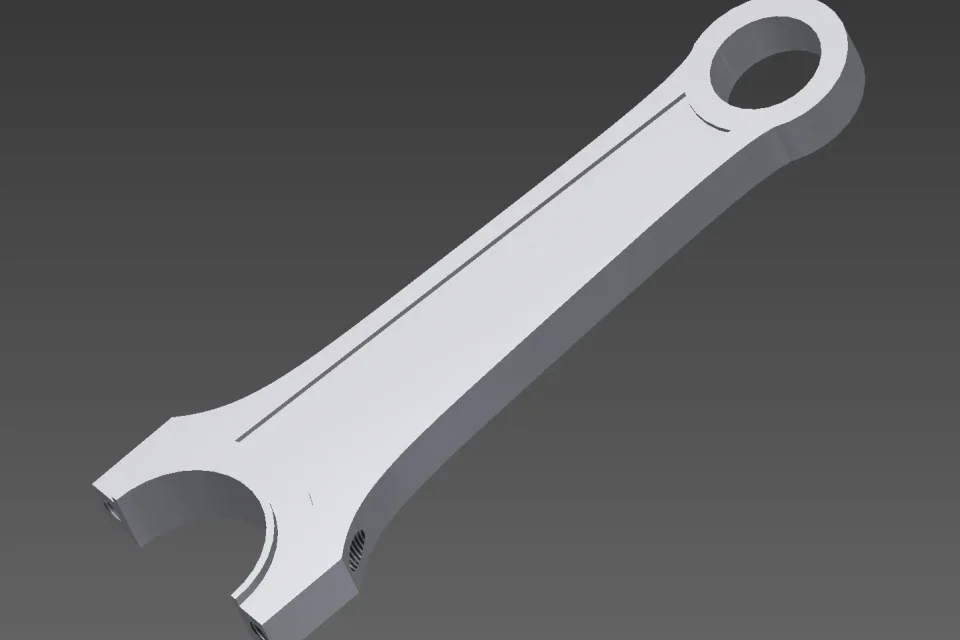
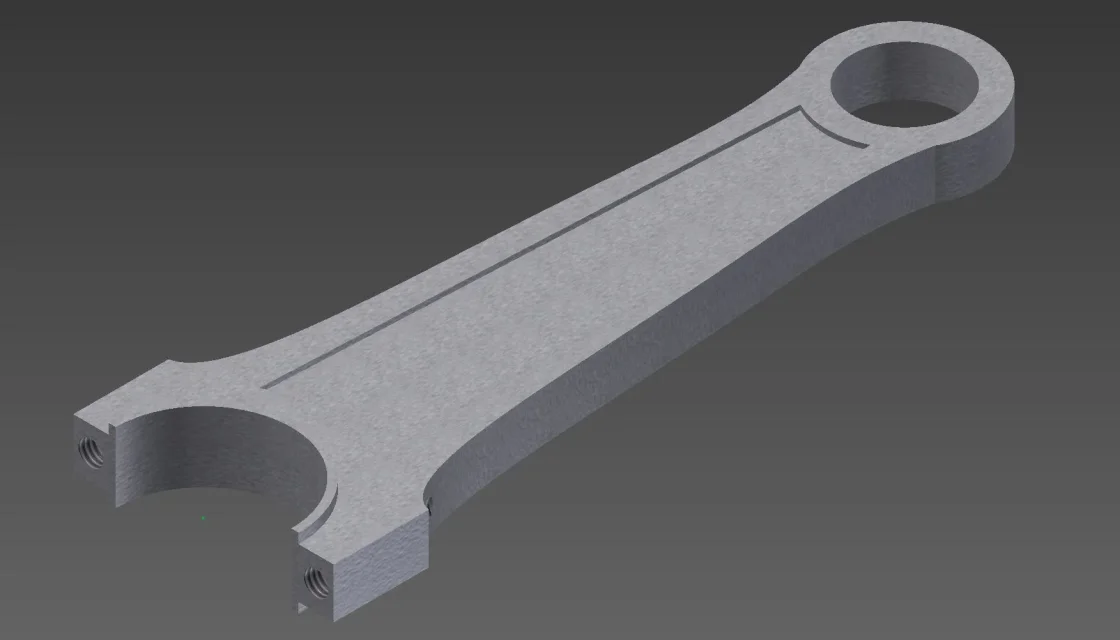
I press that I have not changed the settings, I place now two pieces...one is the original piece that I downloaded from the internet (which as you will see will result aluminum satin) that is the result I would like to get, the other is the piece made by me, practically identical to the original except that it is shiny and reflecting! !
the display style (two lights ) the material (aluminum 6061 ) and the appearance (spoke ) are identical for both...but why is my not realistic as the original piece?!? ! ? !
Thank you.
I'm at first with autodesk inventor and I have a problem with the assignment of materials, I'll explain:
any material assigned to a piece (material and appearance) this always looks shiny and reflective. . The wood is reflective! ! !
I press that I have not changed the settings, I place now two pieces...one is the original piece that I downloaded from the internet (which as you will see will result aluminum satin) that is the result I would like to get, the other is the piece made by me, practically identical to the original except that it is shiny and reflecting! !
the display style (two lights ) the material (aluminum 6061 ) and the appearance (spoke ) are identical for both...but why is my not realistic as the original piece?!? ! ? !
Thank you.