
• This forum is the machine-generated translation of www.cad3d.it/forum1 - the Italian design community. Several terms are not translated correctly.

print on file

  • Thread starter Thread starter TECNOMODEL
  • Start date Start date

TECNOMODEL

Guest
I can't find the way to print on files from inventor.

I need drawings in .plt format to allow printing even to those who have no inventor in the company.

if I open the same design created with inventor from autocad I have the opportunity to make .plt.

is there not this possibility on inventor?
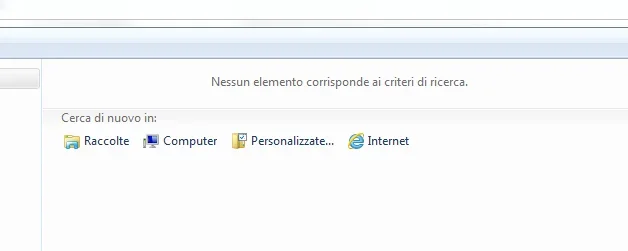
 
It seems strange to me to be able to do it as an autocad and not as an inventor.

someone use .plt format?
 
install a fictitious plotter does not solve? if it did not happen badly several years ago a customer asked tables in plt and settled taking the printer driver
 
What do you mean to install a fictitious plotter?
I already see my plotter as a printer, the problem is that I do not have the option "print on file"
 
install a plotter hp. once installed enters its properties and in the doors deselections lpt1 and press selections on files.
when you print from inventor select that plotter and when you launch the print asks you the name of the file. type pippo.plt and you will have the file in plt format.
Hi.
 
install a plotter hp. once installed enters its properties and in the doors deselections lpt1 and press selections on files.
when you print from inventor select that plotter and when you launch the print asks you the name of the file. type pippo.plt and you will have the file in plt format.
Hi.
The plotter is a hp.
I guess I have to install a virtual one that will be the one to use for files.if instead I want to print normally use the real one.
Right?
 
installed twice the same plotter and one call it hp [nomeplotter] plt. in the latter change the settings as I told you.
from inventor choose from time to time whether to print really or on plt.
Hi.
 
installed twice the same plotter and one call it hp [nomeplotter] plt. in the latter change the settings as I told you.
from inventor choose from time to time whether to print really or on plt.
Hi.
Okay, done.
print on files, but where does it save?
in the printer I don't find where to set a file destination folder and when mold asks me the name but not the folder where to place it.
 
You mean the drawing I'm printing?

There's nothing in that folder.

is there no way to set a folder where to save them or choose it from time to time?
 
He saved me where I had the original file. I don't think you can set a default path.
Another possibility is to use ilogic, but you have to put yourself there and study some programming.
 
Could it be the vault that creates a problem?
the drawing is still only in the local workbook and must then be archived in vault.

I don't want to mess with that.
 
already done, thank you.
this the resultView attachment 40347Anyway, even if you found it as I can set the target folder?
as I have already written:
He saved me where I had the original file. I don't think you can set a default path.
Another possibility is to use ilogic, but you have to put yourself there and study some programming.
 
to what told me a default windows autodesk technician saves in the active inventor folder, then that of the last open file, exported or saved.

working on multiple files at the same time it is impossible, at least for me, to know where they end.
 
I solved by saving the file name with the whole path.

but I hope that someone will enlighten me on how to set windows differently
 

Forum statistics

Threads
44,997
Messages
339,767
Members
4
Latest member
ibt

Members online

No members online now.
Back
Top