• This forum is the machine-generated translation of www.cad3d.it/forum1 - the Italian design community. Several terms are not translated correctly.

incorrect sheet development with short side bends

  • Thread starter Thread starter Simon771
  • Start date Start date

Simon771

Guest
Bye to all,
in reference to the attached file when I go to flatten it misses the unloading of the folds corresponding to the edge that however in the model there is.
I hope I explained.
the problem can be solved by adding an offset to the fold and ticking the short fold option. . But it doesn't seem like such an orthodox method. . .
If someone has a few tips...
thank you all.. .
Good job.. .
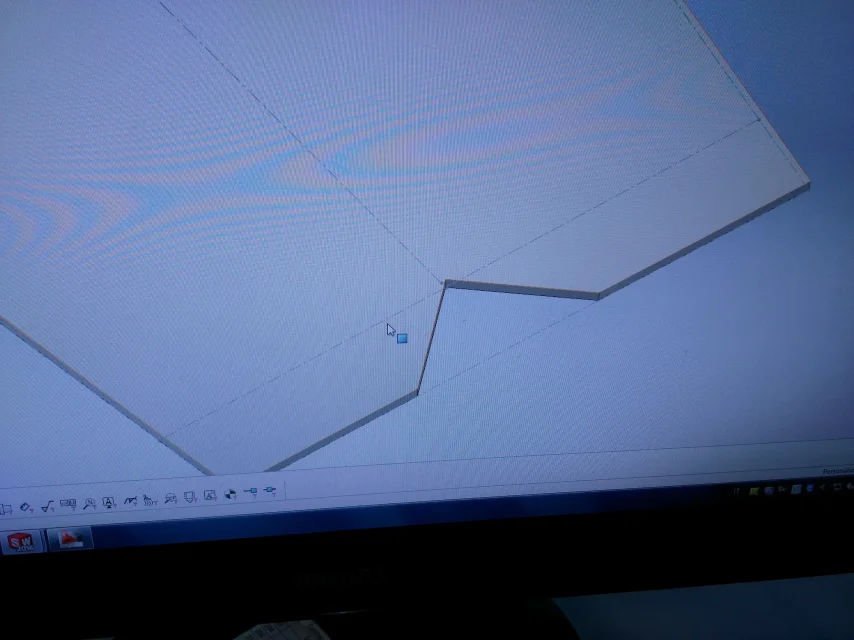
 

Attachments

  • IMG_20170301_130555.webp
    IMG_20170301_130555.webp
    2.1 MB · Views: 7
  • IMG_20170301_130545.webp
    IMG_20170301_130545.webp
    1.4 MB · Views: 11
  • SPIGOLO.zip
    SPIGOLO.zip
    217.2 KB · Views: 7
Bye to all,
in reference to the attached file when I go to flatten it misses the unloading of the folds corresponding to the edge that however in the model there is.
I hope I explained.
the problem can be solved by adding an offset to the fold and ticking the short fold option. . But it doesn't seem like such an orthodox method. . .
If someone has a few tips...
thank you all.. .
Good job.. .
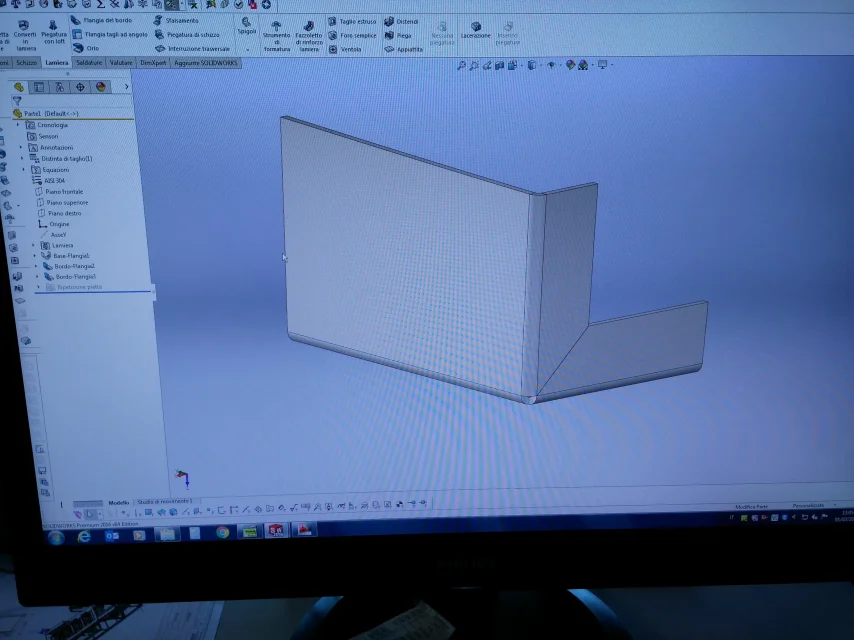
hi simon I did some evidence and found the hippo. The problem is that you don't define those exhaust carvings, but they automatically come from the flanges. I tried to bend one at a time and in fact as soon as the first flange of blow the discharge appears. I sincerely define the discharge always separate, laying the sheet, I define the geometry of the exhaust/i and then the filling. In this way the discharge is a feature for sw and you will not lose anything in the flat repetition. Try and let me know if you solved the problem.

hello and good day

 
hi luca, in fact it is true what you say but it is also true that development is not congruent with the shape of the model... what I want to say is that if the function shortens bend gives me the geometry I need it is not normal that then the development is not correct.
in the tables that I had to do I solved by checking the short bending option and giving an offset to the fold.
definitely your method is correct... But sincerely I use the extended commands and fold them very little as for some strange reason I do not like (I hope I will learn to use them). . .
Thanks again for the tip...
 
hi simon, in theory if on a sw side should understand that he created carvings to correctly perform the flange fold, and therefore in any case in the flat repetition should show them, at the same time should automatically create a function in the feature tree to make it present somehow to the model. I don't think there's a bug in the middle, in fact, popping up "close bending" you do nothing but tell the program to remove material at the ends of the flange, that is, a kind of unloading and consequently sw takes into account in the flat development of the sheet. I think it's a choice made by those who have programmed sw for the sole purpose of not bypassing the modeler and this can be sensible, it would be interesting to understand it by asking the assistance sw. For the rest if you are not with "piega e distendi" you can always use the command "scarico spigolo" and still have a function in the tree of the features you can control.
 
it definitely has a logic what you say... In fact, the drain was the most logical solution I thought I would adopt. . Just that if you try, you'll notice that you don't recognize him as an edge... so it is not usable...
 
it definitely has a logic what you say... In fact, the drain was the most logical solution I thought I would adopt. . Just that if you try, you'll notice that you don't recognize him as an edge... so it is not usable...
You're right, Simon, I didn't notice. Anyway, I'm going back to the piece tomorrow and I really want to see what's wrong with sw. the fact that it does not recognize those edges as such makes me some doubt. I'll let you know.
 
it definitely has a logic what you say... In fact, the drain was the most logical solution I thought I would adopt. . Just that if you try, you'll notice that you don't recognize him as an edge... so it is not usable...
Simon, I've done the piece again, and I think I understand the problem. The hippo is the way it models the base flange. I tried various ways to shape the flanges with angled cutters at 45° and eventually I saw that creating the base flange directly to l and then performing the flanges at 45° for some strange sw pattern goes on parrot. At this point I think it's a bug. I'll see just installed 2017 if this thing still shows up. Here's the part as I modeled it, and see what you think. you can also try to shape the flat base flange and then, instead of extending it to l with a flange (as I did) to insert a fold line and bend it to 90° and see if the bug shows the same.
View attachment Prova_Spigolo_Modificata.rar:)
 
Bye to all,
in reference to the attached file when I go to flatten it misses the unloading of the folds corresponding to the edge that however in the model there is.
I hope I explained.
the problem can be solved by adding an offset to the fold and ticking the short fold option. . But it doesn't seem like such an orthodox method. . .
If someone has a few tips...
thank you all.. .
Good job.. .
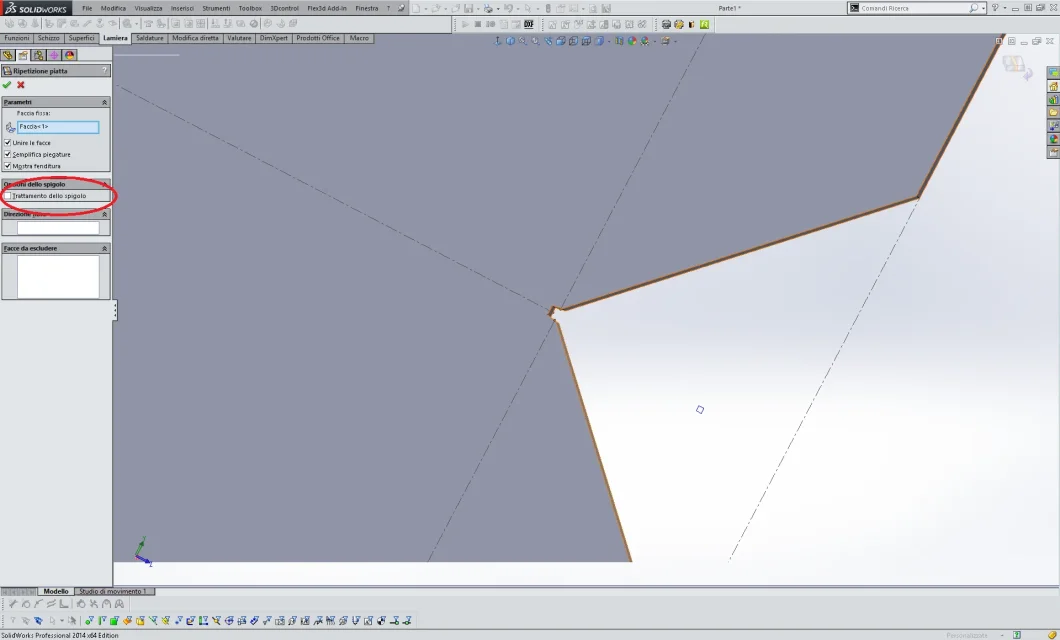
a thing that removes the unloading can be the tick of "treatment of the edge" as attached image, if you remove the tick should leave you unload,
this with 2014.
 

Attachments

  • Scarico angolo.webp
    Scarico angolo.webp
    69.7 KB · Views: 2

Forum statistics

Threads
44,997
Messages
339,767
Members
4
Latest member
ibt

Members online

No members online now.
Back
Top