
• This forum is the machine-generated translation of www.cad3d.it/forum1 - the Italian design community. Several terms are not translated correctly.

different display sketch lines

  • Thread starter Thread starter drake
  • Start date Start date

drake

Guest
Hey, guys.
I would like to have this display possibility, but I never deepened x see if that is possible. . .
I do a 3d sketch, but it is equal to that 2d, with the axes of the structure I use then as a basis for the creation of the model.
I usually create the basic sketch in the main axieme and then create all the other components related to this sketch.
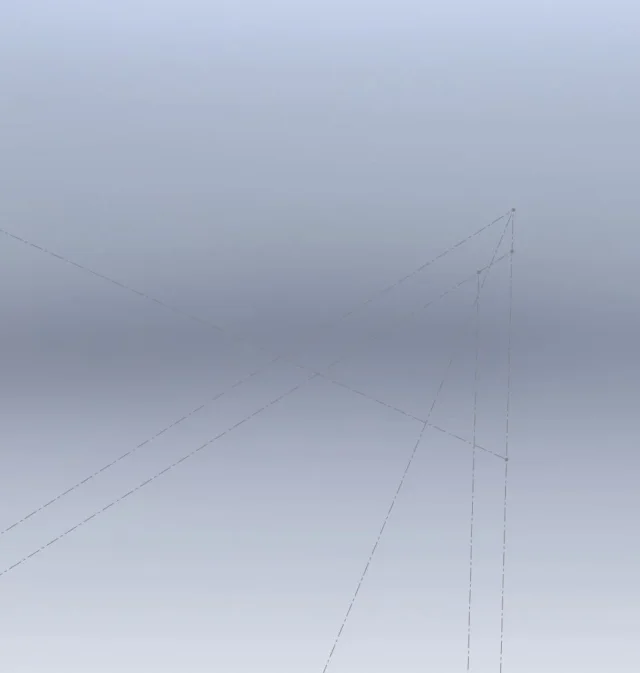
while creating components it would be nice to have a different display of the basic sketch lines, so that you do not confuse, for example, with the axes lines from other lines used. in the following image are inside the sketch and I set the style and color of two lines as you see1.webpIn this way the visualization makes me easier not to confuse them.
the following image, instead is what you see coming out of the sketch modification, sw does not show you this distinction2.webpthe only distinction that allows you to see is that between a continuous line and a building, like the ones I used. do you know if this is possible?
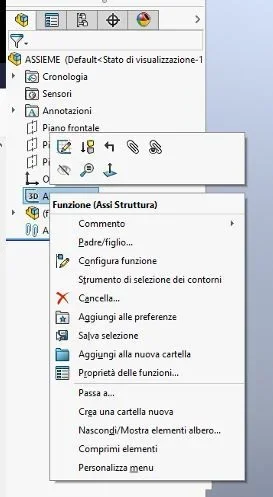
 
right button on the faeture manager sketch function and with color sketch change the color.
I always do it when I use imported dwg to remake the designs of the customer, amount the three views of the dwg of the customer, check each a different color and use them to check that the model corresponds
 
Shit, it's just in part environment.
you should create a part with that sketch, color it and insert the part
 
also deepen the line format toolbar (see it in the bottom corner). But I don't think it's possible to color a sketch curve differently.1568363120527.webpMaybe you should use more basic sketches.
 
Solidwork 2019 you can change the color of sketches:
I created sketches on both floors and 3d sketches; you have to select the sketch and then go down where you see the color pen and when you open choose the color.
I attach the image of the test.00.webp
 
so you change the color to the whole sketch, even with 2017. I would like to change the color of some lines compared to others, but I think you can't do it in a sketch of together but only part, almeo with 2017.
 
I didn't realize you had to change color only to some lines... The solution I told you is not good because it colores all the sketch.
the method used by pritio is good also within the sketch, but it is only valid when you are inside it, as you close it back to see the default colors. that's what you explained in the first post if I'm not mistaken. . .
 
I didn't realize you had to change color only to some lines... The solution I told you is not good because it colores all the sketch.
the method used by pritio is good also within the sketch, but it is only valid when you are inside it, as you close it back to see the default colors. that's what you explained in the first post if I'm not mistaken. . .
also in the line format toolbar you need to pay attention to the button with the "squadretta" and the rainbow below,
that if it is not activated the sketches are still represented in grey.
 
I didn't realize you had to change color only to some lines... The solution I told you is not good because it colores all the sketch.
the method used by pritio is good also within the sketch, but it is only valid when you are inside it, as you close it back to see the default colors. that's what you explained in the first post if I'm not mistaken. . .
Exactly... in the part I did not try, but from your words I deduce that it is not possible neither in the environment part... it does nothing continuous as always done
 
also in the line format toolbar you need to pay attention to the button with the "squadretta" and the rainbow below,
that if it is not activated the sketches are still represented in grey.
I never understood the purpose of that command. .
 
if I'm not mistaken when saving a design in pdf by activating or deactivating that command saved in color or not.
similar to the layers of autocad that while drawings you see them in color and distinguish the entities then print in gray scale.

take this explanation with the due cautele that are reminiscences of gone times and I never use those commands
 
but besides the color of the sketch it is possible to change also the type of line? because it accepts me only continuous line or for construction stretch point. I need to be held in pos. 7 as in pos. 10 but it doesn't make me... In fact, in Pos. 7 it remains drawn point. allego photos
 

Attachments

  • TRATTEGGI.webp
    TRATTEGGI.webp
    11.8 KB · Views: 5
you can see that you have not read the linked post, but only preview.
I'll give you a summary:
I open all, just all, the discussions and read the ones that may interest me, so you don't need to sue me explicitly.
then I make a selection on where it is worth spending energies; If I don't answer, it's because I don't have a valid answer or I don't want to.

when you have to call someone's attention, put the @ symbol in front of the name, otherwise he won't get the warning.
 

Forum statistics

Threads
44,997
Messages
339,767
Members
4
Latest member
ibt

Members online

No members online now.
ciao
Back
Top