• This forum is the machine-generated translation of www.cad3d.it/forum1 - the Italian design community. Several terms are not translated correctly.

nomenclature boards on tree

  • Thread starter Thread starter deep70
  • Start date Start date

deep70

Guest
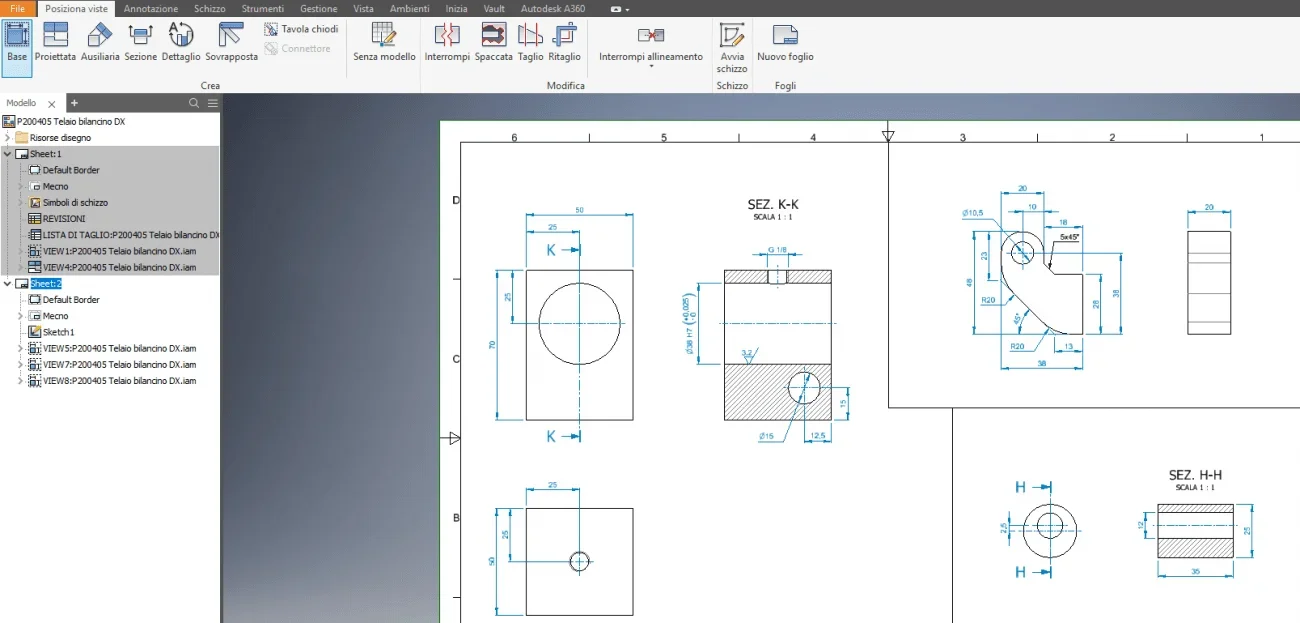
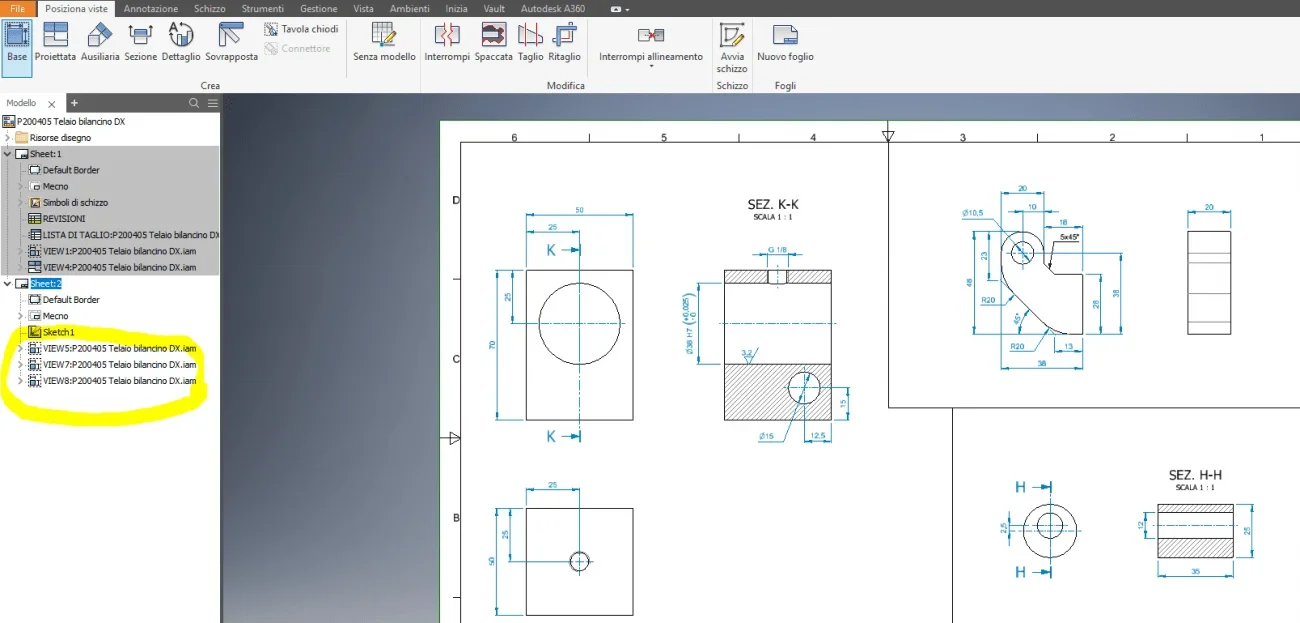
Hello to all, I beg that I am not very experienced with inventor, I wanted to ask you why after entering in the table in sheet 2 a component of a welded assembly, its coding and name in the tree always appears to me with the name and coding of the welded axieme father anzchè of the component with progressive 001... 002... etc.?
place an image to better make the idea of the thing, thank you all in advance for any given answers. Good evening to you.1573318430894.webp
 

Attachments

  • 1573318340598.webp
    1573318340598.webp
    48.6 KB · Views: 3
Hi.
the views of sheet 2, you obtained them by inserting all the assemblies (.iam) and extinguishing the details (except what you had to quote) . you must insert the individual components (.ipt), consider that the cartiglio assumes the description, code and file name, relative to the component of the first view inserted
 
in my opinion it would be better to make a table for every detail, they avoid mess.
 
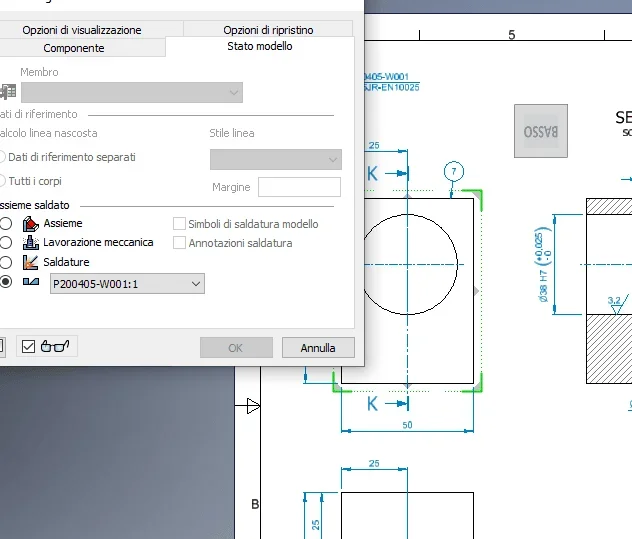
thanks for both for the answer. matteo, the details I put on to him by checking out the flag below (preparation) and choosing the part that served, is the procedure correct?
pietro, unfortunately it is the customer to request this type of intangulation.
1573322088542.webp
 
So they are parts of a welded.... anyway, if a single file is required, multifoil, I would go to insert the individual parts on the single sheet, in this way the description of the paper is that of the loaded part.
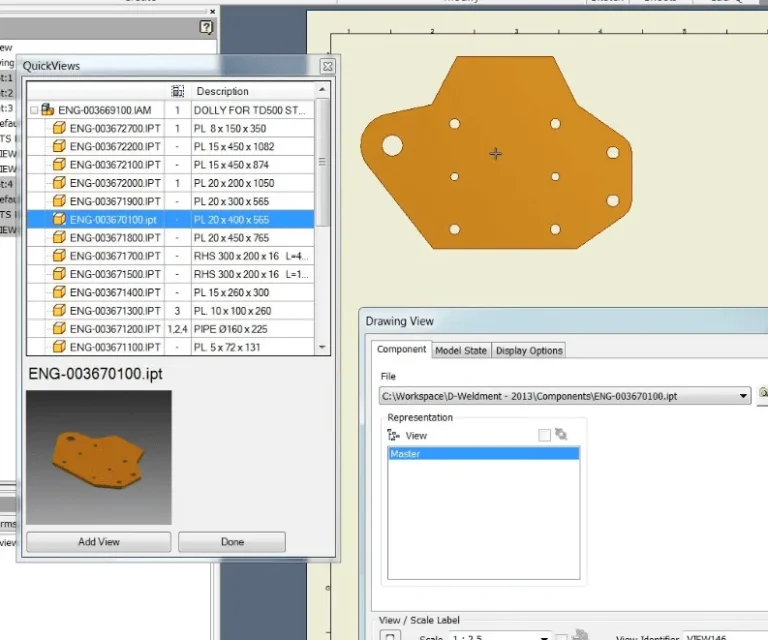
a great help can come from this free app:https://apps.autodesk.com/invntor/it/detail/index?id=6055662968820286099&applang=en&os=win64example.
on page 1 load the entire axieme, then launch this command and show you all the files contained to upload them to the other sheets1573822691533.webp
 
So they are parts of a welded.... anyway, if a single file is required, multifoil, I would go to insert the individual parts on the single sheet, in this way the description of the paper is that of the loaded part.
a great help can come from this free app:https://apps.autodesk.com/invntor/it/detail/index?id=6055662968820286099&applang=en&os=win64example.
on page 1 load the entire axieme, then launch this command and show you all the files contained to upload them to the other sheetsView attachment 55197
thank you very much matteo, very kind and very helpful, thanks again and good day to you.
 

Forum statistics

Threads
44,997
Messages
339,767
Members
4
Latest member
ibt

Members online

No members online now.
Back
Top