pirataviola
Guest
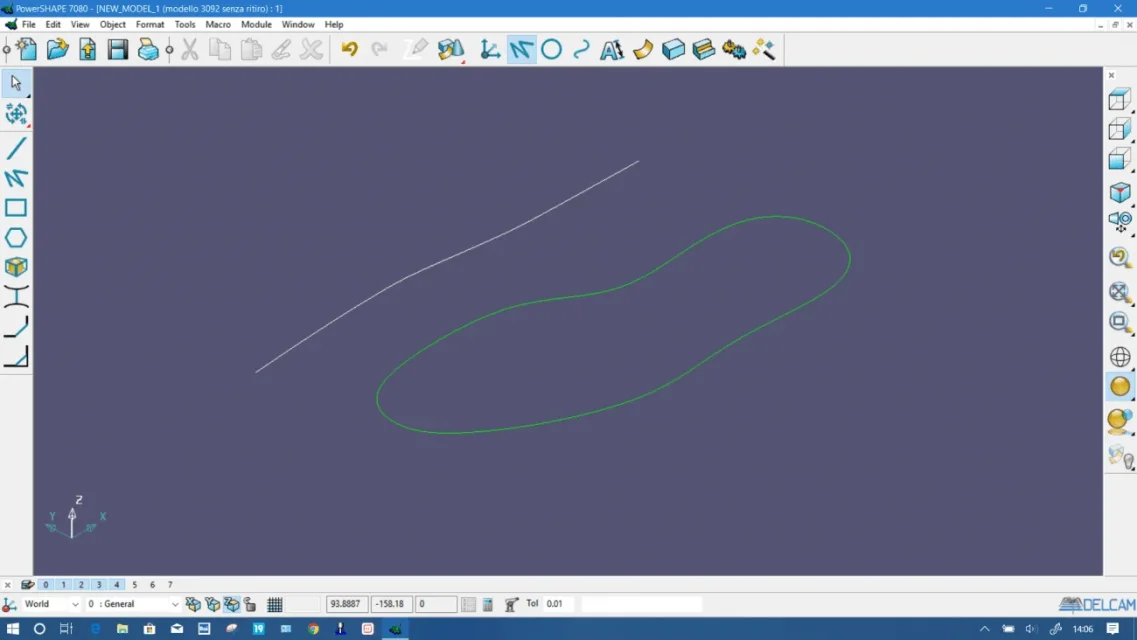
Hello, I am using powershape 7080, where there is the morphing function but nn can make it work well especially between surfaces if someone can help me?

very old version, if the surfaces are a little complex will not be easy.
post some screenshots if you can

This bombed and curved surface should be reported straight .poi if you know what it means to make a morphig from two surfaces?[/QUOT
te che software usi?This bombed and curved surface should be reported straight .poi if you know what it means to make a morphig from two surfaces?
I thank you in advance for your help, I did a course but these functions have explained and are useful sometimes, I am curious to know that you think of rhinoceros, if you ever see it, thank you.Okay, but you have to take her to the floor, you don't have to morph, I can't do it now, if I remember writing tomorrow morning.
p.s. making a morphing between two surfaces means using reference surfaces instead of using curves, I did not remember that it was possible already from that version. . .
p.p.s. currently use 2020
Unsure:powershape is definitely much more performing than rhinoceros................ .
I don't understand how many things you want to do, if I write I lose an eternity and then understand that maybe you need more.. .powershape is definitely much more performing than rhinoceros, but unfortunately it or a little abandoned because some important functions for me as before mentioned morphing, I can't manage them , especially curved agility, if you notice the photo the sole should react along that profile while keeping the point behind departure, I try but goes where it seems,rarely I managed if you know how to advise me I thank you, good weekend.
powershape is definitely much more performing than rhinoceros.. .
Of course it depends.Unsure:
the classic one of powershape and I was talking about is the one for the surfaces (I think we can also operate with the solids, tomorrow I look better). I confirm that it is very precise, the cad obviously is made to make cad, not design to pisellum :roflmao:I was initially taken from the word morphing. But in fact in powershape this function is called morphing, but in my opinion it could be called more simply "deformor".
Usually the term morphing is used in animation. However, it is always about transformation.
I turn a solid into something else by deforming it.
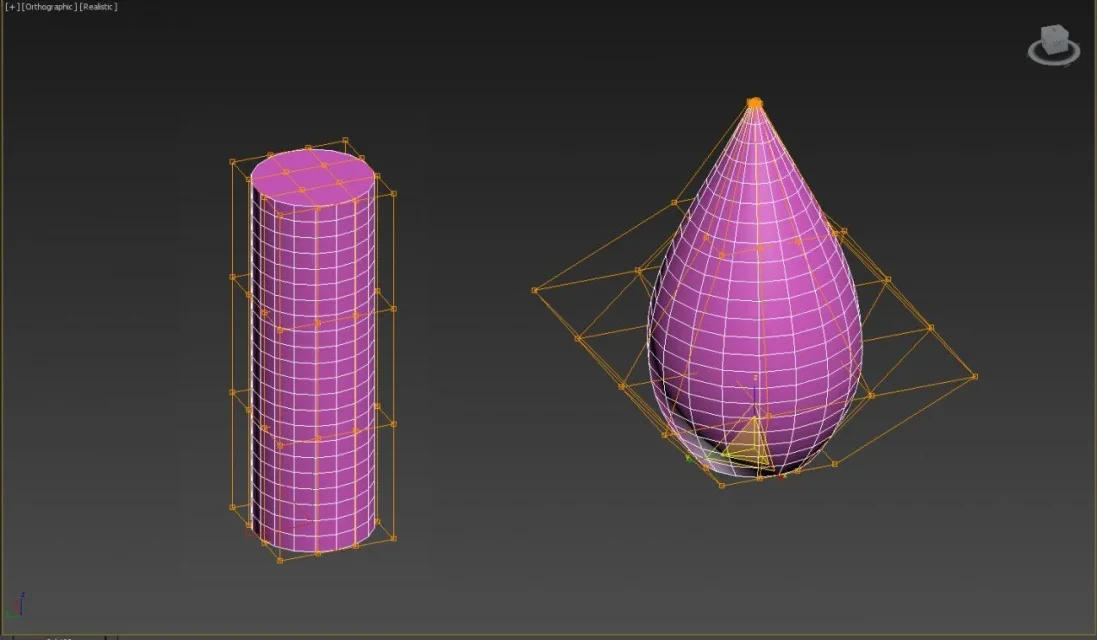
in 3ds max there are 3 types of deformers.
Powershape's "cage morpher" should be something like that, although powershape works with another philosophy. I find that the "morher" of powershape allows an excellent management of deformation. the fact that you can use reference splines allows you to work very accurately during deformation.
2d is done. Some things turn the bales, but you do. And he did it once. we say it has improved a lot in time, but you have to know some tricks that only in some commands It makes you want to pull down the calendar. I've stopped wasting mental energy for a while. I have committed myself to understanding how "rejoin" the program, eventually you get to know it and do what you have in mind at the first shotI must say that rhinoceros the 2d manages it very well and in very accurate manners, I with powershape nn I can, yes ok I have an old version of powershape, maybe the new ones are better.
rhinoceros really has excellent surface management. for the 2d instead I personally could not do without autocad. I think it is unbeatable in 2d. It's the real alternative to the old tecnigraph.I must say that rhinoceros the 2d manages it very well and in very accurate manners, I with powershape nn I can, yes ok I have an old version of powershape, maybe the new ones are better.
Yes, in powershape it is called "cage morpher" and also manages solids. It's the same deformation that's in 3ds max.There's also the "gabbia" style, but I think it's just for stl etc. if I remember control this, and then I'll take you.