• This forum is the machine-generated translation of www.cad3d.it/forum1 - the Italian design community. Several terms are not translated correctly.

connection problem part - drawing

  • Thread starter Thread starter CRAZYMAD
  • Start date Start date

CRAZYMAD

Guest
I happened to have to duplicate parts and I ran a pack and go in a new directory then going to the directory where I found my parts and puts the right button on the part and with the renamed function I gave a new name to the part and drawing and I did this for a dozen drawings and everything worked well
Today I go to open a part and I redirect myself to the table but astonishment goes to resume the references of the old files but all odds are clearly those of the modified drawings my question is on drawing I can change also manually to which part it refers?
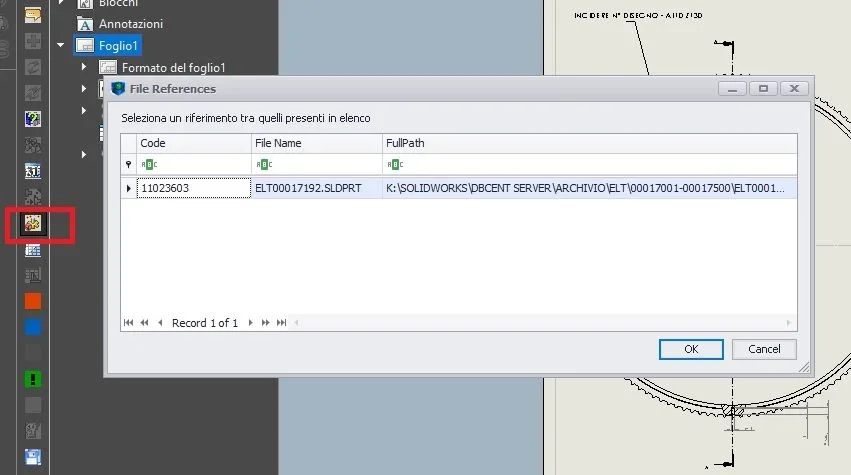
 
you have to use that symbol in the red picture "external references" from them go fishing to which part/axieme you want your table to refer
1.webp
 
If he goes to get old references it means that there are files that are called the same way and this is not good. old files should be deleted or enclosed in a zip, but should not be in any case accessible.
opening a drawing on the side is always open the file with the same name of the part (if for example the table calls it otherwise will not be opened).
to change references you have multiple methods:
- open, select the drawing and through the n bottom right box change the reference file
- Be the part and then the drawing to explorer
-make tools>replace model

@1992 Does that not seem to me the solidwiorks screen, or did they revolutionize it with 2020 and added the external references button?
 
If he goes to get old references it means that there are files that are called the same way and this is not good. old files should be deleted or enclosed in a zip, but should not be in any case accessible.
opening a drawing on the side is always open the file with the same name of the part (if for example the table calls it otherwise will not be opened).
to change references you have multiple methods:
- open, select the drawing and through the n bottom right box change the reference file
- Be the part and then the drawing to explorer
-make tools>replace model

@1992 Does that not seem to me the solidwiorks screen, or did they revolutionize it with 2020 and added the external references button?
is the 2019 version, I always use that icon that reminds me of the table references
 
no excuse, but this is absurd
I am on the side and right-click open table and open the correct design but as the drawing opens I see correct then it goes to load a drawing on another directory that was the original files and also changes the name on the folder
with model substitution you throw out all the sections

I don't know what box you're referring to.
- open, select the drawing and through the n bottom right box change the reference file
 
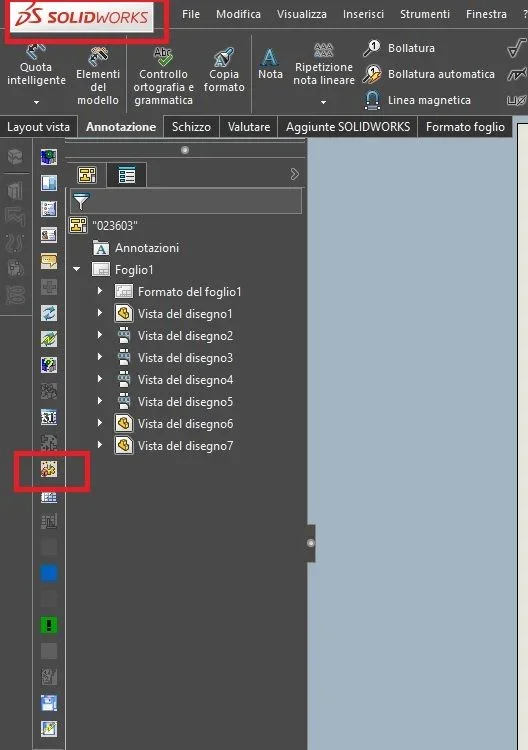
Sorry, what toolbar delgi is the one you displayed and that contains the reference icon?
I have never seen those icons...:unsure:
This is a combination not a part
Nothing changes. references always manage in the same way.
I am on the side and right-click open table and open the correct design but as the drawing opens I see correct then it goes to load a drawing on another directory that was the original files and also changes the name on the folder
You don't understand anything. opens the correct design but then loads another design... try to explain yourself well with a punctuation that allows you to understand what happens
 
Sorry, what toolbar delgi is the one you displayed and that contains the reference icon?
I have never seen those icons...:unsure:


Nothing changes. references always manage in the same way.


You don't understand anything. opens the correct design but then loads another design... try to explain yourself well with a punctuation that allows you to understand what happens
Excuse me!
when you open the tevola, for a few seconds I see everything well with the geometries of the part, then after a few moments loads the old design.
then the part bets on the correct table, but the table takes the references of the old drawing.

Sorry if I insist but I didn't understand this method
- open, select the drawing and through the n bottom right box change the reference file
 
That's why you don't get... incorrectly being in sw I thought it was a sw bar but actually it is a db bar cent, the plm of solidworks
 

Forum statistics

Threads
44,997
Messages
339,767
Members
4
Latest member
ibt

Members online

No members online now.
Back
Top