• This forum is the machine-generated translation of www.cad3d.it/forum1 - the Italian design community. Several terms are not translated correctly.

improvements (??? )made with rel. 2021

  • Thread starter Thread starter stefanobruno
  • Start date Start date

stefanobruno

Guest
fourth day in the company of inv.2021.
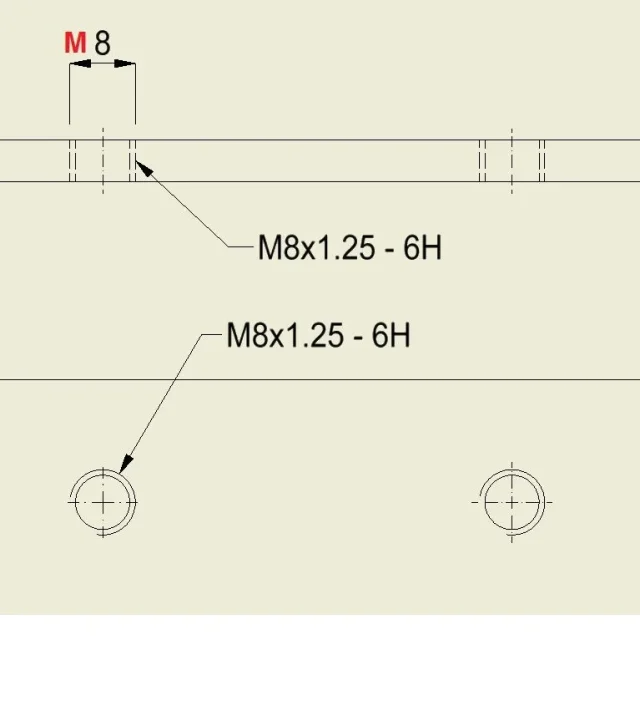
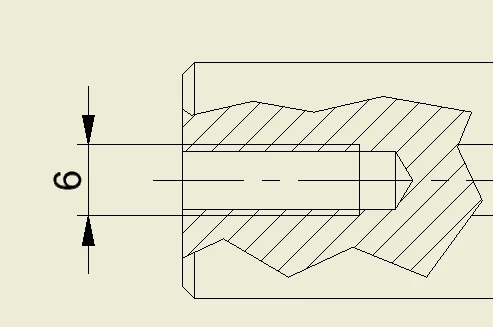
I put in the table, quoto and I find myself with this "improvement".Miglioramento Inventor.webpin the previous version, when I quoted two parallel lines, it gave me a simple quota, without prefixes.
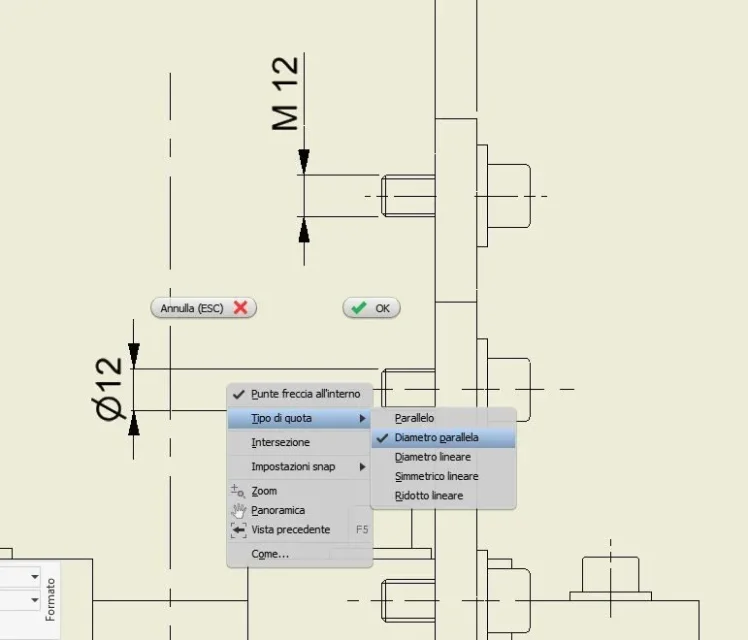
Now, if I quote the diameter of the screw, I propose by default the prefix ø, a pity that that is a thread and then I would like to see the prefix m, edited by me with a single click and unmistakable with " copy property " to the other similar quotas.
I can do it, but from the curtain you see in the attached image.
I expect that, by selecting the " parallel" snack, I will hold it by default for the next quotation.
clearly it is not so, someone has already found and solved this " improvement "?
ten days ago I was contacted by autodesk, we spent a few minutes discussing these continuous " enhancements ", having not yet used rel. 2021 I could not ask directly to them.
 
hi, I have not yet had the chance to try inventor 2021, I am still at 2019, however I to quote threads using the thread quotation command
 

Attachments

  • 0EM30000000UnZF.webp
    0EM30000000UnZF.webp
    38.3 KB · Views: 14
Hello stefano
If it can help you, I changed an ilogic found here and the...
you quote normally, then you select the odds to change, launching the command you select via the curtain the prefix or note to add.
I hope you're useful
1611498379264.webp
 

Attachments

however it has a logic the operation. if you want the indication of the thread, there is the special command "hole and thread", if you want only the size, there is the command quota (and in the case of cylindrical body recognizes automatically that it is a diameter).
then that you create problems for your particular needs, ok. but personally I always use "hole and thread" and I see it as a (small) improvement.
 
but... the "hole and thread" is only for the view in the plant (circle). if you quote side view or section always creates "leader"_foto__634.webp
 
Thank you, I never thought about it!!!!
for restraints.... I did it on the fly as an example to explain better
 
if you first click an external thread line and then the other (and then pull down the quota) avoid the leader.
and elapse, with rel. 2021, in the problem that generated the post.
with rel. 2019 behaved differently, it did not have the preset diameter symbol on the quota of parallel lines belonging to a hole, it gave you the diameter symbol only if you actually selected the diametral line of the hole, to me it seems more correct.

ps. : if it happens, quoting on the dotted lines of the holes without problems, if they are displayed big and the quotation does not cause misunderstandings, they are of those that save on the area of the formats.
 
and elapse, with rel. 2021, in the problem that generated the post.
with rel. 2019 behaved differently, it did not have the preset diameter symbol on the quota of parallel lines belonging to a hole, it gave you the diameter symbol only if you actually selected the diametral line of the hole, to me it seems more correct.
I trust, I'm still using 2019 and I don't care to check in person :-); that is, if you try to quota a threaded hole m[xx] on the external parallel lines (with the button "hole and thread") does not leave the quota m[xx]?
 
to stefano: to me does not do so (do not add the phi), just tried (inv.2021) so maybe there is a flag somewhere in the styles... I don't know where, though.
1611648522310.webpa sleepers: Filet quotation does it as once, the variation of behavior refers to the normal quotation.
 
incorrect: in the holes does not do it, with external thread makes it1611648926165.pngedit.: do it to me with my settings, I mean
 
if you first click an external thread line and then the other (and then pull down the quota) avoid the leader.
I had underestimated the answer.
Now I've tried again and I have to say it works.

response from assistance: it is an improvement requested by the community, there is no way to set it as before.
However, there are selection tricks not to trigger the insertion of the diameter symbol, such as choosing the ends of the line, instead of the whole line.

Well, I don't understand, but I do.
 

Forum statistics

Threads
44,997
Messages
339,767
Members
4
Latest member
ibt

Members online

No members online now.
Back
Top