• This forum is the machine-generated translation of www.cad3d.it/forum1 - the Italian design community. Several terms are not translated correctly.

paravis problem ‘map color editor’

  • Thread starter Thread starter mastraa
  • Start date Start date

mastraa

Guest
hello to all,
situation: caelinux 21, meca salome with paravis 9.3.0.

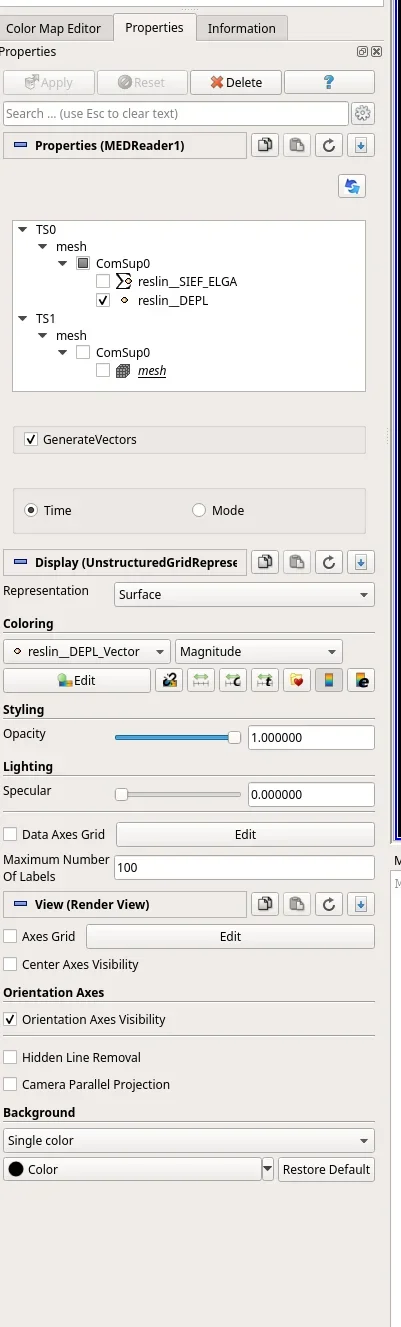
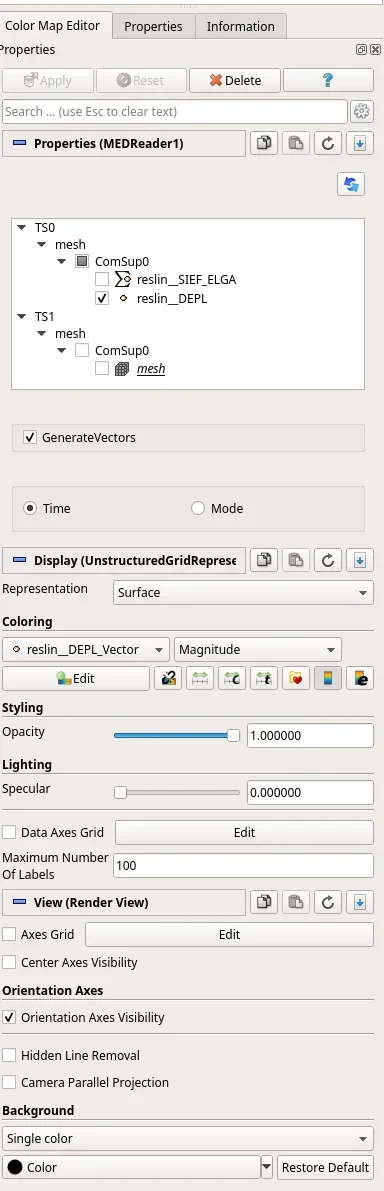
When I go to open the window to edit the color map nothing happens, the window is as if it were empty or not loaded it.

Now unfortunately I have no way to put a screen, I will try to do it tonight or tomorrow at the most.
Has anyone had such problems yet?

I followed tutorials on youtube or the internet, but nothing. It must be said that they are all with previous distributions. and a kiss of this version? You know how to put your hands?
is there any way to enter a sort of ‘debug version’ so as to see at the terminal if the program returns some error?


Thank you.
Andrea
 
But it only happens to you with that file or always so? I always feel like I understand.
If you can turn the file I try to open it.
 
Did you first use the "generate vector" function? (or something like that, I go to memory).
 
But it only happens to you with that file or always so? I always feel like I understand.
If you can turn the file I try to open it.
I was actually following a tutorial because I just installed the ‘suite’ so I didn’t try with other files. it seemed to me to be more an interface problem in the sense that just does not open the window to edit the color scale (the one that is called ‘color map editor’.

I was working with a simple beam just to understand the interfaces. I know about it a bit, but code aster etc never used.
paraview was one of the few I knew but in the end it was him who created me some scratch.
When I return, I send you two screens to clarify.
the tutorial is the ‘first’ you find on youtube on the beam:

andrea
 
Did you first use the "generate vector" function? (or something like that, I go to memory).
Yes, but I see the standard map.
I can't change it if I don't move between the predefined 2-3.
while from the various tutorials and from what I remembered of preview you can edit it 100% as in all classic caes
 
I remind you that you can always download the version for win.
if you usually use windows.
 
View attachment 66312you don't open this in practice.. .
I don't know how to call it 'color map editor' that's not right. as you see below when I pass on that nothing happens. of course all that is below becomes unclickable until I return on properties.. .1661276224082.webp1661276239777.webp
I remind you that you can always download the version for win.
if you usually use windows.
I know, being born for linux, I wanted to make him run in there, but if that goes on like this, I'm...
do you use it on linux (cae or ubuntu) or windows?
 
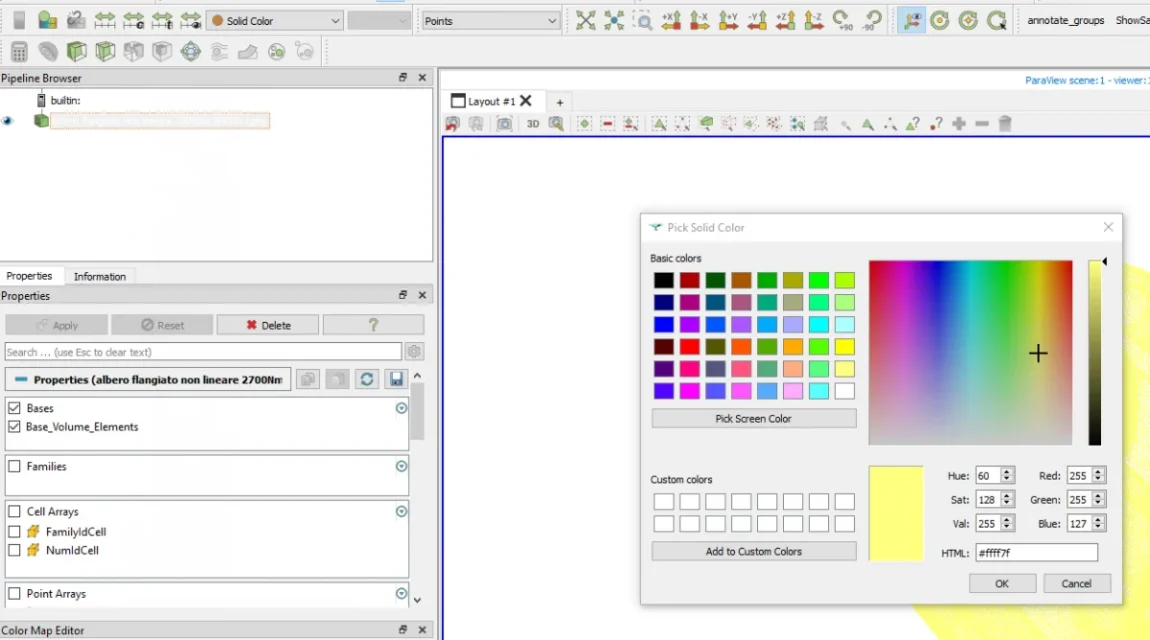
I think the commands are inhibited because you set "solid color".
try with the various results, you will see that it will work.
Solid color shows you your object, which you can just color as you want.CAa.webp

io uso code aster for windows.
 
I did the screen like that. but the behavior does not change any result asks and that requires it by point, surface, line etc...

yesterday I turned that on windows and it goes apparently without problems with the same example file.
I have not yet understood how to customize the colors to 100%, but the ‘slide’ works and shows me all those pre set with the ‘standard’ colors of the classic cae.


I personally fear it is due to the caelinux distribution that is a ubuntu with xfce graphic library.
Maybe I try to make it turn on classic ubuntu without the caelinux distribution. was comfortable because it installed everything from itself
 
I did the screen like that. but the behavior does not change any result asks and that requires it by point, surface, line etc...

yesterday I turned that on windows and it goes apparently without problems with the same example file.
I have not yet understood how to customize the colors to 100%, but the ‘slide’ works and shows me all those pre set with the ‘standard’ colors of the classic cae.


I personally fear it is due to the caelinux distribution that is a ubuntu with xfce graphic library.
Maybe I try to make it turn on classic ubuntu without the caelinux distribution. was comfortable because it installed everything from itself
Are you sure you have calculated the results and wrote them in the output file?
 
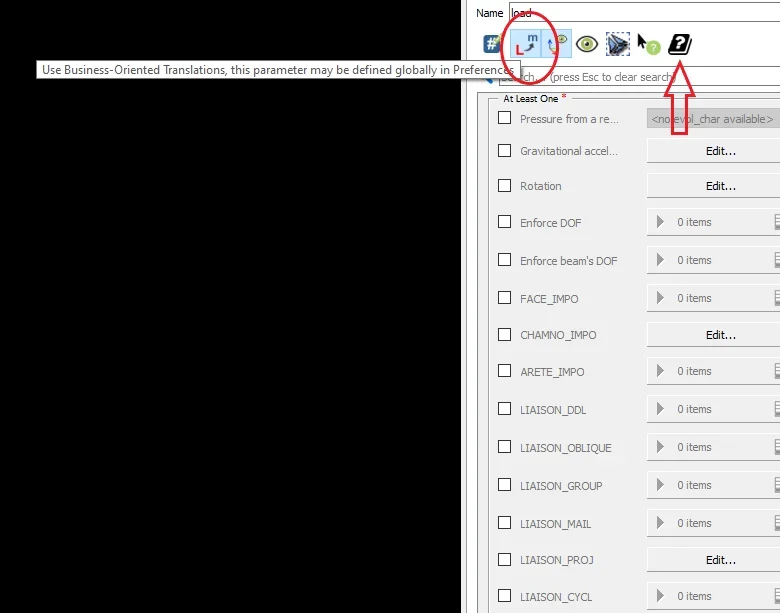
@mastraa I answer here:Immagine_2.webpYou have to use that highlighted command, but as you see it does not translate almost anything.
the arrow indicates the command, very useful, to access the documentation.
 
Are you sure you have calculated the results and wrote them in the output file?
Yes, yes, as I said opening it on windows I see them. but I actually saw the results. I couldn't change the color map, but the results, with the standard map I saw them. (only the displacement because I had not added anything, but there was).

@mastraa I answer here:View attachment 66319You have to use that highlighted command, but as you see it does not translate almost anything.
the arrow indicates the command, very useful, to access the documentation.
That's exactly what I needed (a scan of misunderstandings, I wrote a private message to him and it's not the answer to the main question of the thread, which we don't kill someone :) ).

Thank you.
 

Forum statistics

Threads
44,997
Messages
339,767
Members
4
Latest member
ibt

Members online

No members online now.
Back
Top