
You are using an out of date browser. It may not display this or other websites correctly.
You should upgrade or use an alternative browser.
You should upgrade or use an alternative browser.
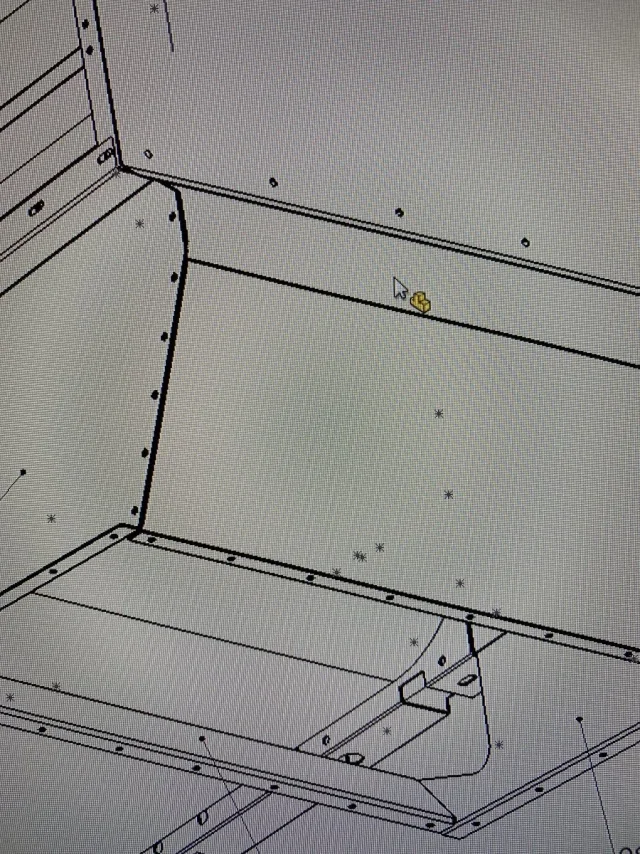
teseo
Guest
Aren't they sketches? ctrl+h and they should disappear.
MassiVonWeizen
Guest
are sketch points in the part/axis. if you don't want to see them you must hide them
LAZUCA
Guest
Thank you very much.
I usually hide them, but sometimes there are too many of them, I thought there was something to come up to not make them appear.
I usually hide them, but sometimes there are too many of them, I thought there was something to come up to not make them appear.
MassiVonWeizen
Guest
Write in the search box, over the feature manager, sketch and you will see all sketches, select those in display mode and hide them.
or check if in the display menu>hides/show there is the voice dedicated to sketches
or check if in the display menu>hides/show there is the voice dedicated to sketches
re_solidworks
Guest
when you generate a view, if in the model there are visible sketches, in the view are shown. Just hide the sketches in the model before generating the view and no sketch entity is displayed. in my opinion this is the fastest way to have clean boards from the sketches.Thank you very much.
I usually hide them, but sometimes there are too many of them, I thought there was something to come up to not make them appear.
LAZUCA
Guest
Hello MassiveWrite in the search box, over the feature manager, sketch and you will see all sketches, select those in display mode and hide them.
or check if in the display menu>hides/show there is the voice dedicated to sketches
I tried today to remove sketches in the display menu>hidden/show and hid all points automatically.
Thank you very much