• This forum is the machine-generated translation of www.cad3d.it/forum1 - the Italian design community. Several terms are not translated correctly.

3d perperdicular bitches circle

  • Thread starter Thread starter MARCOC
  • Start date Start date

MARCOC

Guest
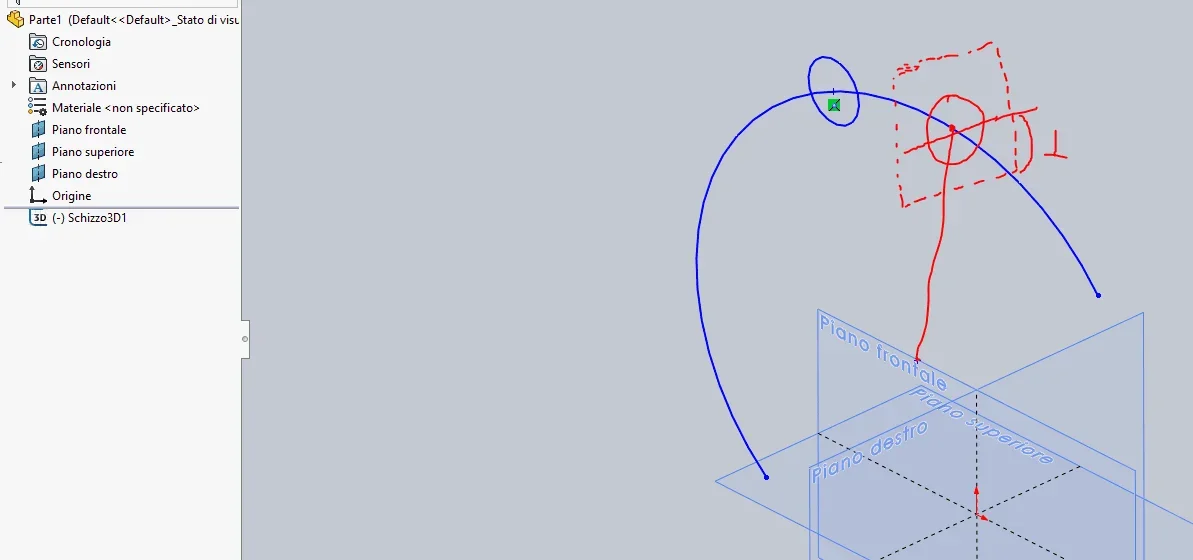
good evening to all, I have a question to ask you, in a 3d sketch, design a circle arch and then I would like on this arc to draw a circle that is perendicular to its center. I can't do it, does anyone know if w can do it in 3d sketches? ?

Thank you very much
 
try to have the orientation of the terna that you are with...just select it with the tab key
 
try to have the orientation of the terna that is with you
but so besides not binding it is not said that it is perpendicular and passing through the center.
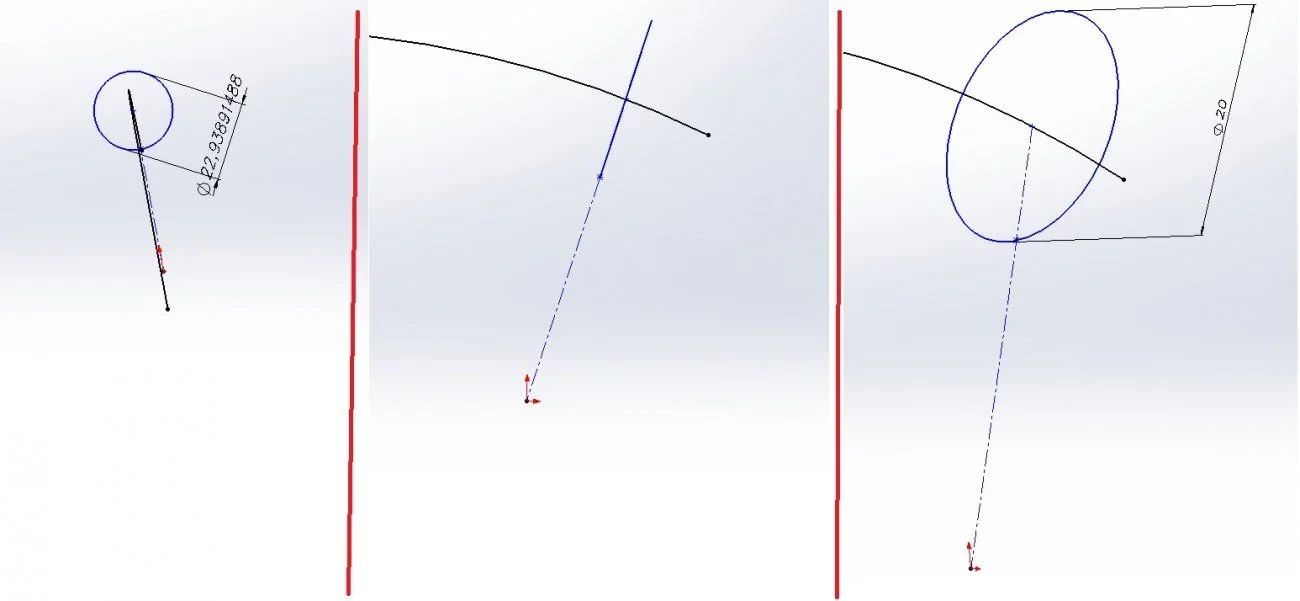
I found this method:
design a construction line that starts from the center of the circle and the other exthetivity is free
I make a point matching the line
drag the point until it becomes coincident to the circle
draw the free end of the line on the origin
 

Attachments

  • Immagine.webp
    Immagine.webp
    22.2 KB · Views: 24
Of course I agree with you, you have to add other references to our case. that of the terna is sometimes convenient x because it allows you to start with the right direction and consequently move correctly in space. this is important because sometimes you draw a simple line believing it to have inserted it in a certain way instead going to rotate the sketch you see that it is in all other position
 
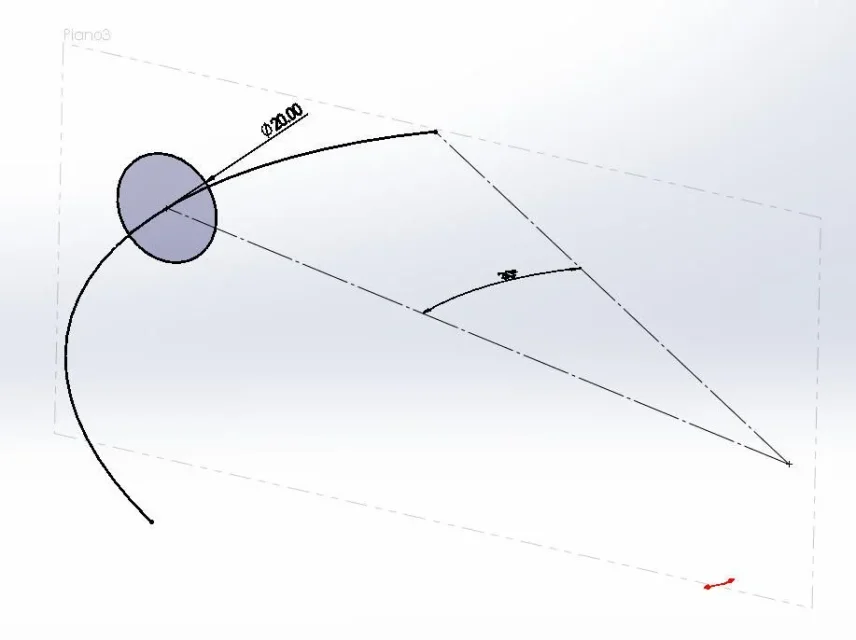
then you could create a reference plan bound to 3d sketch in the right position and then on that go to draw the circle
 
and how do you restrict the plan that passes through the center and perpendicular to the curve?
 
I don't understand how you can bind the point to the circle, it has me by mistake, but the point drags it on the arc or on the circle by 20?? ? ?
 
how do you bind the point to the circle,
drag the point until it becomes the same as the circle or the selections, select the circle and click on the coincidence.
but the point drags it on the arc or on the circle by 20??? ? ?
The image seems quite clear. Does it seem like an arch?
 
I can make the construction line and bind it to the arch, but then the circle does not make it perpendicular bhoooo! !

I'll take it back tomorrow.
 
never written that the line must be bound to the arch.
read the steps:
- (optional) fixed the arc so that you can better manage the other constraints without worrying that the arc moves)
-I draw a line of construction that starts from the center of the circle (which is bound to the arc) and the other esthetivity is free
. I make a point corresponding to the line (attention that is not bound as an average point)
. I draw the point until it becomes coincident to the circle or the selection together with the circle and give the coincidence
-transfer the free end of the line to the origin or center of the circle

are 4 steps
 
circle perpendicular to the curve with center on its end
Now I understand, but in this way you always have the circle at the end of the curve. if you want to have it in a different place, maybe even manageable from a quota?
for me it makes no sense to make a function only to get a sketch, if not as a last resort
 
Masses, forgive me, but in your procedure there is no constraint for which the circle is perpendicular to the arch. for that you need a plan
 

Attachments

  • s3d.webp
    s3d.webp
    18.6 KB · Views: 16

Forum statistics

Threads
44,997
Messages
339,767
Members
4
Latest member
ibt

Members online

No members online now.
Back
Top