stefer
Guest
Good morning to all,
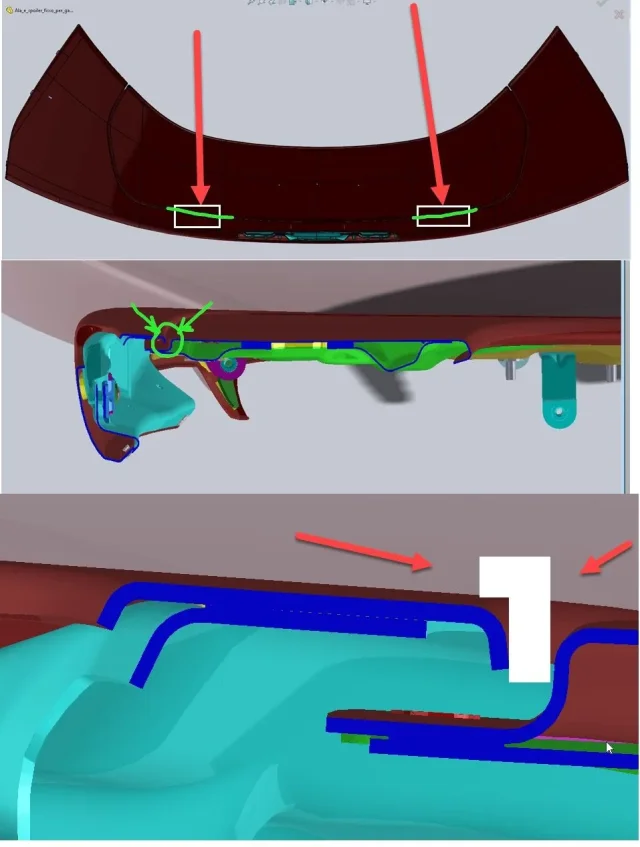
a customer commissioned me the creation in 3d of 2 dowels to make it thick to a spoiler of a sports car.
In this case I also have to design the dowels creating the 3d design. I am expert especially of 3d printing and I am now facing the solid modeling. so I would like to ask you a council, especially procedural rather than specific controls of a parametric design application (in my case solidworks).
I hope to be able to make the idea with words and images because unfortunately it is forbidden to insert the 3d model of the design (it is a spoiler of a prototype car).
In practice I have to produce two lids (of the shape equal to the two rectangles of white color that see in the attached png, in the third image in baso), which go to thicken and divide the two parts that make up the alettone. This dowel is also slightly curved in development because as you can see in the first image above there is a crack between a piece of the wing and the other.. this because the external part must be mobile).
the question is: what logical and practical procedure would you use to create these two dowels (which measure both 50 mm long for small thickness of 3 mm)? I apologize for this question... but the sw commands now as now I begin to use them well and if there are problems with them I go to read the guide... but I still miss the experience for the logical part of the design process.
Thank you!
steak
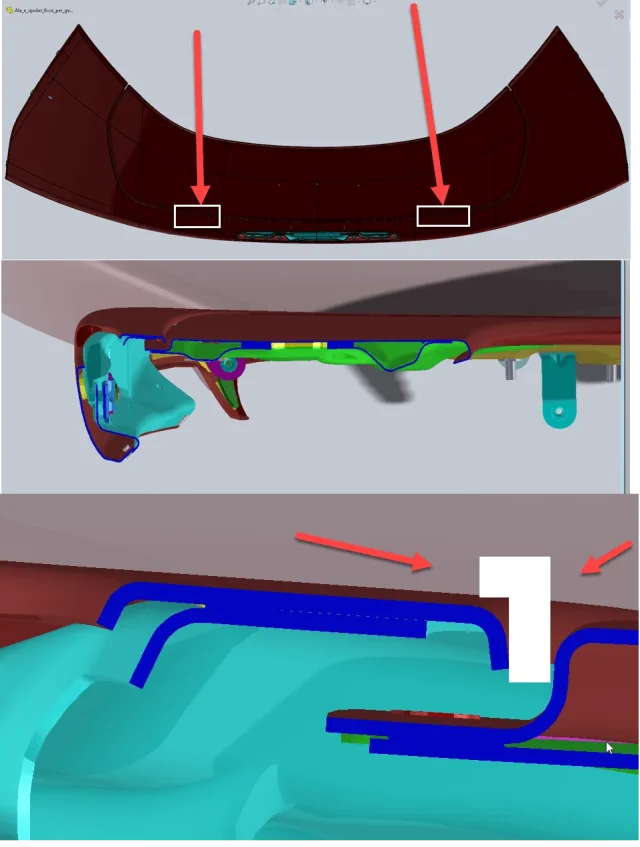
a customer commissioned me the creation in 3d of 2 dowels to make it thick to a spoiler of a sports car.
In this case I also have to design the dowels creating the 3d design. I am expert especially of 3d printing and I am now facing the solid modeling. so I would like to ask you a council, especially procedural rather than specific controls of a parametric design application (in my case solidworks).
I hope to be able to make the idea with words and images because unfortunately it is forbidden to insert the 3d model of the design (it is a spoiler of a prototype car).
In practice I have to produce two lids (of the shape equal to the two rectangles of white color that see in the attached png, in the third image in baso), which go to thicken and divide the two parts that make up the alettone. This dowel is also slightly curved in development because as you can see in the first image above there is a crack between a piece of the wing and the other.. this because the external part must be mobile).
the question is: what logical and practical procedure would you use to create these two dowels (which measure both 50 mm long for small thickness of 3 mm)? I apologize for this question... but the sw commands now as now I begin to use them well and if there are problems with them I go to read the guide... but I still miss the experience for the logical part of the design process.
Thank you!
steak