• This forum is the machine-generated translation of www.cad3d.it/forum1 - the Italian design community. Several terms are not translated correctly.

analisi di sformo - old draft analysis

panormus

Guest
Hey, guys.

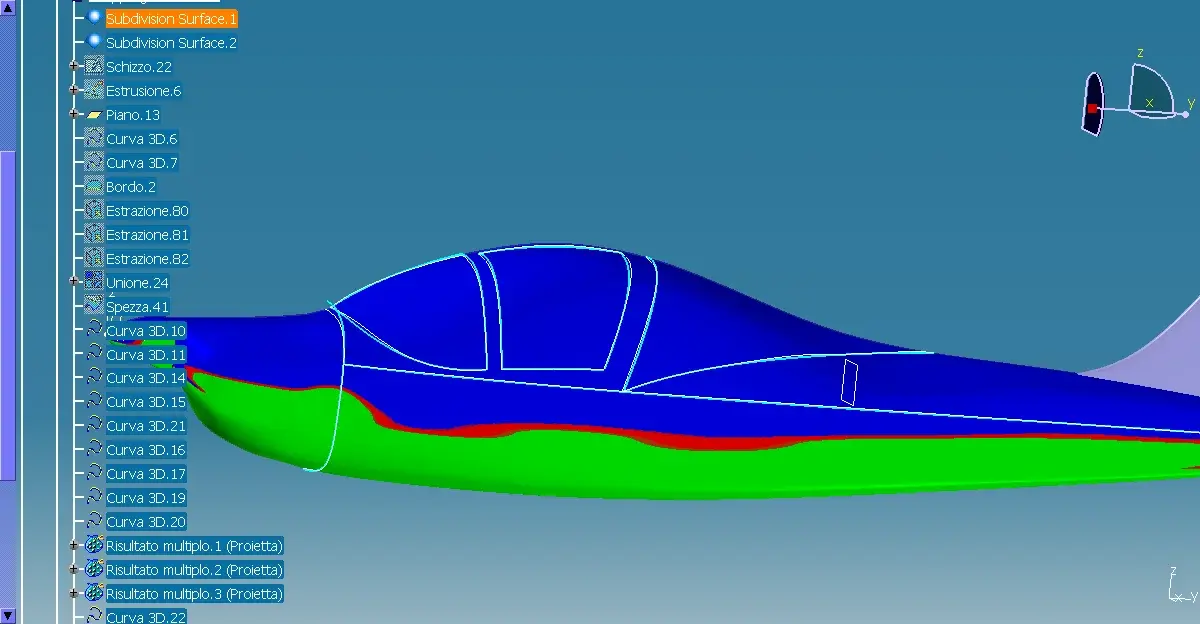
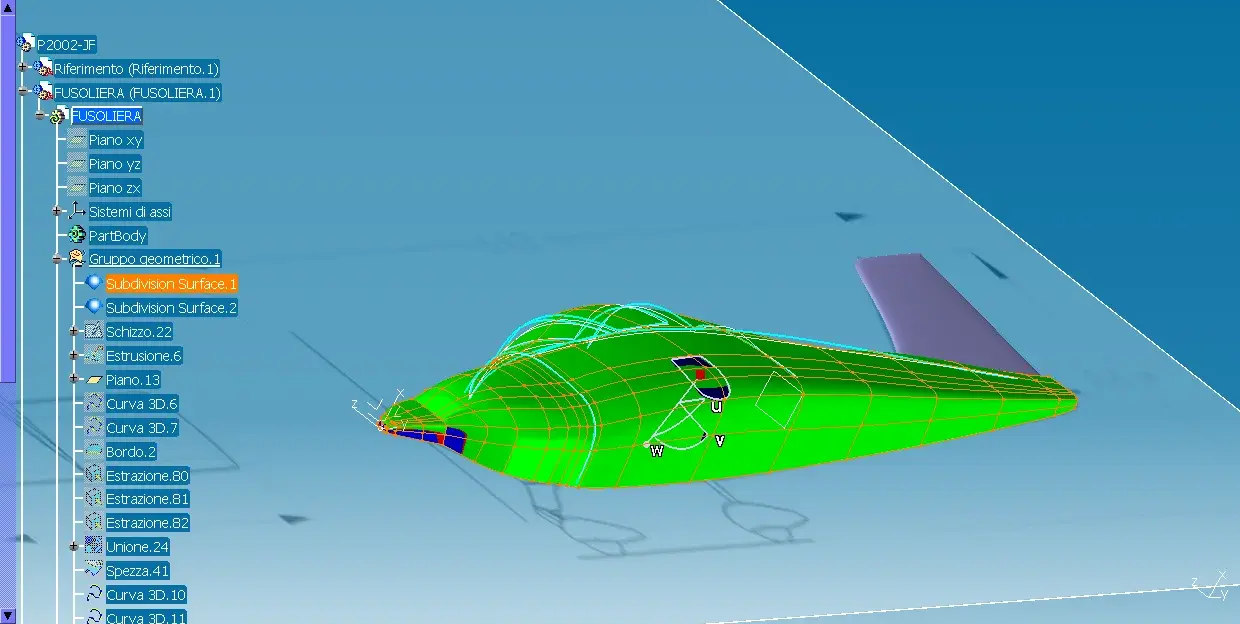
I read other discussions in which we talk about deform analysis and the way forward was clear, but I do not understand why after placing the manipulator on the surface this does not move and after the attempt the surface becomes all blue.

Can you help me?
Thank you.
 

Attachments

  • fuso16.webp
    fuso16.webp
    125.8 KB · Views: 43
  • fuso15.webp
    fuso15.webp
    80.6 KB · Views: 32
you have to orientate the analysis according to the hypothetical stamping axis.
select the "compass" icon, then place on it and right click to direct it (in x, y or z). also try to rotate it by dragging one of its bows and you will see how colors change.
Anyway "all blue" means that the whole area is included in the corner values set in the smaller window (in your case everything undersquadra but if you reverse the direction will become all green!!!).
 

Attachments

  • draft.webp
    draft.webp
    43.2 KB · Views: 35
you have to orientate the analysis according to the hypothetical stamping axis.
select the "compass" icon, then place on it and right click to direct it (in x, y or z). also try to rotate it by dragging one of its bows and you will see how colors change.
Anyway "all blue" means that the whole area is included in the corner values set in the smaller window (in your case everything undersquadra but if you reverse the direction will become all green!!!).
Does subsquadra mean?
(I renew the invitation).
 
the parameters that give me (-1 and 0) are ok?
I have red areas doctor, how is my surface? :biggrin:
I noticed how color changes according to the orientation of compass (the financial has some connection with the 3d? :tongue: ).
 

Attachments

  • fuso21.webp
    fuso21.webp
    52.3 KB · Views: 15
the parameters that give me (-1 and 0) are ok?Yes, they are fine but if you want you can change them (double click on value)
I have red areas doctor, how is my surface?Not very well...
I noticed how color changes according to compass orientation color changes according to the values of the angles set, referring to the stamping axis
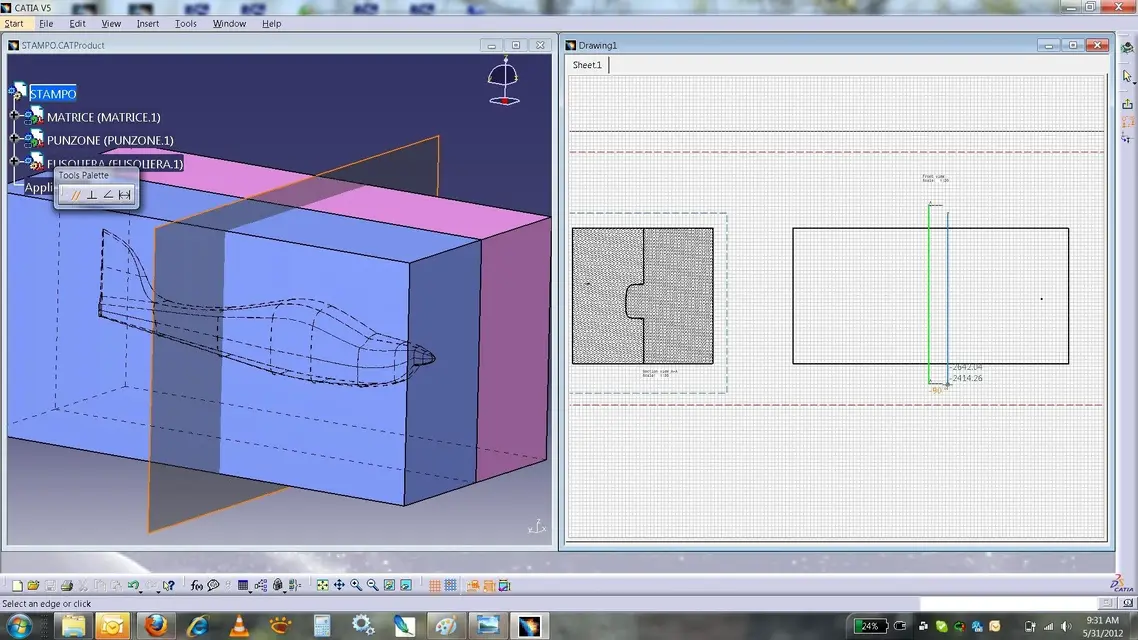
it will not be your case because the piece will be 'made by hand' but if it comes out of a mold you should take into account that the printed one must go out, that is, there must not be areas that do not allow the piece to be 'heated'. Let me explain better with the examples to follow:
mold.jpg: imagine having to create a mold with the two matrices
the molding direction will be the 'normal' to your piece, that is the direction in 'x'
sformo.jpg: Do a sform analysis to see if everything is okay. the values indicate how good all angles greater than 2 degrees (green=comes well from the mold), as critics those between 0 and 2 degrees (red=using could 'scratch' against the walls of the mold) and as negative ones under the 0 degrees (blue= does not exit from the mold).
section.jpg: After the sform analysis you can check the same condition by making a section in the most critical point
subsquadra.jpg: in detail (I exasperated the shape to better explain) see how the area I colored in red will not allow the piece to go out (I use the term 'subsquadra' but there are several).

of course the values that are set in the sform analysis depend strongly on many factors: type of molding (hot, cold, etc.), type of mold, piece material, surface appearance, etc.
Does the finance have any connection with the 3d?I still have to read the details of decree saves Italy!!!
 

Attachments

  • stampo.webp
    stampo.webp
    50.4 KB · Views: 30
  • sformo.webp
    sformo.webp
    32.8 KB · Views: 27
  • sezione.webp
    sezione.webp
    328.3 KB · Views: 22
  • sottosquadra.webp
    sottosquadra.webp
    188.5 KB · Views: 24
You were very clear once again barlafus.

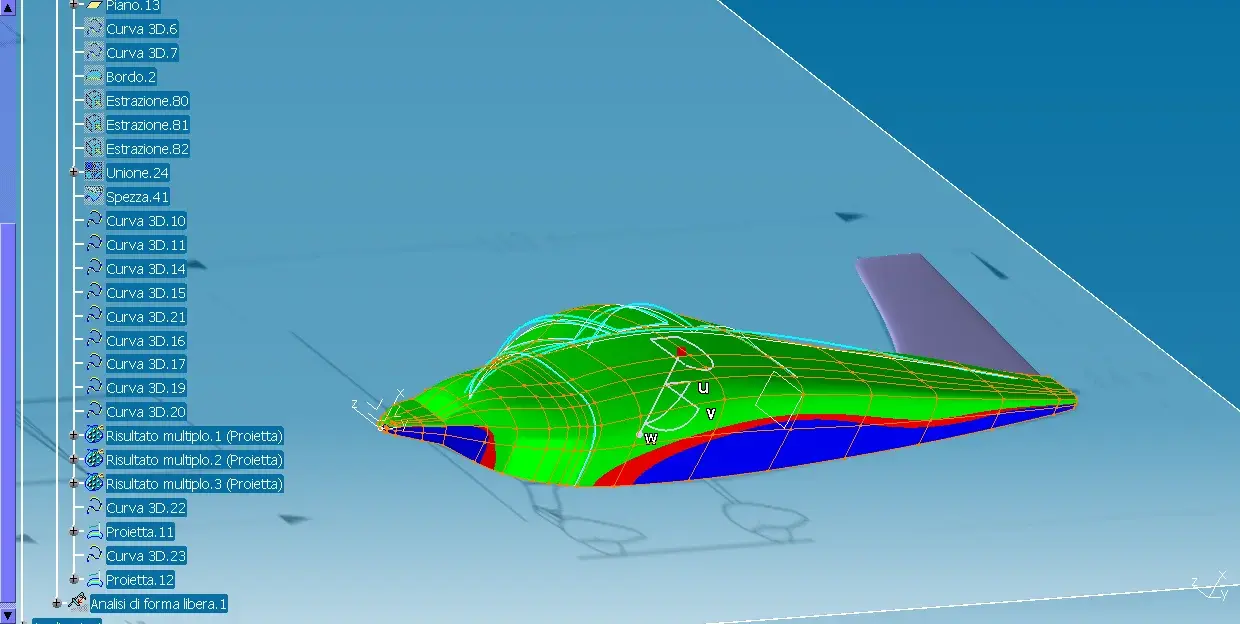
Now I'm doing some deductions. if the blue zones (except for non-standard settings) indicate areas that would remain attached to the mold, in order to be able to realize a whole casting I owe, for production need, to create two dies say right and left to mean or high/low.

In my case, being an object in symmetry with respect to the vertical plane passing through the longitudinal axis of the aircraft, in order to be able to extract the product from the mold I should consider as an axis of extraction (I do not know if it is called so technically) the transversal axis of the aircraft or that of rollio to understand us and I am sure that we intend :finger:(obviously exclude wings from the speech). In this way I should, if I consider one half fuselage, work because this half is in the green area (and should be easy to the idea) and I will "direct to the mold" to make two copies (in my case obviously). mhhh. you are interesting as well as useful.. never thought of teaching?
for the decree save italia soprassiedo looks... not to go out discussion.
 
This analysis begins to make sense, in blue the beast to be eliminated:smile:
 

Attachments

  • fuso22.webp
    fuso22.webp
    68 KB · Views: 25
  • fuso23.webp
    fuso23.webp
    62.7 KB · Views: 18

Forum statistics

Threads
44,997
Messages
339,767
Members
4
Latest member
ibt

Members online

No members online now.
Back
Top