• This forum is the machine-generated translation of www.cad3d.it/forum1 - the Italian design community. Several terms are not translated correctly.

are desperate - convert a closed surface to solid

  • Thread starter Thread starter stabum
  • Start date Start date

stabum

Guest
Hello everyone,
I'm in big trouble and knowing that you're an authentic inventor wizard I know for certain that if there is someone who can help me, this someone will find it in this forum.
using inventor 2011 I created an extremely complex geometry conduit through loft and many catasta surfaces. at the end I got I closed the surface in the entry and exit section with the boundary patch command and with stitch surface I created a solid (which changed color (from amber became metallic and in iproperties, to the physical inventor calculates me mass and moments of inertia). my problem is that once converted into step or igs and opened in ansys cfx for mesharlo and study its internal fluid dynamics I find that it is an empty casing (a closed surface hollow inside). and it's obvious that I can't make mesh!
How can I get a solid really solid??? Please, I beg you, help a desperate man... :frown:
 
Here is the file of the duct portion! Thank you and excuse me for my sling!
 
Last edited by a moderator:
if I open it directly from 2011 tells me : error during reading the flow rse.
I opened it with rhino, it turns out to be a solid as you say.
open the .3dm file in inventor and, generated the table mass, is unequivocally a solid, I attach you to the table.
if I launch the analysis and make mesh generate, it will stack (I attach you file ).
If you need the file in another format, let me know.

Bye.
 
Last edited:
Yes, it happens sometimes even to me that this error message appears. However, if you open it with the 2012 version of inventor, the file is always opened correctly. I don't know why.

but if, as you have verified, the object is actually a solid, because in cfx, when amounting the object and dissect it (following an error message relative to the meshatura) shows me that it is a closed enclosure and not a solid?
If I was wrong somewhere, what should I change? What do I have to do? after all I did not do that a loft of open sections. . .
 
but if you open it with the version 2012 of inventor ...
He actually opened it to me with the rel. superior, but I didn't want to migrate it.

why in cfx, when I amount the object and dissect it (following an error message related to the meshatura) shows me that it is a closed enclosure and not a solid?
your astengo, non ho e non conosco ansys.
 
Hello everyone,
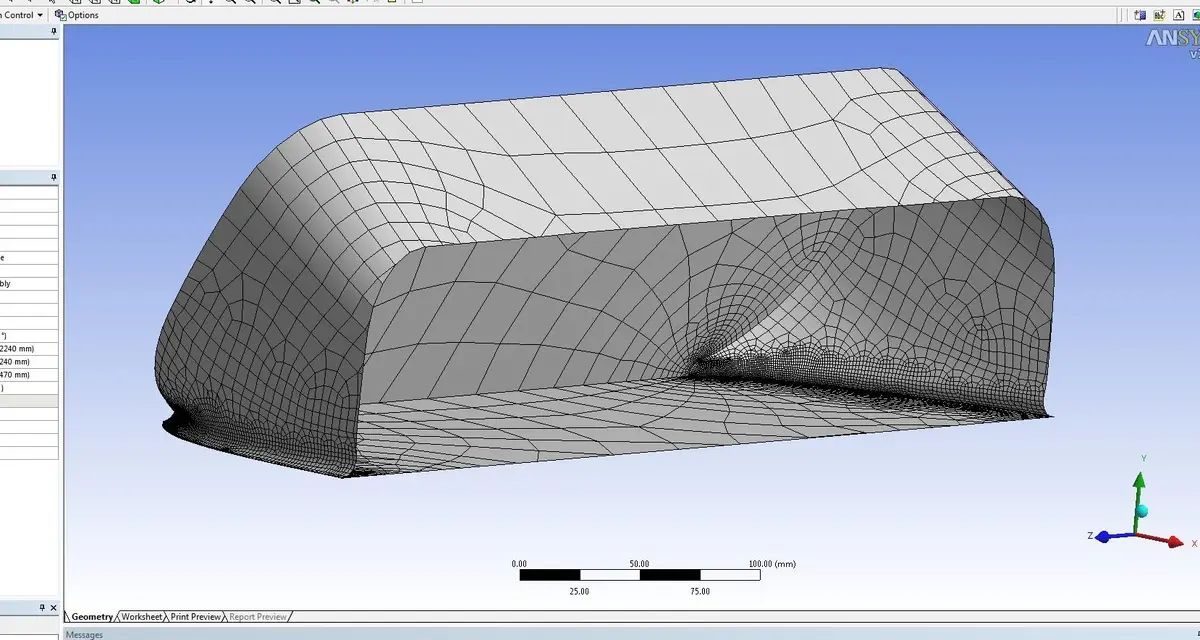
place now two files: the first is the step version of the inventor file posted earlier. the second is a jpg file showing as cfx, once performed a surface mesh, unequivocally highlights how the object is, in reality, a closed enclosure and not a solid (which is what I would like to get instead).
remains, unfortunately, valid my plea for help: If you know how to convert a closed surface to a solid, they are all ears.. .
Thank you all!
 

Attachments

  • Cattura.webp
    Cattura.webp
    157.6 KB · Views: 27
Last edited by a moderator:
cfx is unable to create solid mesh but only surface mesh.
so it gives you error in the creation and then shows you the surface mesh (closed enclosure) and not the solid one that has not been able to create.
I think your component is a solid, but it has some meshing problem.
you have to try to eliminate those corners formed by a curve and a straight, where the elements become very distorted.
I have no idea about the type of analysis you have to do, but probably a slight simplification to your model would make meshatura much easier.
 
cfx is unable to create solid mesh but only surface mesh.
so it gives you error in the creation and then shows you the surface mesh (closed enclosure) and not the solid one that has not been able to create.
I think your component is a solid, but it has some meshing problem.
you have to try to eliminate those corners formed by a curve and a straight, where the elements become very distorted.
I have no idea about the type of analysis you have to do, but probably a slight simplification to your model would make meshatura much easier.
I quote and add that even the simple regeneration of the step file is not simple: I opened the step geoemtria in spaceclaim and while managing to get a solid, I had to cuff a little. Wouldn't you be able to process a cleaner geometry?
 
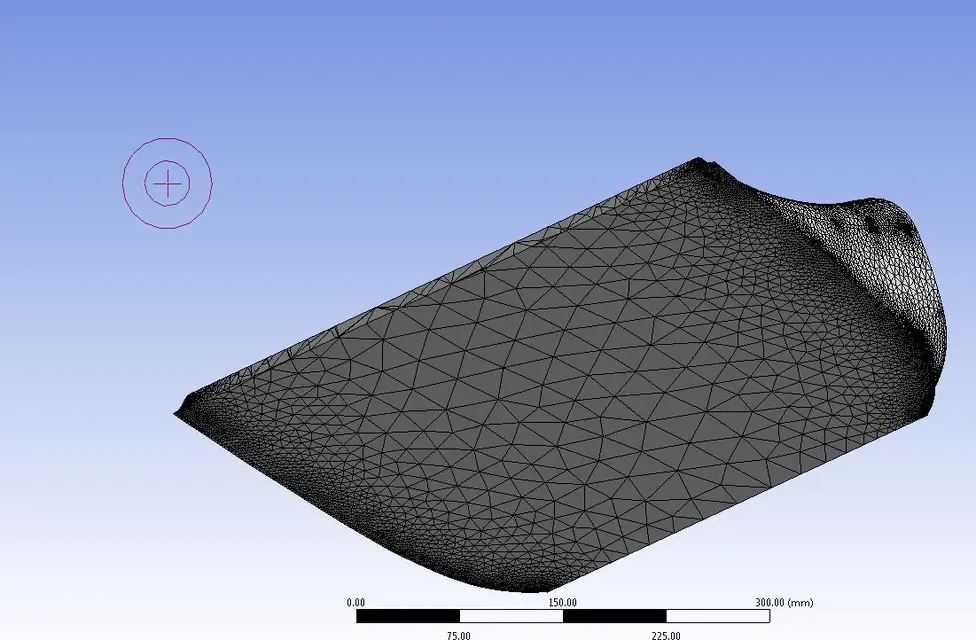
thanks to your precious help I finally managed to get my blessed 3d meshatura. the problem was actually in the back terminal area where, locally, the conduit has only two sizes different from zero, as a result of a local height equal to zero. as you can see from the image that allego was enough to make so that in the back area there was a different height from zero to overcome the problem.
thank all those who have put their competence at the disposal of a poor doctor.
 

Attachments

  • Cattura2.webp
    Cattura2.webp
    99.7 KB · Views: 23

Forum statistics

Threads
44,997
Messages
339,767
Members
4
Latest member
ibt

Members online

No members online now.
Back
Top