• This forum is the machine-generated translation of www.cad3d.it/forum1 - the Italian design community. Several terms are not translated correctly.

automatic swap object.

  • Thread starter Thread starter AC Design
  • Start date Start date

AC Design

Guest
Good evening, everyone!
I want to ask you a question...

as object, I would like to know if there is a command to automatically change an object to another.

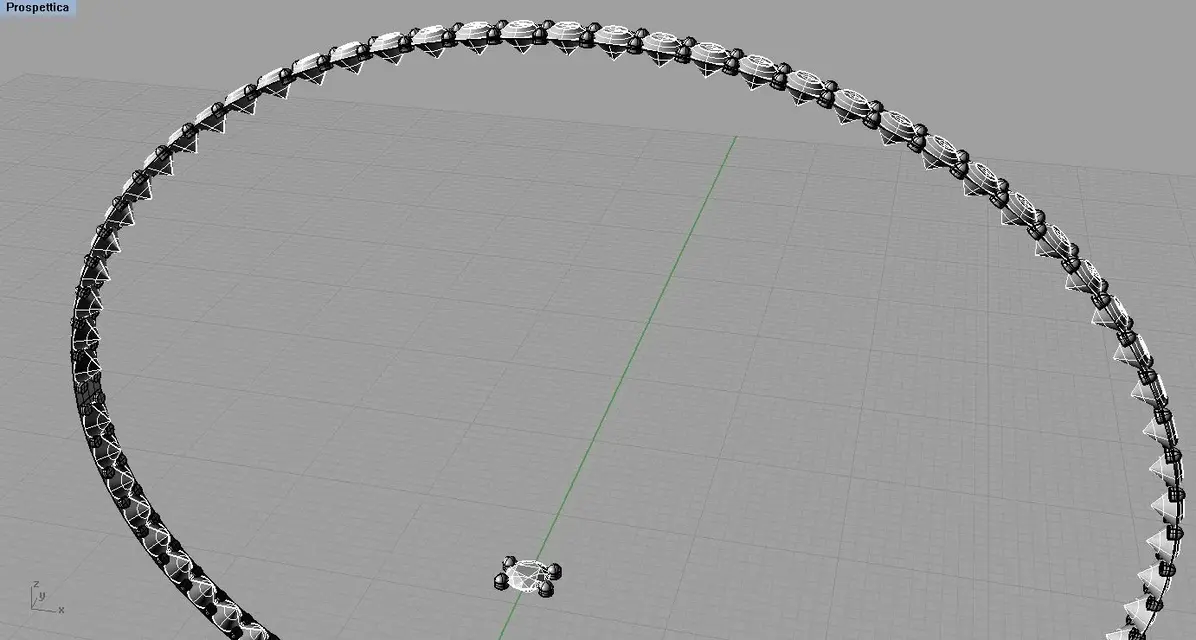
I'll tell you better...as from the image attached, I should change all the white stones lying on the ellipsoid surface, with the one in the middle.

I tried to play a little bit with the blocking instances, but I don't remember how to do it... and still puts me the right stone (the central one) with a board all its own.

thanks in advance. . I hope I've been clear.

alex
 

Attachments

  • pietre no.webp
    pietre no.webp
    97.8 KB · Views: 13
  • pietra giusta.webp
    pietra giusta.webp
    81.3 KB · Views: 13
  • bracciale 1.webp
    bracciale 1.webp
    104.4 KB · Views: 14
Good evening, everyone!
I want to ask you a question...

as object, I would like to know if there is a command to automatically change an object to another.

I'll tell you better...as from the image attached, I should change all the white stones lying on the ellipsoid surface, with the one in the middle.

I tried to play a little bit with the blocking instances, but I don't remember how to do it... and still puts me the right stone (the central one) with a board all its own.

thanks in advance. . I hope I've been clear.

alex
try to use the swipe controls along the surface (udt) or series on the surface or series on the curve on the surface. with one of these commands you should solve your problem.
Hello, rock.
 
try to use the swipe controls along the surface (udt) or series on the surface or series on the curve on the surface. with one of these commands you should solve your problem.
Hello, rock.
Bye!
It's like I've put those others before.

I just wanted to know if I could interchange them.

Thank you, honey!
 
....non is il command _replecablock.
It's a command of version 5 of rhino, not in rhino v4.

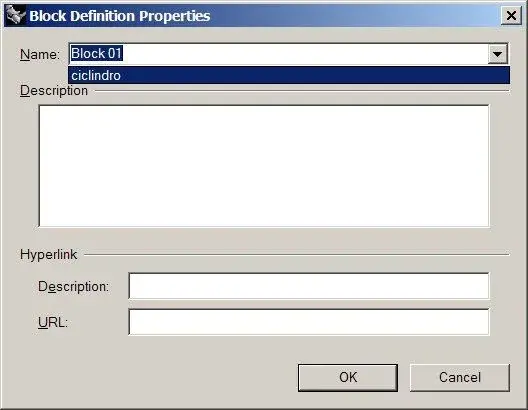
If the stones you need to replace are blocking instances, you can redefine the father block.
to do so you just have to create another block giving it the same name as the previous one, taking care to maintain the same insertion point.
Once the block is recreated with a new conformation, all instances of that block are regenerated and, importantly, the orientation in the space of the instances is preserved.
 

Attachments

  • block1.webp
    block1.webp
    57.7 KB · Views: 4
  • block2.webp
    block2.webp
    9.3 KB · Views: 5
  • block3.webp
    block3.webp
    54.3 KB · Views: 4
also try to see the plugins Jarek, locker (shareware) and arraycrvplus, freware, do just this, very advanced, and closet obviously has extra things.
 
hi acdesign
the _replaceblock command is also in version 4. you have to go to the site of rhino , access rhino labs and download the plugin rhino labs tools where there are thirty additional commands including block replace that is available for 2 years
hi vittorio
 

Forum statistics

Threads
44,997
Messages
339,767
Members
4
Latest member
ibt

Members online

No members online now.
Back
Top