• This forum is the machine-generated translation of www.cad3d.it/forum1 - the Italian design community. Several terms are not translated correctly.

automatically insert sheet thickness into model properties

  • Thread starter Thread starter ale1190
  • Start date Start date

ale1190

Guest
Bye to all,

I have the need to automatically show the thickness of the sheets, in the properties of each detail.

Can anyone help me?

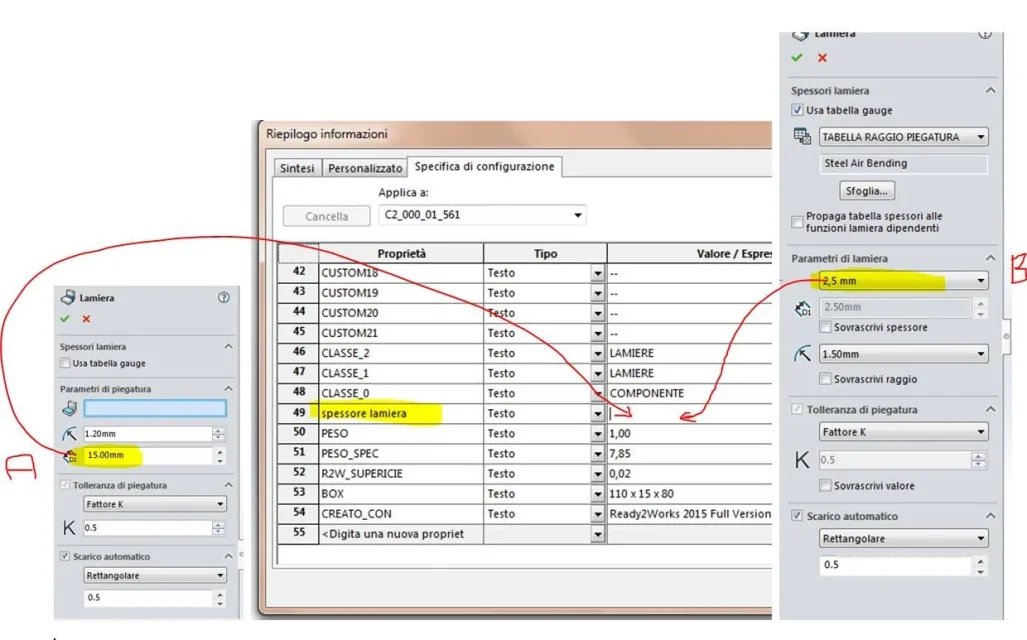
as seen in the attached image, I go to create the sheets or giving the thickness manually (case a), or insert it from a table (case b).
in the properties of the detail, on the line "often sheet", I would like to find that value.
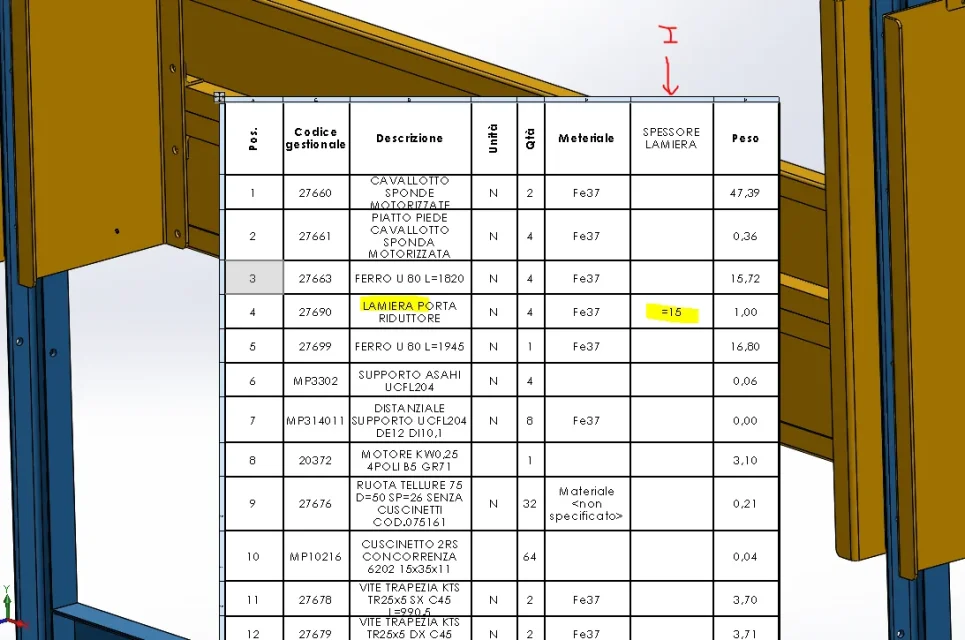
In this way I can export a separate and divide the details by thickness.

I trust you.:cool::

Spessore lamiere.webp
 
after selecting the cell value double click on the sheet or function Lamiera and select the thickness.
 
after selecting the cell value double click on the sheet or function Lamiera and select the thickness.
Yeah, I already did that. But I should do it for every single sheet I create. :frown:
does not exist a way to put the value automatically?
How do you for example for weight or material?
 
the material and weight read a variable that is always present and that does not depend on the functions used.
the sheet thickness instead requires that there is always that function. you can try to make a model where you create a sheet and copy the variable in the properties.
 
the material and weight read a variable that is always present and that does not depend on the functions used.
the sheet thickness instead requires that there is always that function. you can try to make a model where you create a sheet and copy the variable in the properties.
What do you mean to copy the variable in the properties? :wink:
 
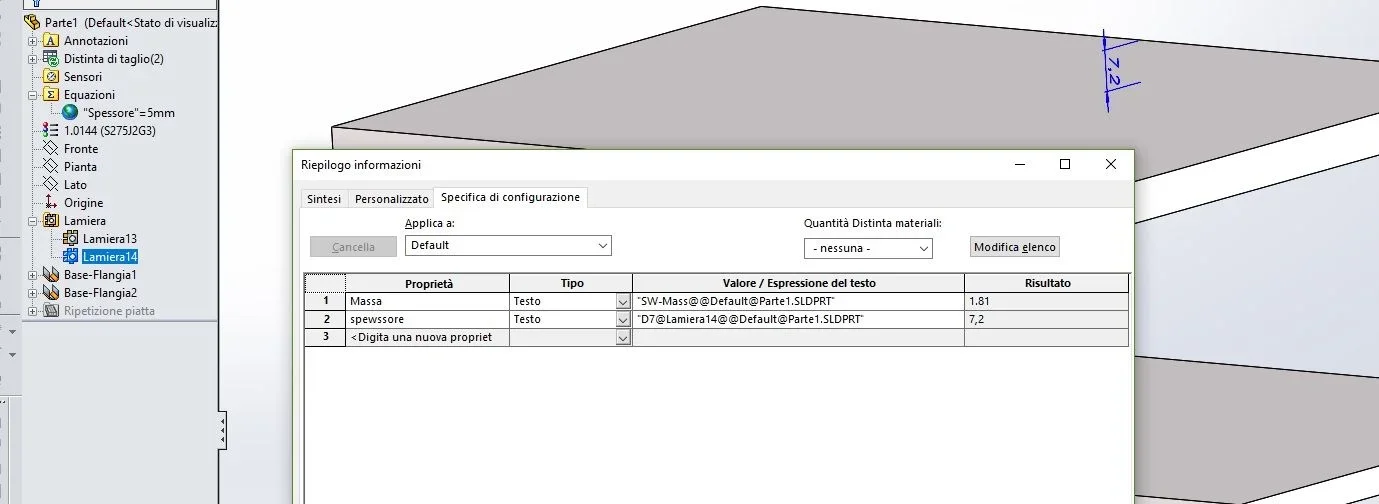
open the cutting distinction, inside each sheet there are properties created automatically. among these is the variable of the thickness
 
I don't think that's possible. in another debate it has been noticed that it seems impossible to connect a separate data of with one of the file property.

All in all I think is a normal thing this impediment. considering that parts can also be multibody as you should behave solidworks when the part has more than one body? to which variable should connect?
 
considering that parts can also be multibody as you should behave solidworks when the part has more than one body? to which variable should connect?
hi massive, interesting question that of wings, I think he meant to work only with the plates
"sheet thickness"
"Export a distinct and divide the details by thickness"

Obviously a table is expected with the sheet thickness (of course the data will be present only in the parts made with sheet), so the multibody problem would be excluded, as to the variables I think it meant the "a" or "b" ...

it would be really convenient to get a distinct sheet to be able to filter by sheet type (inox, iron, ..) or by thickness ..
Can't you find the way to connect?? ... even with a macro or similar magic?
 
meanwhile you are talking about ownership of the part file and not of the cut distinction. this to avoid confusion
if in the part all sheets have the same thickness then just connect the property to the variable that is created when you model a sheet and save the template.
if you have more thickness in the properties you have to make more variable, but how many? and those not used will trouble? We must make some evidence; it is up to those who need it and know its precise needs this task.
in the image there is the addition of the variable. what is seen under equations is the thickness of the first sheet (the one below). for the other has been overwritten the valueImmagine.webp
 
hi boulders, to me it would be interested to get a sheet excel of distinct that contains all the components, with distinct materials you get, but what would serve is also the value of the sheet thickness (and the size of the sheet picture developed ... but for this I have already realized that with sw there is no way .. way not thicker I mean ..) of course the sheet thickness value will be there only in those rows that concern sheet metal parts only (that thickness

Here's one thing like that, as an example below you can get it without having to insert the hand parameter each time, but making it become the sheet thickness like any other property type description or material?

In case, can you tell me the steps to get it?

... while I try to see if a simple "spessore@default@parte1.sldprt" is enough and save the template ... uhmmm "@parte1.sldprt" :confused:
spessore.webp
 
Then do this test.
make a sheet on the part, delete the function and you remain the sheet thickness indicated in the image. insert the variable into the properties and save the template. when you make sheets use that template and you just need to update the thickness.
 

Forum statistics

Threads
44,997
Messages
339,767
Members
4
Latest member
ibt

Members online

No members online now.
Back
Top