• This forum is the machine-generated translation of www.cad3d.it/forum1 - the Italian design community. Several terms are not translated correctly.

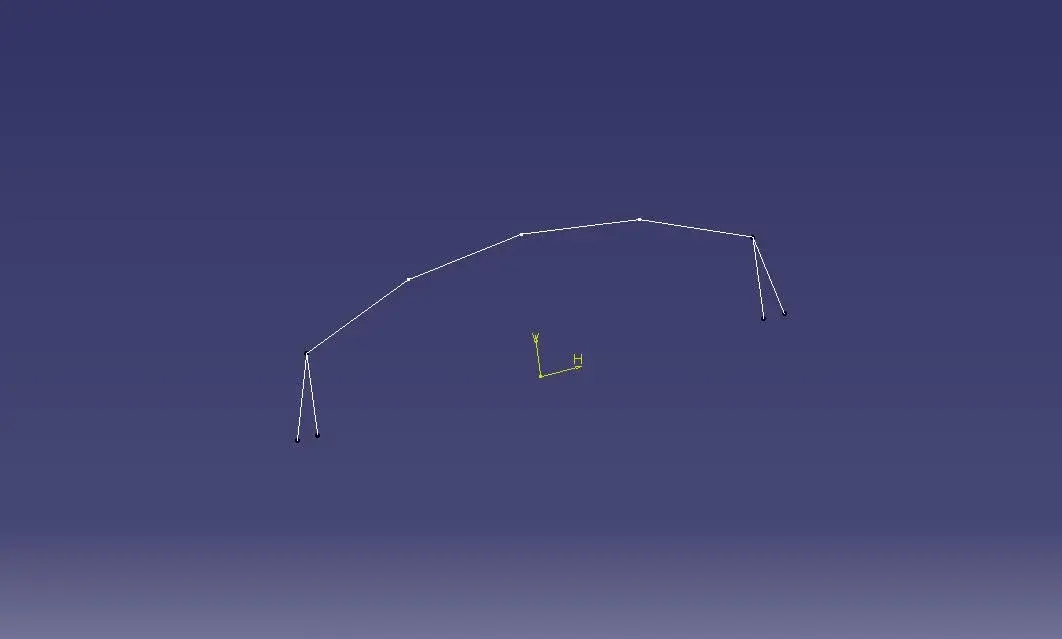
axes h and v of a sketch

  • Thread starter Thread starter peloritano
  • Start date Start date

peloritano

Guest
I have some questions to ask about catia.... .
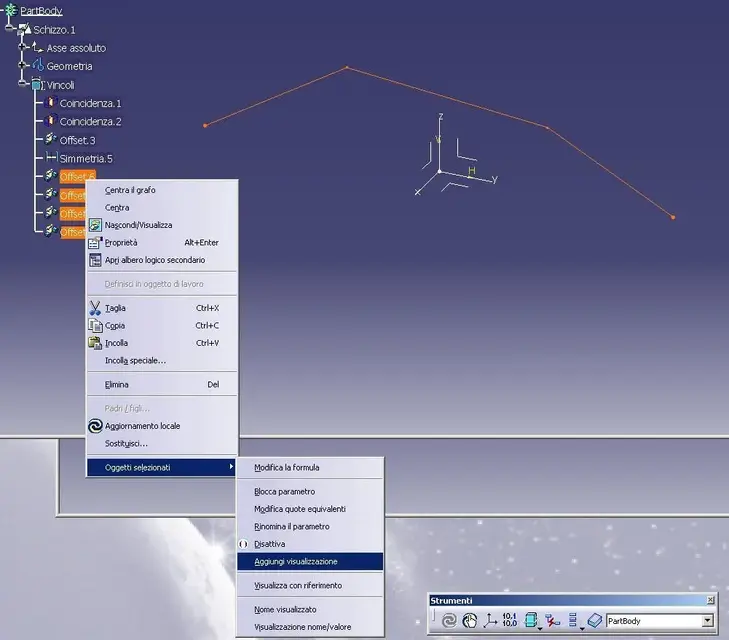
When I make a sketch and quoting all the elements, is it possible to bring some of these quotas outside the sketch? ? ?
I know very well that there is the measure command that allows to do this
But since I once happened that some odds were visible even outside the sketch itself I would like to know how to do..... .

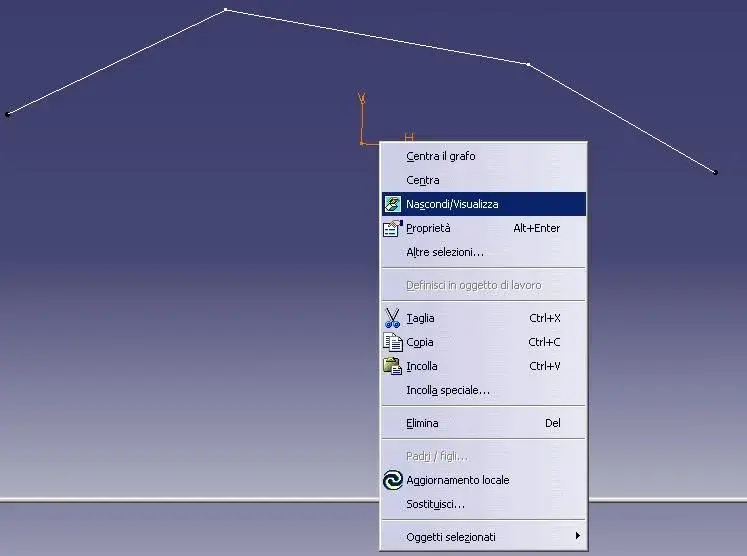
And yet... How come when I create a sketch a system of hv axes appears that practically never disappears??? If the sketches are numerous all these axes are annoying......
How can I automatically delete them when I come out of the sketch?? ?
 

Attachments

  • assi.webp
    assi.webp
    6.4 KB · Views: 11
And yet... How come when I create a sketch a system of hv axes appears that practically never disappears??? If the sketches are numerous all these axes are annoying......
Just select them and put them in noshow
When I make a sketch and quoting all the elements, is it possible to bring some of these quotas outside the sketch? ? ?
I know very well that there is the measure command that allows to do this
But since I once happened that some odds were visible even outside the sketch itself I would like to know how to do..... .
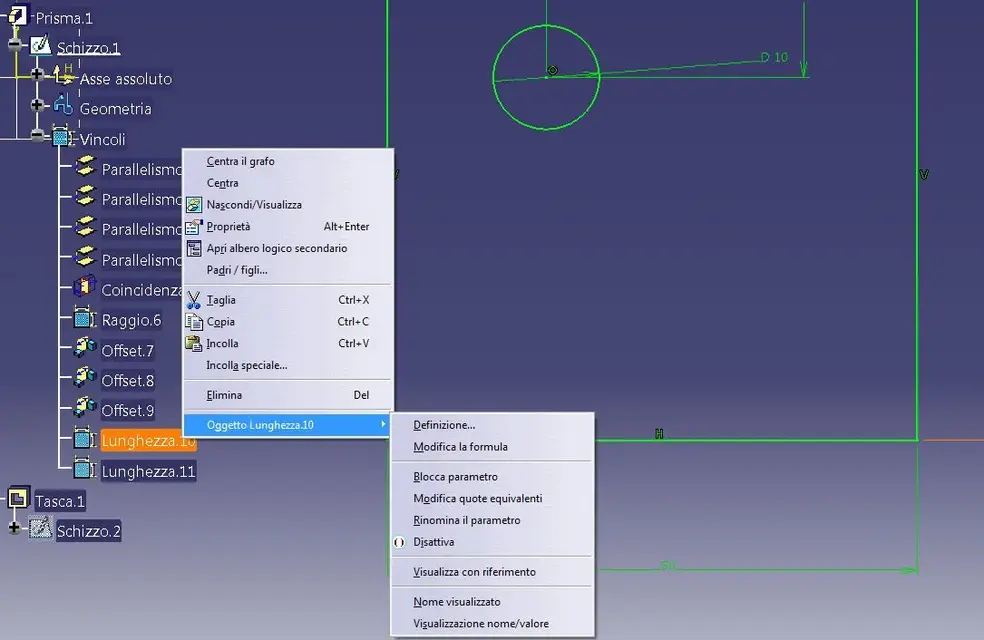
right button on the sketch pareameters to display, and select the display of the paremeters (see figures)


Hi.
 

Attachments

  • view2.webp
    view2.webp
    52.2 KB · Views: 54
  • view3.webp
    view3.webp
    25.7 KB · Views: 46
  • view4.webp
    view4.webp
    18.7 KB · Views: 50
ok thanks for the help.... But is there no automatic way to hide the axes h and v???? Is there any option to check? ? ?
 
Just select them and put them in noshow


right button on the sketch pareameters to display, and select the display of the paremeters (see figures)


Hi.
How come I can't find the "add view" line?? ? ?
I do not find it on the r20 nor on the r17
 
I can't even find the command on the r21. Isn't that I have to set up some special options? ?
 

Attachments

  • Immagine2.webp
    Immagine2.webp
    52.1 KB · Views: 13
You don't have to do this to the hymn of the wb sketch, it's an operation that you do in abiente 3d, as you can see my profile is white with thin line, and not green.

Hi.
 
activates the option "parameters of the feature" and constraints" in tools\options\infrastructure\part infrastructure table displays.

Hi.
 
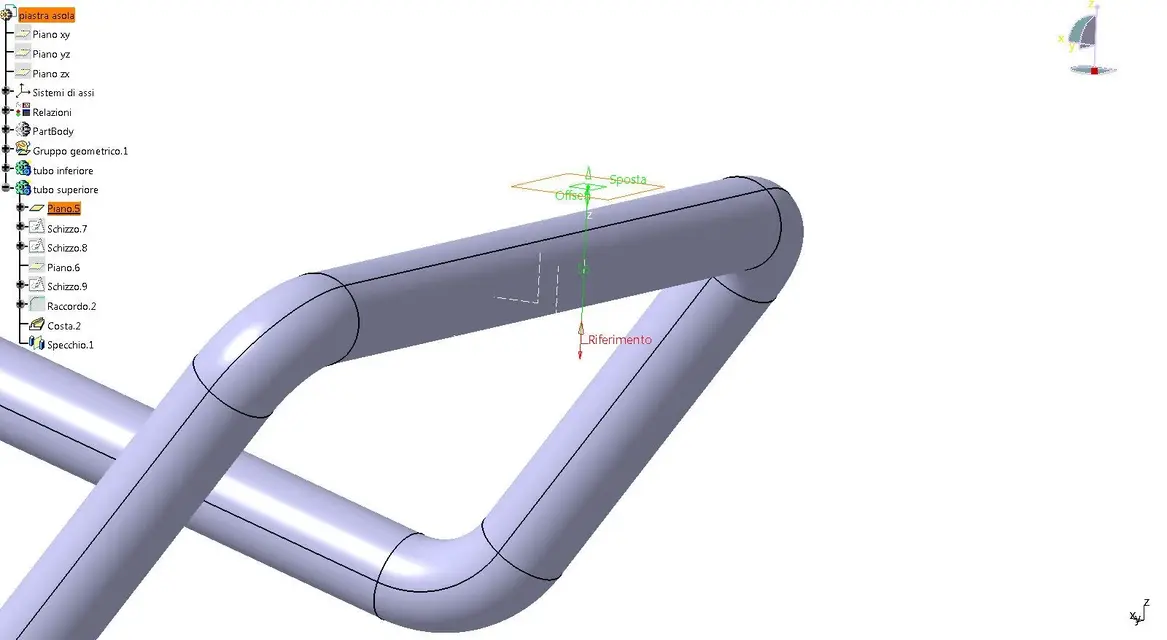
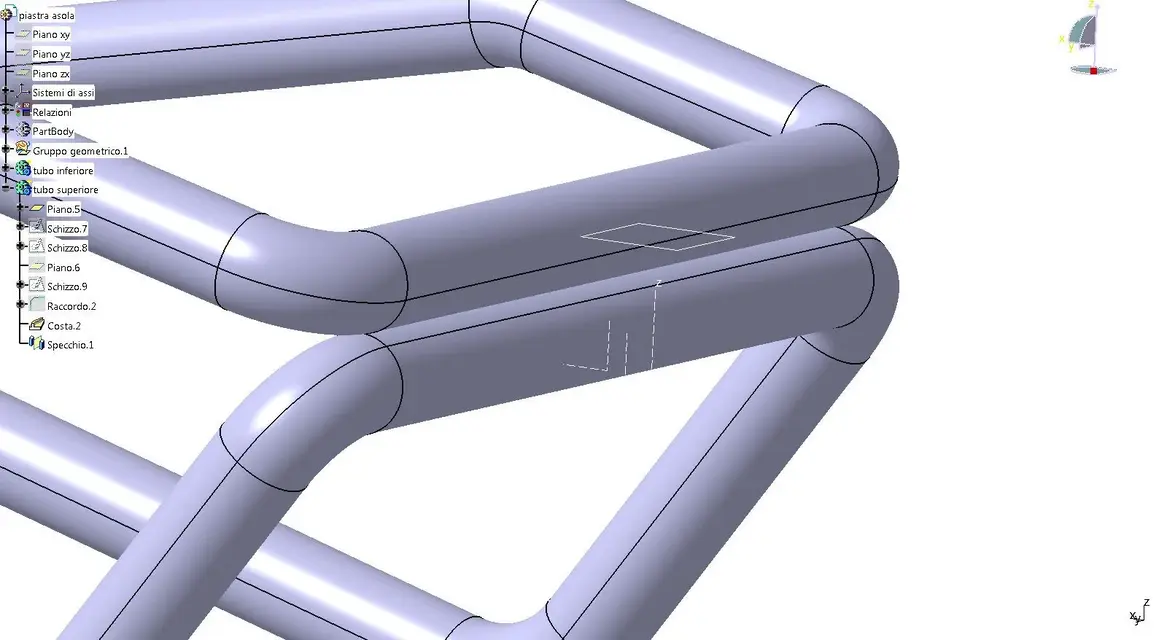
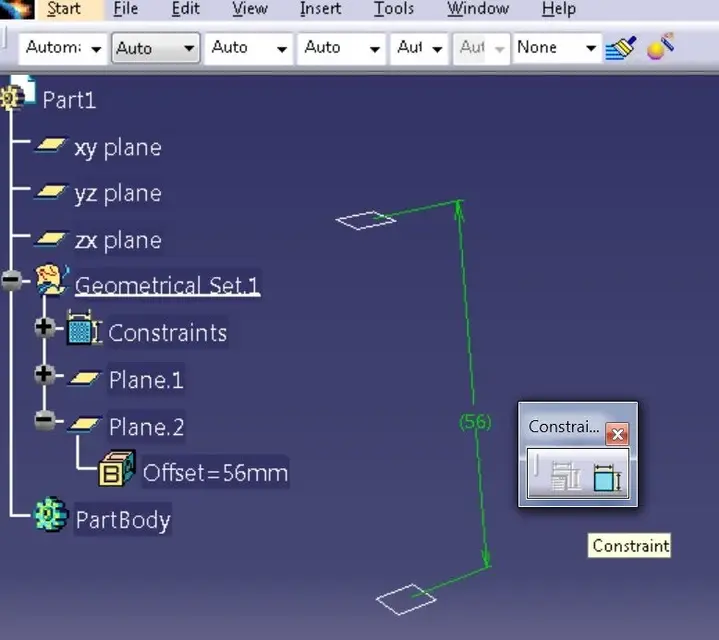
I'd like to know if it's possible to make a plan's positioning share appear so that you can change it outside the definition of the plan itself... to explain better I attach two pictures.. .
In the first picture I define a plan as offset from a reference plan and I insert as a 56mm offset value.
if now I continue to draw my component (second image) the plan is visible on the screen but not its share... How do I make her appear? ?
 

Attachments

  • piano.webp
    piano.webp
    61.2 KB · Views: 15
  • piano2.webp
    piano2.webp
    79 KB · Views: 12
you just see the geometry parameters, but check that the options are active, as for the initial example of the forum.
or isolate the plan and insert a 3d offset bond between plan and axle.


Hi.

ps: careful how you work I saw that the tube model is a non-hybrid model, while your system is in hybrid modeling mode
 

Attachments

  • foto01.webp
    foto01.webp
    25.3 KB · Views: 13
  • foto02.webp
    foto02.webp
    65.3 KB · Views: 16
You're a real cat monster.
I've been meaning to ask you a question for a long time. .
you are very good in the use of catia but I have noticed that you are even more 'in its customization (settings, settings etc etc etc.)....
I followed a course on catia of a few days but I received explanations about very few cauliflowers regarding the sects (think as many other users)....
I've never found any documents or anything where there were explanations about the customization of catia. .
where did you learn??? self-taught or anything? ? ?
 
definitely working on it (it has been since 2000 that I work with v5).
Unfortunately the appearance of the settings is an aspect that competes with the cat administrator and is linked to the customization that the company does on the system to adapt it to its structure.
only by comparing you with others you come to understand the various possibilities.
It's impossible to understand the meanings of options that you don't have an online help... so armed with curiosity... and patience.

Hi.
 
Is that??? How do you explain? ?
go to measure between ..... (the ruler) , and make the measure between the 2 floors flagging down to sx the conserve measure .
you remain visible the measure on the cat................. Of course, mine is a spartan solution that came to my mind on the flight, not having your need to see the altitude of the plan:
I have not tried the solution of ferretium but surely it is less "spartana" :finger:
 
or, if you do not want to isolate the plan but tibasta have the displayed quota, use the constraints at feature level (see image).
if you need to change the quota quickly, legalize to a parameter (type length) and change the value from the logical tree without having to look for its feature.
 

Attachments

  • PLANE-CONSTRAINTS.webp
    PLANE-CONSTRAINTS.webp
    32.7 KB · Views: 12
You're a real cat monster.
I've been meaning to ask you a question for a long time. .
you are very good in the use of catia but I have noticed that you are even more 'in its customization (settings, settings etc etc etc.)....
I followed a course on catia of a few days but I received explanations about very few cauliflowers regarding the sects (think as many other users)....
I've never found any documents or anything where there were explanations about the customization of catia. .
where did you learn??? self-taught or anything? ? ?
for settings you will find both in this forum and in the web a lot of material.
you just have to take time reading and trying
 

Forum statistics

Threads
44,997
Messages
339,767
Members
4
Latest member
ibt

Members online

No members online now.
Back
Top