• This forum is the machine-generated translation of www.cad3d.it/forum1 - the Italian design community. Several terms are not translated correctly.

axial physical dynamics

  • Thread starter Thread starter Roberto96
  • Start date Start date

Roberto96

Guest
Good evening,
I don't know if any of you know it, but I designed with solidworks the fidget cube of xiaomi (that in photo) and now I'm assembling the components.
as you see in the video present on the link, I coupled faces and components with the various angles of movement and everything goes as it should go.
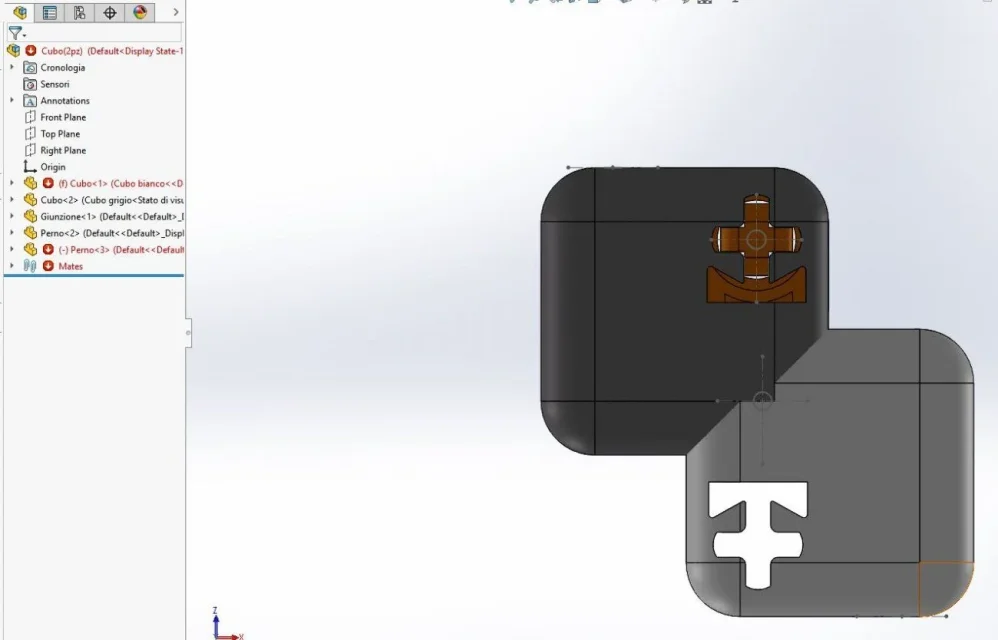
The only thing I can't solve is the fact that the gray cube "enter" into the white one in certain movements. how can I specify that there is another object and he cannot go beyond that movement and not enter it?
video: https://drive.google.com/file/d/1cwaijkq1plir8dpd6wtipnaluxfapidc/view?usp=sharing0_5e380bbfb0053.jpegThank you.

 
do not attach files from external sites, use forum tools. zippers if necessary.
Write in the profile the version of solid so that you do not go to download files that can then not be opened because of a future version.

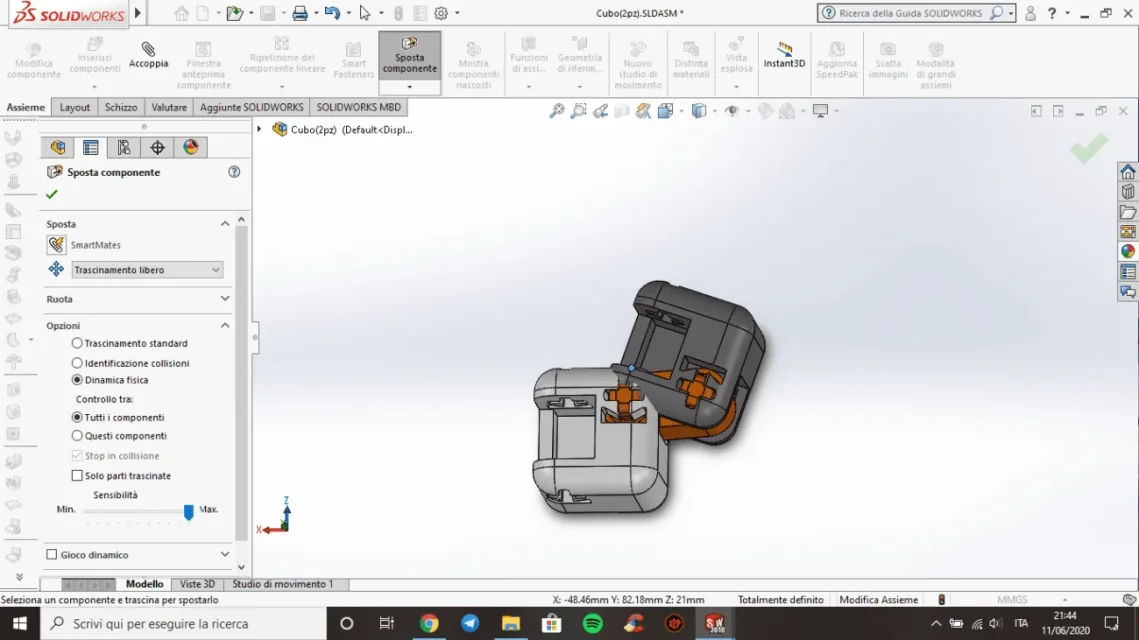
the physical dynamic works only by activating the appropriate function Move and set the contact options.
 
do not attach files from external sites, use forum tools. zippers if necessary.
Write in the profile the version of solid so that you do not go to download files that can then not be opened because of a future version.

the physical dynamic works only by activating the appropriate function Move and set the contact options.
Okay, I'll change the solidworks version right away. I tried to activate the physical dynamics (I tried first on the internet how to do to prevent an object "enter" in another and I read precisely of the physical dynamics) but it doesn't make me activate, the box is gray and I can't put the check.
 
retrying now makes me activate the check of physical dynamics, but then anyway the two cubes overlapScreenshot (4).webpScreenshot (5).webp
 
But it doesn't make me activate it, the box is gray and I can't put the check on
the physical dynamic box is not gray. how can you help if the information given is wrong?
from the guide:
Physical dynamics is disabled for collisions between transparent componentsi. you can continue dragging and colliding with other components as well as apply a force.
 
in the first proof that I made the box was gray and didn't make it out, then it was tickable, I don't know what changed.
However I do not have transparent components
 
the component "junction" was transparent but was external to the design. I removed it and the cubes continue to enter one inside the other. What's wrong?
Screenshot (6).webpScreenshot (7).webp
 
the axieme you turned by loading the parts is completely bound (except the rotation of a pin) and with mating errors.
this is not the system to ask for help, giving unfunctioned files and incorrect information.
I pass my hand
 

Attachments

  • Cattura.webp
    Cattura.webp
    33.3 KB · Views: 13
I don't have those mistakes. for security I tried to download the zip file that I had uploaded here, I opened it and, as well as the file saved on my pc, there are no errors. I don't know what could be different from one pc to another
 

Forum statistics

Threads
44,997
Messages
339,767
Members
4
Latest member
ibt

Members online

No members online now.
Back
Top