
• This forum is the machine-generated translation of www.cad3d.it/forum1 - the Italian design community. Several terms are not translated correctly.

basic flange configurations

  • Thread starter Thread starter Geppetto82
  • Start date Start date

Geppetto82

Guest
Hello, everyone.
I say I never used the configurations.
I have to make pieces of which the profile is the same only varies the length.
the piece in question is a sheet to l.
to get familiar with the configurations I made a few tests first:
I designed a cylinder and I created different configurations with different lengths and all right here. (see cylinder config file).
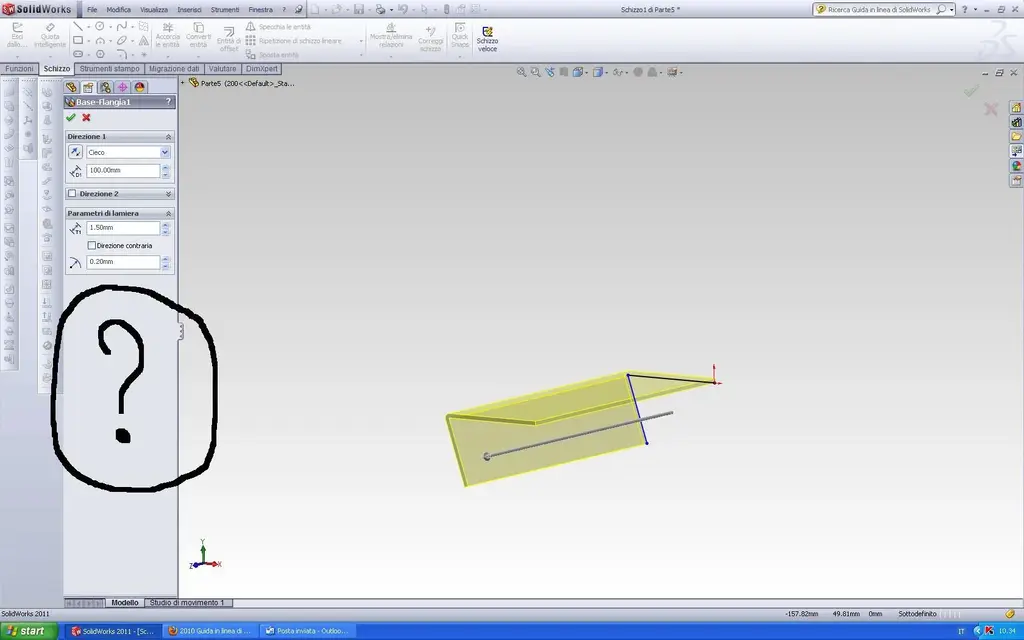
problems I had them with sheet metal (see file config sheet).
How come when I go to change the length of the piece does not propose to me the section "configuration" where then as in the case of the cylinder select which configuration to change?
thanks to all
greetings
geppetto82
 

Attachments

  • config cilindro.webp
    config cilindro.webp
    91.3 KB · Views: 17
  • config lamiera.webp
    config lamiera.webp
    72.2 KB · Views: 13
Hello, everyone.
I say I never used the configurations.
I have to make pieces of which the profile is the same only varies the length.
the piece in question is a sheet to l.
to get familiar with the configurations I made a few tests first:
I designed a cylinder and I created different configurations with different lengths and all right here. (see cylinder config file).
problems I had them with sheet metal (see file config sheet).
How come when I go to change the length of the piece does not propose to me the section "configuration" where then as in the case of the cylinder select which configuration to change?
thanks to all
greetings
geppetto82
double click on the object, select with the right click the quota and
click on "configure quota".
 
Mike... .
What to say...
I would like to meet you in person (don't misunderstand me and I have a baby....) and shake your hand! !
You are a beast!! !
It's a boys' game with your method! !
Thank you, thank you, thank you and thank you! !
 
... and if you want to set a side of the part to "l" equal to the diameter of the round of the other part?
 
Mike... .
What to say...
I would like to meet you in person (don't misunderstand me and I have a baby....) and shake your hand! !
You are a beast!! !
It's a boys' game with your method! !
Thank you, thank you, thank you and thank you! !
Thank you. is only merit of solidworks:wink:
 
... and if you want to set a side of the part to "l" equal to the diameter of the round of the other part?
in a set, I think.
But what is your question? :biggrin:

Or do you mean the same part?
no, because if you know how to use configurations and the "connect quota" function you can do that too.

edit:
Here, I'll get you the file... :biggrin:
 

Attachments

double click on the object, select with the right click the quota and
click on "configure quota".
I hook up with this argument because the question is on the subject.

So double-click on the object at this point I was used to double-click the share to change and appeared the edited window.
this until 2009 it seems to me, then year added that white window in which it is possible to change to the flight the quota, only that it is not possible to go to act on the configurations, or to hook equations as with the modified window.
I have not yet been able to understand with what criterion comes out one or the other.
Do I have to resign myself to start using the dx key? or is there a way to always open the edit window by clicking on the quota?
 
I hook up with this argument because the question is on the subject.

So double-click on the object at this point I was used to double-click the share to change and appeared the edited window.
this until 2009 it seems to me, then year added that white window in which it is possible to change to the flight the quota, only that it is not possible to go to act on the configurations, or to hook equations as with the modified window.
I have not yet been able to understand with what criterion comes out one or the other.
Do I have to resign myself to start using the dx key? or is there a way to always open the edit window by clicking on the quota?
I'm sorry, but I didn't understand anything. :redface:
 
I hook up with this argument because the question is on the subject.

So double-click on the object at this point I was used to double-click the share to change and appeared the edited window.
this until 2009 it seems to me, then year added that white window in which it is possible to change to the flight the quota, only that it is not possible to go to act on the configurations, or to hook equations as with the modified window.
Now I understand... you refer to the instant3d, that mode that allows you
to change the geometry in real time, if known you can also "transport" an extrusion and see it stretch/coup in real time.
that is a mode that does not include the modification of the configuration or its addition, to configure that certain quota or function you have to operate in a traditional way.
I have not yet been able to understand with what criterion comes out one or the other.
I answered you above.
Do I have to resign myself to start using the dx key? or is there a way to always open the edit window by clicking on the quota?
It is not that you have to "resign", it is that in ts dx there is a whole world, enough
understand when it's the case of using it.
 
I hook up with this argument because the question is on the subject.

So double-click on the object at this point I was used to double-click the share to change and appeared the edited window.
this until 2009 it seems to me, then year added that white window in which it is possible to change to the flight the quota, only that it is not possible to go to act on the configurations, or to hook equations as with the modified window.
I have not yet been able to understand with what criterion comes out one or the other.
Do I have to resign myself to start using the dx key? or is there a way to always open the edit window by clicking on the quota?
with disabled i3d you have no problem at double click, even if I disable the switching off of i3d.
with i3d enabled (default of solidworks), select the function in the graphics area and solidworks shows the odds.
a click on the quota and edit the value, double click you have the classic mask where you can configure the quota.
 
Mike1967;203958 Non è che ti devi "rassegnare" said:
the dx button I use it normally, changing odds instead I used to use double click on the quota.
The discriminant between the two things I attach two shields is, as rightly says soliduser below,


two clicks "change.pgn" a click "f_bianca.pgn".
only that happens to me that many times with the double click comes the "f_bianca.pgn" that does not allow you to manage the configurations all here.
 

Attachments

  • Modifica.webp
    Modifica.webp
    23.8 KB · Views: 5
  • F_Bianca.webp
    F_Bianca.webp
    16 KB · Views: 4
the dx button I use it normally, changing odds instead I used to use double click on the quota.
The discriminant between the two things I attach two shields is, as rightly says soliduser below,


two clicks "change.pgn" a click "f_bianca.pgn".
only that happens to me that many times with the double click comes the "f_bianca.pgn" that does not allow you to manage the configurations all here.
you have two possibilities:
1) train your double click at solidworks time
2) vary the settings of the double click of your mouse
 
the dx button I use it normally, changing odds instead I used to use double click on the quota.
The discriminant between the two things I attach two shields is, as rightly says soliduser below,


two clicks "change.pgn" a click "f_bianca.pgn".
only that happens to me that many times with the double click comes the "f_bianca.pgn" that does not allow you to manage the configurations all here.
behavior:
1) 3d instant activated: 1 click on the pz + 1 click on the quota=f_bianca.pgn (no configurations and equations)
(Bleep) (Bleep) (Bleep) (Bleep) (Bleep) (Bleep) (Bleep) (Bleep) (Bleep) (Bleep) (Bleep) (Bleep) (Bleep) (Bleep) (Bleep) (Bleep) (Bleep) (Bleep) (Bleep) (Bleep) (Bleep) (Bleep) (Bleep (Bleep) (Bleep) (Bleep) (Bleep) (Bleep) (Bleep) (Bleep) (Bleep) (Bleep) (Bleep) (Bleep) (Bleep) (Bleep) (Bleep) (Bleep) (Bleep) (Bleep) (Bleep) (Bleep) (Bleep) (Bleep) (Bleep) (Bleep) (Bleep) (Bleep) (Bleep) (Bleep) (Bleep) (B
(2) 3d instant disabled: double click on the piece + double click on the quota=modification.pgn (configurations and equations available)

I hope you're clear now. :smile:
 
behavior:
1) 3d instant activated: 1 click on the pz + 1 click on the quota=f_bianca.pgn (no configurations and equations)
(Bleep) (Bleep) (Bleep) (Bleep) (Bleep) (Bleep) (Bleep) (Bleep) (Bleep) (Bleep) (Bleep) (Bleep) (Bleep) (Bleep) (Bleep) (Bleep) (Bleep) (Bleep) (Bleep) (Bleep) (Bleep) (Bleep) (Bleep (Bleep) (Bleep) (Bleep) (Bleep) (Bleep) (Bleep) (Bleep) (Bleep) (Bleep) (Bleep) (Bleep) (Bleep) (Bleep) (Bleep) (Bleep) (Bleep) (Bleep) (Bleep) (Bleep) (Bleep) (Bleep) (Bleep) (Bleep) (Bleep) (Bleep) (Bleep) (Bleep) (Bleep) (B
(2) 3d instant disabled: double click on the piece + double click on the quota=modification.pgn (configurations and equations available)

I hope you're clear now. :smile:
thanks so, I also found how to activate it and turn it off:finger:
 

Forum statistics

Threads
44,997
Messages
339,767
Members
4
Latest member
ibt

Members online

No members online now.
Back
Top