Stefano_GS
Guest
Good morning.
I'm working on the table of a solid that has hundreds of configurations.
In addition to a whole series of modeling problems related to values that can take null value and that I am facing, I write to you for a doubt more closely related to the functionality of solidworks.
from the fitting function I can insert bevels and rays, setting the nominal values and such values can be inserted as fields of the data table.
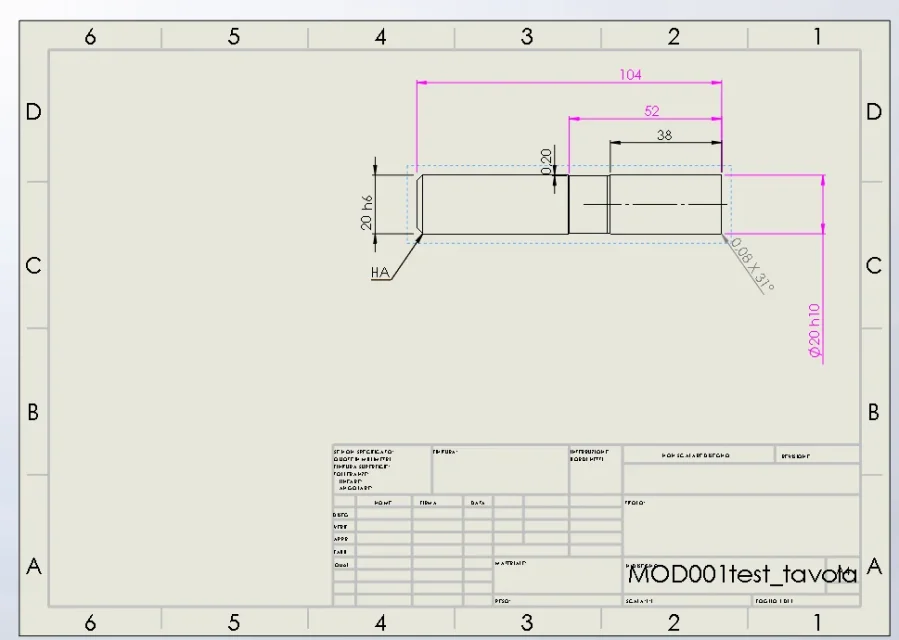
switching to the drawing with the "shaft rate" command I get the quotation of a bevel for example and only at this stage I can set the value of tolerance.
Is there a possibility to insert the bevel tolerance into the creation function so that you can insert it into the data table?
to overcome the problem I was thinking about two possible solutions:
- solution 1. create the bevel not with the fitting function but drawing it as a sketch and making a cut in revolution. However, it seems to me a "sporty" solution that weighs down the model as it is a very simple modeling
- solution 1. define a property or variable in which to insert the value of the bevel tolerance or radius (the database from which I draw the data for the data table already contains this value). I have not understood however if it is possible to insert this value into the quotation
I would have a second question.
the model I speak of is essentially a cylinder of variable dimensions, it is the modeling of the only encumbrance of an integral cutter. we say that as measurements we go from a diameter 6 x 57mm long to a diameter 25 x 203mm long. wanting to maintain scale 1:1 I thought of a table on horizontal a4 format.
My problem is that by aligning the top right view, the zero of the part is on the right and develops in length to the left, the drawings of the smaller variants are misfortune.
Is there a possibility of having the view of the drawing centered in the sheet to vary its size?
I wanted to post two examples but at the moment the vpn abandoned me, I posted them Monday from the office
I'm working on the table of a solid that has hundreds of configurations.
In addition to a whole series of modeling problems related to values that can take null value and that I am facing, I write to you for a doubt more closely related to the functionality of solidworks.
from the fitting function I can insert bevels and rays, setting the nominal values and such values can be inserted as fields of the data table.
switching to the drawing with the "shaft rate" command I get the quotation of a bevel for example and only at this stage I can set the value of tolerance.
Is there a possibility to insert the bevel tolerance into the creation function so that you can insert it into the data table?
to overcome the problem I was thinking about two possible solutions:
- solution 1. create the bevel not with the fitting function but drawing it as a sketch and making a cut in revolution. However, it seems to me a "sporty" solution that weighs down the model as it is a very simple modeling
- solution 1. define a property or variable in which to insert the value of the bevel tolerance or radius (the database from which I draw the data for the data table already contains this value). I have not understood however if it is possible to insert this value into the quotation
I would have a second question.
the model I speak of is essentially a cylinder of variable dimensions, it is the modeling of the only encumbrance of an integral cutter. we say that as measurements we go from a diameter 6 x 57mm long to a diameter 25 x 203mm long. wanting to maintain scale 1:1 I thought of a table on horizontal a4 format.
My problem is that by aligning the top right view, the zero of the part is on the right and develops in length to the left, the drawings of the smaller variants are misfortune.
Is there a possibility of having the view of the drawing centered in the sheet to vary its size?
I wanted to post two examples but at the moment the vpn abandoned me, I posted them Monday from the office