• This forum is the machine-generated translation of www.cad3d.it/forum1 - the Italian design community. Several terms are not translated correctly.

Bondage video rendering

  • Thread starter Thread starter djacopo
  • Start date Start date

djacopo

Guest
Hey, guys, I'm new. It has been for a couple of years that I use revit and I have placed the problem only lately to make a video of a rendering (for example to show the house from all angles). is it possible to do it directly from revit? If not how could I do it?
 
I don't see videos on that link. Do I have to ask for friendship? Anyway he has to use the camera I'm capable, but I can't make a video to then export to .avi. Can you do that?
 
for facebook: try to go on photos and then from them "look at the videos"

if you already put the path in the view in the plant and modified the direction of the cameras
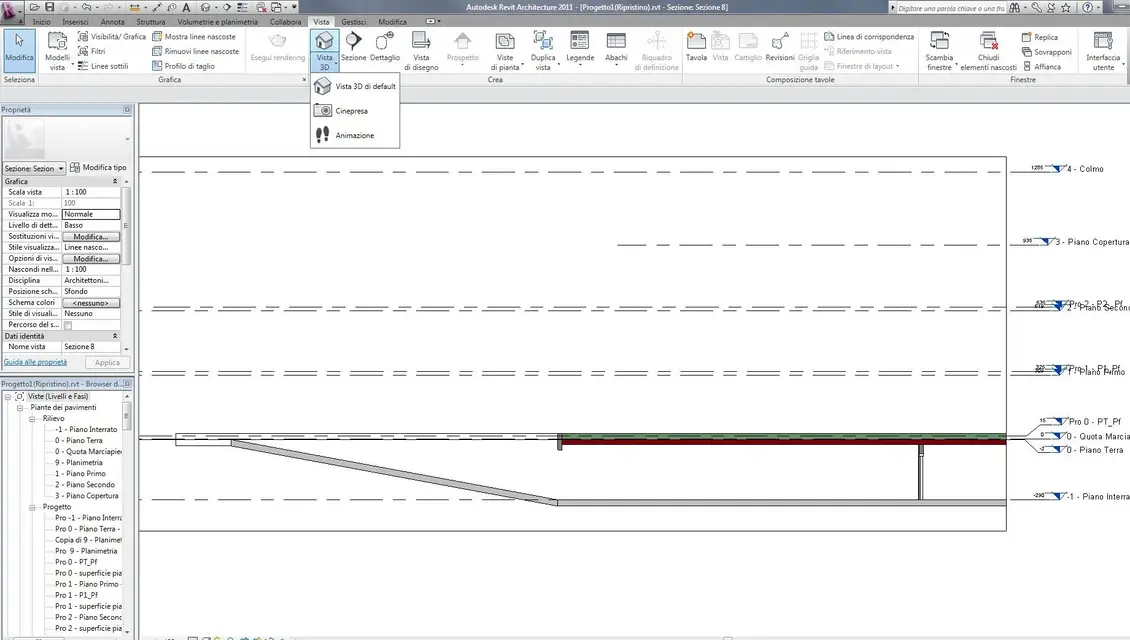
you have to switch to animation view
after what you export and click on images and animations
from you can save them as avi (compressed or not) or as a single frame
that then assembles with programs like virtualdub
 

Attachments

  • animazione_02.webp
    animazione_02.webp
    59.4 KB · Views: 68
  • animazione_01.webp
    animazione_01.webp
    121.9 KB · Views: 37
I managed to export it to avi. But he exported it without materials. can you export as if it were a rendering?
the photos from the facebook page I couldn't see them because I wasn't friends and I'm waiting for friendship
 
I did, but it's low quality. what settings do I have to put to make a high quality video?
 
Have you tried after opening the 3d animation view to open the rendering window by clicking the icon to make it down?
imposed the quality of rendering and other variants
Then
export: animations
opens window length/format
in format selections style display > rendering
and under the frame size
a 720x (the one that comes) is already considered an excellent format
then see frame times after the first renders(this depends on your computer)
if it takes too much each frame stop it and reduce the size
or let him go in the evening and see the morning where he arrived
you can select > frame range and make 100 frames at a time (basic from 300 frames to 15 frames/sec)
 
Okay, I'll try these settings. However the project is not yet finished. lack the materials. I saw from your facebook profile that there are wallpapers to download. but then how do they fit into work?
 
2011 allows you to insert them
I still prefer to save in png and then insert them with a paint program
until they also put a command to put the object in perspective as from photo (camera but.... I don't remember how you write correctly in English)
 

Attachments

  • inserimento sfondi.webp
    inserimento sfondi.webp
    26.3 KB · Views: 19
I have revit 2010, however I try. I put on facebook two renderings I made. I still have to work a lot on the materials and then fix the project.
 
if you go to advanced mode you can put them here
you would also receive advice from others
I saw pictures on facebook
try to do it from the view of those who see it from the street
and the light to make it come unspoilt
 
Okay. I was looking for blocks like carpets, television, lamps, paintings. Do you have anything?
 
for paintings use the decal command,
there is a site called www.allposter.it where you find pictures to use for pictures
If you go www.accustudio.com there are many dwg models that you can import into revit
and many materials,
However at the beginning of the revit forum here on cad3d there is library and texture links, find the echo of all the sites on which you can find everything you need
 
textures are the images of materials that apply on objects example:
a brick image serves to create a brick material that then applies to a layer of the wall, when rendering that wall will appear as a brick wall
if you use an image of stones the wall will appear of stone
have nothing to do with dwg
 
when I have to make a video, how do I put the camera that always looks at the house doing the trajectory of a circle (as in your videos)?
 
after you put the route with various key points you will see that the room is always turned along the path you imposed
with animation editing you will appear the key frames like red stamps and on the last key point will appear the symbol of the camera with the point of aiming with red bubble circled
click on that and move it in the direction you want to look at
click on next key frame and repeat the operation
at the end clicks play and the camera will travel all your line
showing you the movements of the room
 

Forum statistics

Threads
44,997
Messages
339,767
Members
4
Latest member
ibt

Members online

No members online now.
Back
Top