• This forum is the machine-generated translation of www.cad3d.it/forum1 - the Italian design community. Several terms are not translated correctly.

bookcase pulley

  • Thread starter Thread starter garetjax1983
  • Start date Start date

garetjax1983

Guest
Hey, guys.
I'm trying to create a standard dentate pulley library. the idea was to build, automatically with configuration table, the toothed band and separately the containment flanges, and then mate them in a set.
However, I can't create an automatic system to perform the coupling between different dentate bands and the corresponding flanges (I also think here to use a table but it doesn't work). Do you have suggestions?
Thank you so much!
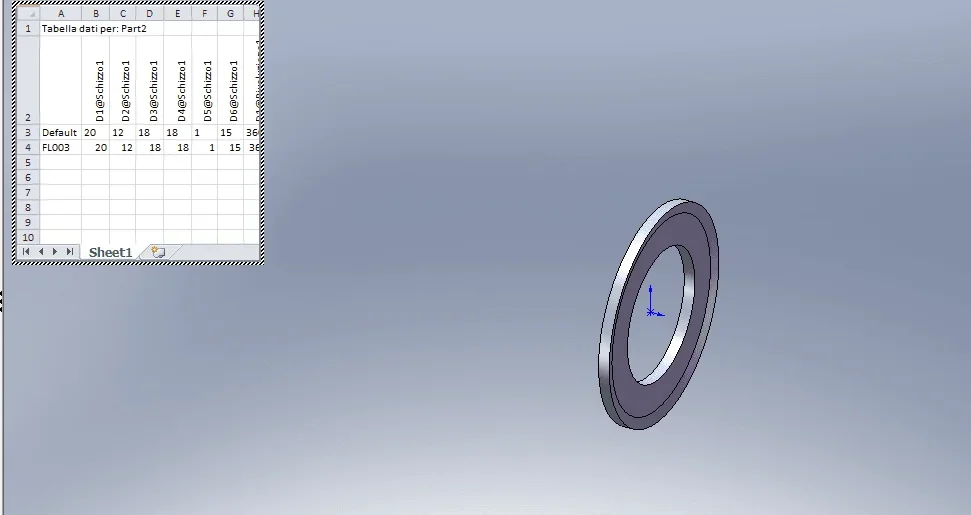
 
Now I understand what you mean by containment bands.
So the question arises spontaneously because you should do a set instead of a single body (as it is in reality)?
then I wonder what the problem of coupling "automatic(?)" is; if you make the band dense with configurations you will also make so-called bands with configurations.
in the assembly you will make an additional data table with which you call back the various configurations of the components and then you will manage only the initial coupling between the three parts
 
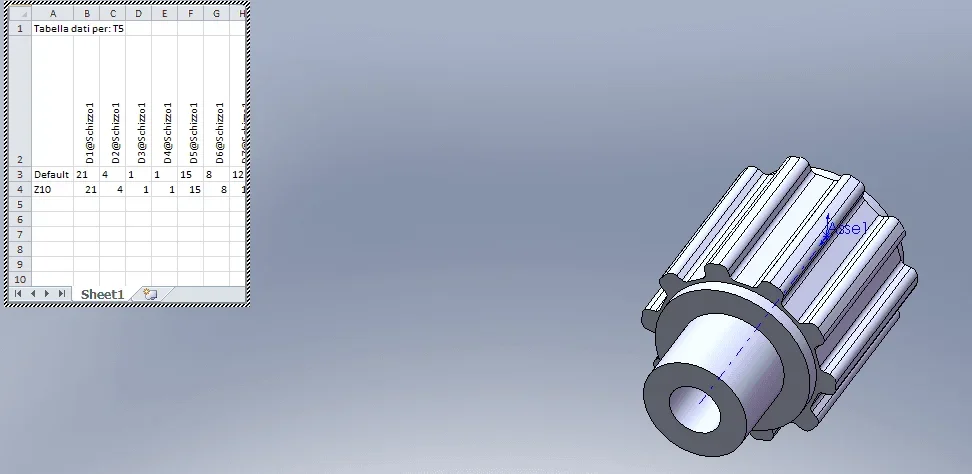
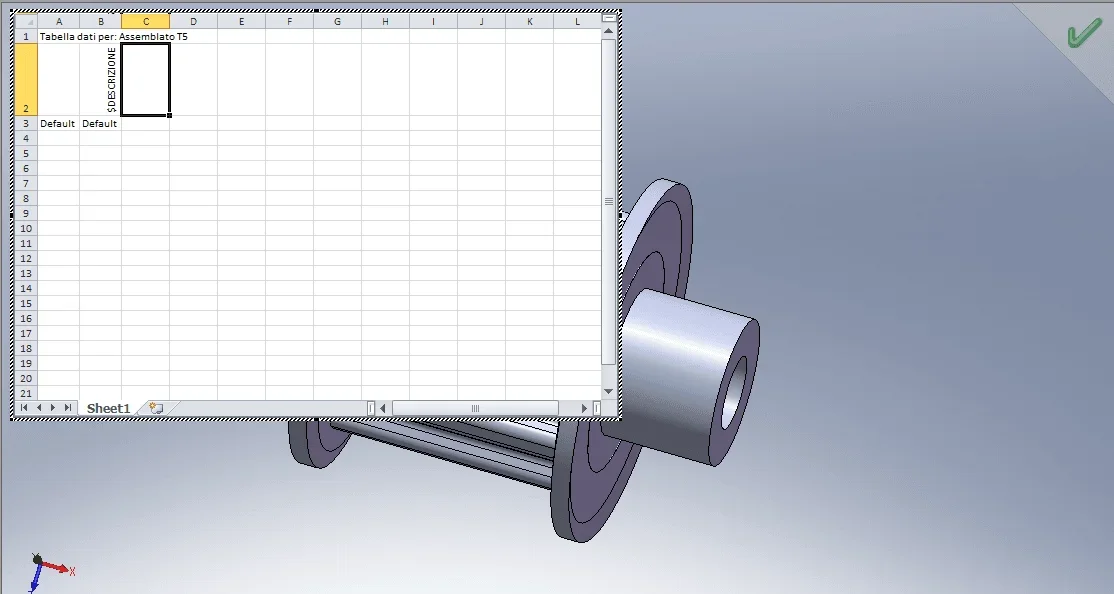
In fact it is not a single body but of two separate, then rolled or fixed by screw, but I want to have the freedom to change the flanges. place a couple of screens to show what I had in mind. I have made at the moment a simple t5 base and the corresponding standard flange, in both cases with, the data table I added a configuration
Foto2.webpFoto3.webpI therefore thought of making a set and creating, similar to what was done before a table:Foto1.webpHowever, it does not retain the couplings and components used.
Was that what you meant?
Thank you.
 
if the components are always the same and change only the configuration the couplings must remain valid because the mating entities, whether they are surfaces, edges, sketches, will always be the same.
in the axieme table you can see only one configuration.
However, it does not retain the couplings and components used.
what does it mean that it does not retain the components used?
Was that what you meant?
create a table in which in each configuration recalls the specific configuration of the components, which you will have had readiness to correctly mate, the axieme
 
I try to fit.
my question is: if I created a set of pulleys as parts, and a series of flanges it is possible to create a new set insert a pulley and then select from a menu (some type toolbox with oring to mean us) the flange to insert and make sure that I am asked directly the edges and/or reference surfaces for coupling. In practice I do not want to have to insert the flange as part and have to do the couplings but that in the moment of insertion the couplings are already preset, for example concentricity between inside flange and seat on the pulley and coincidence between flange and shouldering on the pulley, and I would just like to insert cylindrical surface and shouldering on the pulley
 
do it with smart components
I'm putting you on a recent discussion
 
I'm going back to the subject because I did some evidence, but I couldn't find a solution. I press that I am working on a sw 2007 (normally I have 2016 but the pc crashes continuously and I returned to what passed the convent). I tried to apply, as the smart component suggested, but I don't connect the different flange confugurations with the different configurations of the pulleys.

I try to explain further and better what I want to do: a "base" set with a default toothed component to which two flanges are also applied by default.
After making this set I must be able to create, automatically all the other pulleys varying, in the table, the toothed band and combining it with the corresponding flanges.
Suppose of partitions from the default model consisting of 10 tooth pulleys and flanges with internal diameter 10 mm and external 15 mm. made the axieme I want to be able to create alternative configurations for pulleys of different sizes by binding them to the new flanges.
 
configurations must be within the parts.
nrell'assieme create the various configurations (also via data table) in which you call the specific configurations of the parts.
together with = pulley b+flangia c
together z = pulley x+flangia y
 
procedure:
create a new configuration in the axieme
change parts configurations
open data table and what screen to insert selections 3 configuration variables as from image
 

Attachments

  • Immagine.webp
    Immagine.webp
    61.6 KB · Views: 8

Forum statistics

Threads
44,997
Messages
339,767
Members
4
Latest member
ibt

Members online

No members online now.
Back
Top