• This forum is the machine-generated translation of www.cad3d.it/forum1 - the Italian design community. Several terms are not translated correctly.

boolean parameter true/false

  • Thread starter Thread starter Adahm
  • Start date Start date

Adahm

Guest
Good morning to all,

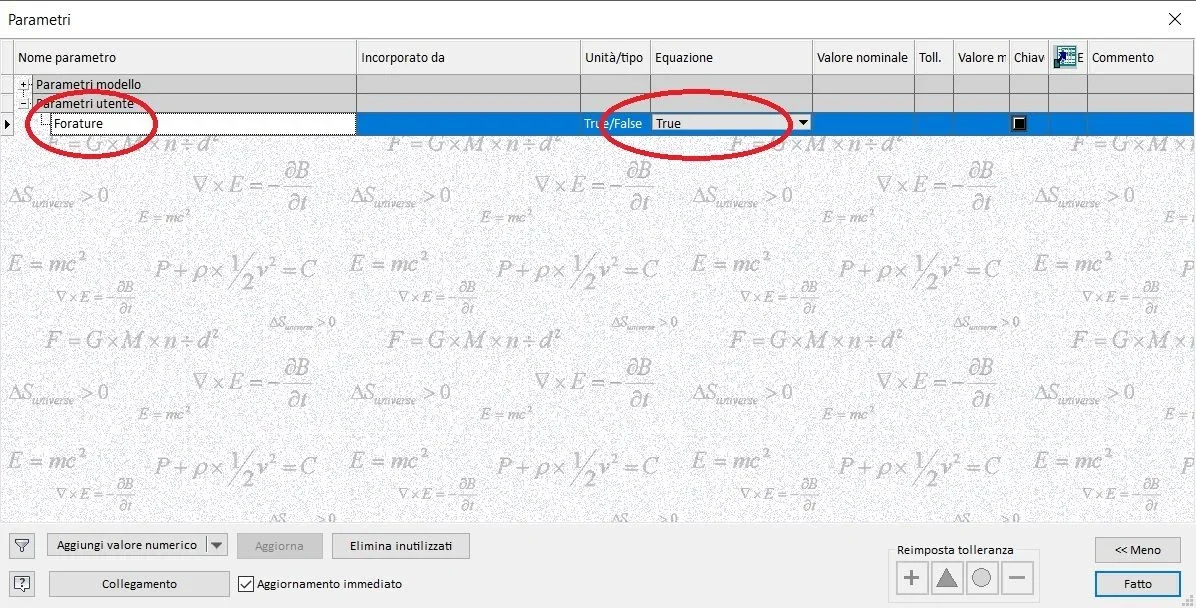
I would need to activate and/or turn off a series of processing automatically and I would have thought of using a Boolean parameter to automate the process.

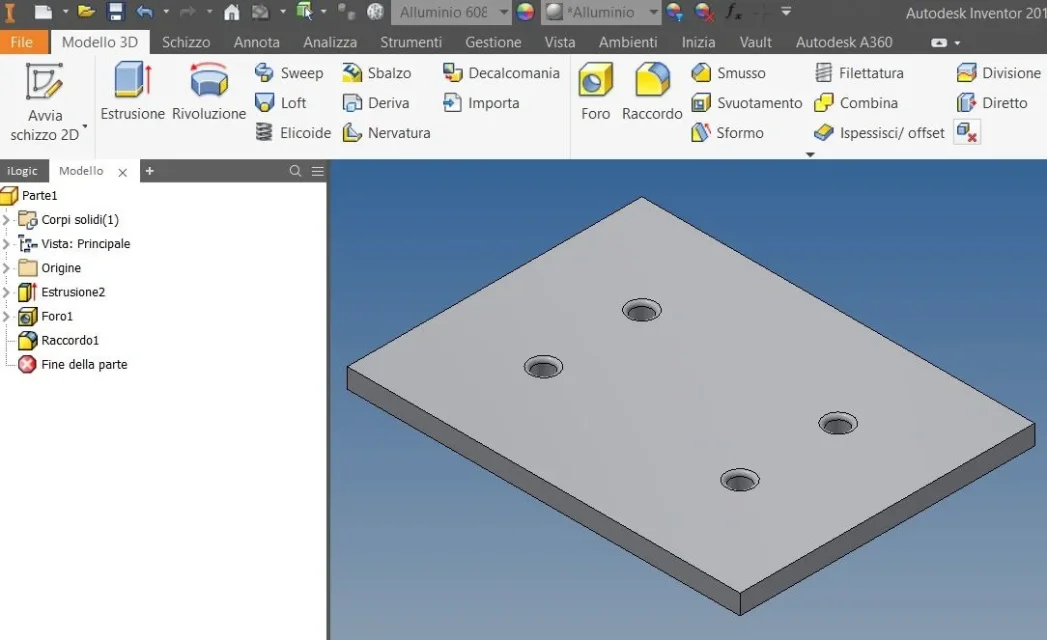
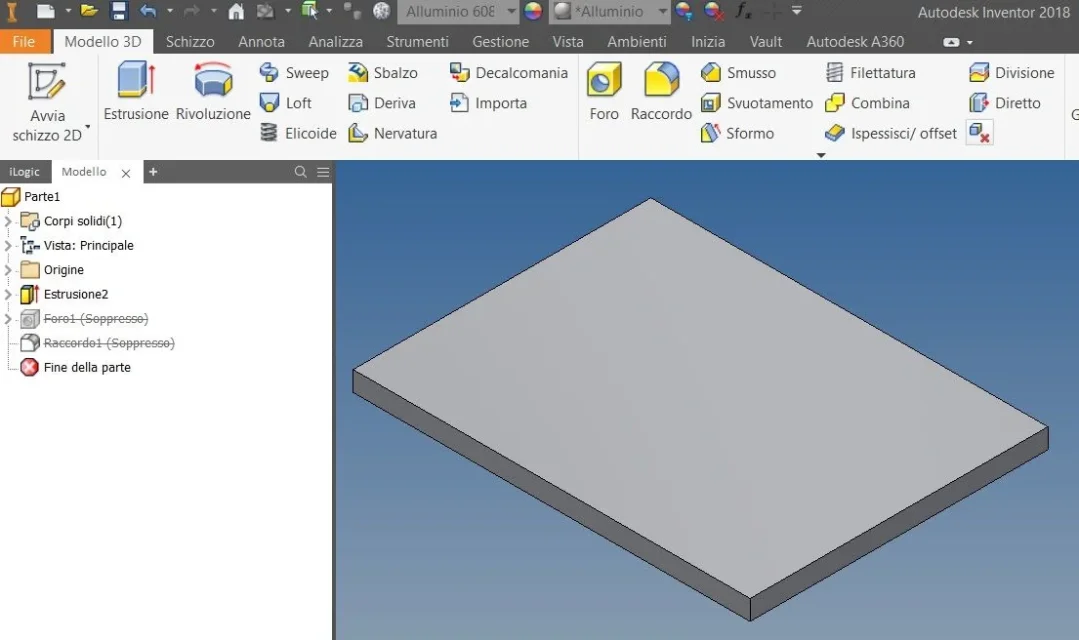
is it possible to connect the commands "supper machining" and "discover processing" to the parameter, so that changing the value of the parameter compaiano and/or disappear the combined processing?

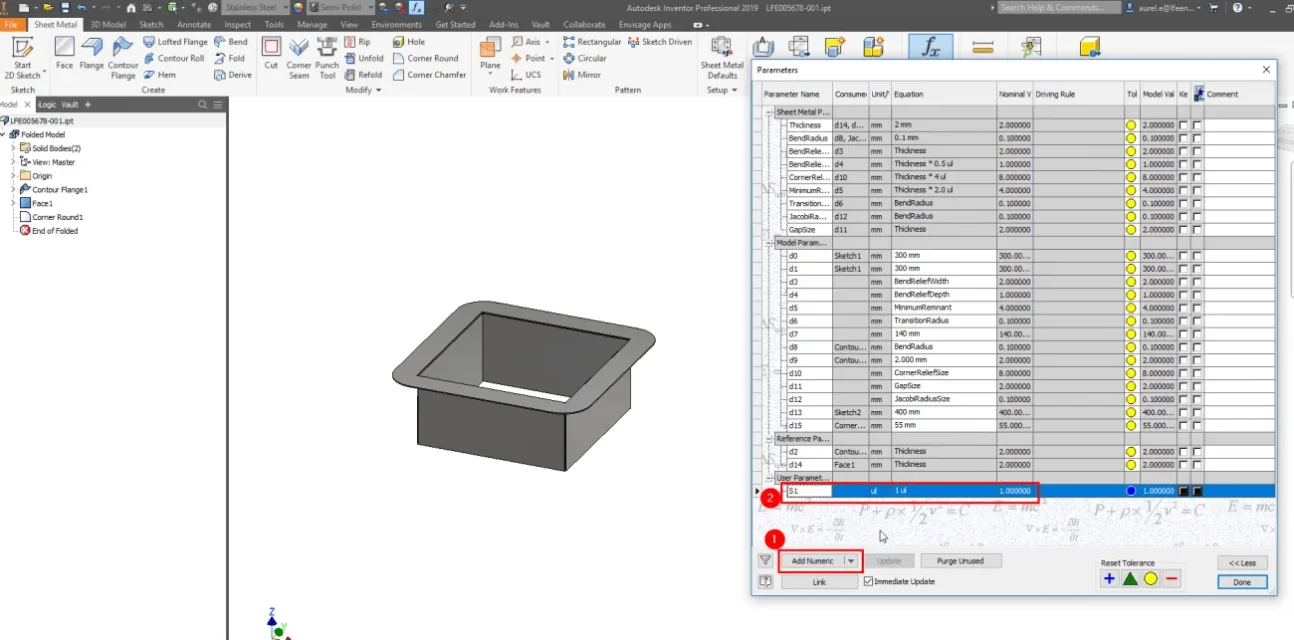
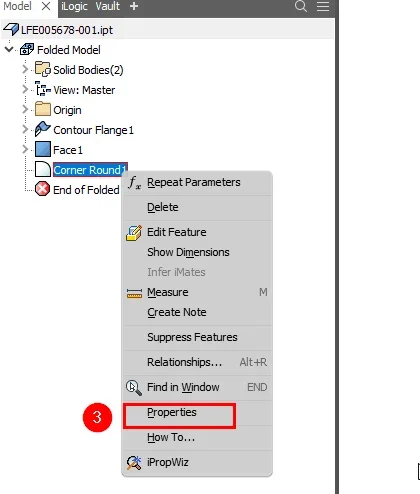
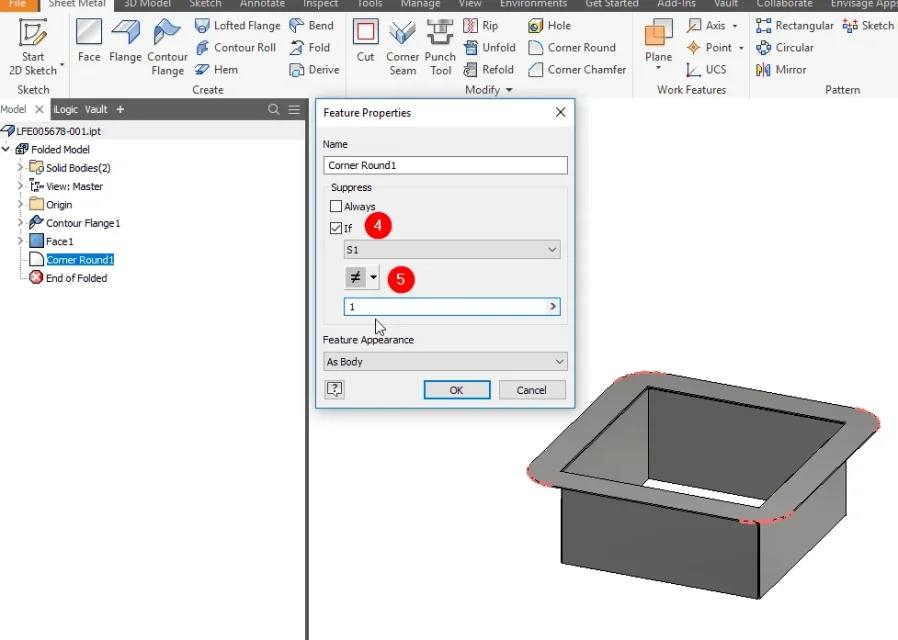
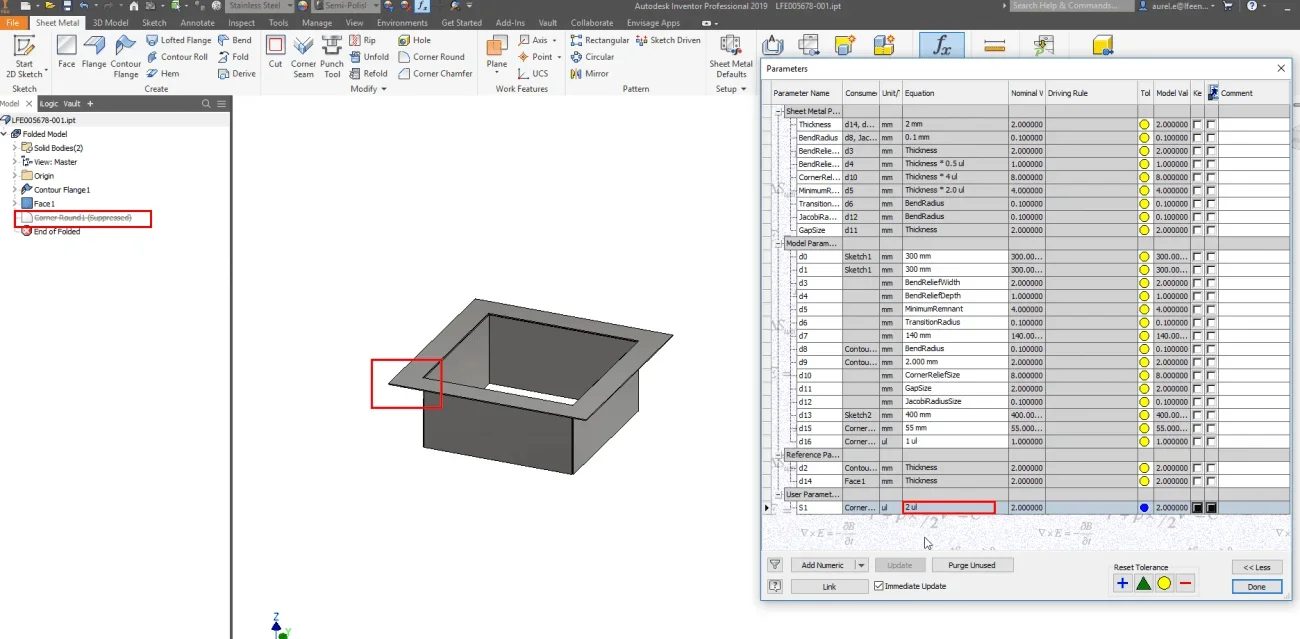
below some exemplary illustrations to explain better:

the parameter I would like to useParametro.webpwhen the parameter has true value processing is activeTrue.webpwhen the parameter has false value the processing is suppressed.False.webpthanks to all in advance for any advice
good day and good work
 
...but if you need to solve this problem by means of parameters:

if "a" = true then
"b" = "c"

"b" = "d"
endif

What trick could I use?
 
I don't think it's possible directly in the parameters tab.
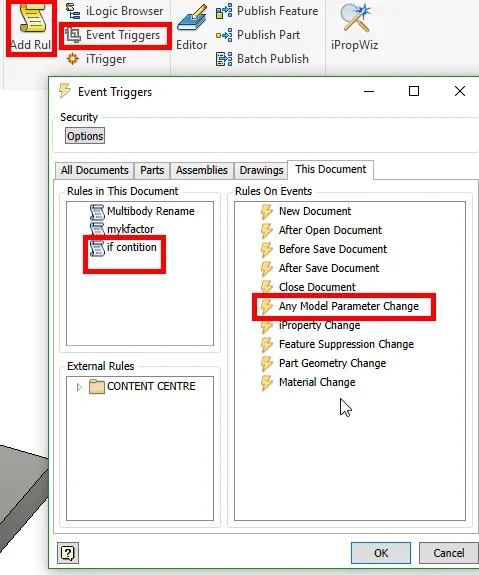
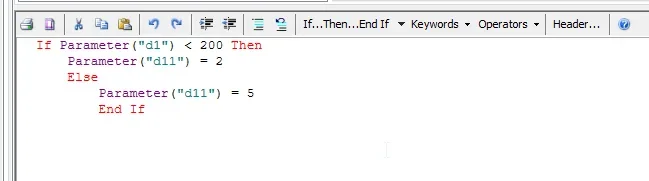
option 1: create ilogic rule and activate trigger automatically after each change in size2019-09-13 13_56_55-Autodesk Inventor Professional 2019.webp 2019-09-13 13_49_07-Edit Rule_ Rule2.webpoption 2: create a built-in excel file - create the condition in the xl file - paste the result into the inventor tabell parameters as linked parameter
 
Hello cast16,

thanks for your precious straights, however I still need your help.
option 2 I cannot use it, because I need to connect multiple .ipt files to the same excel file, so in the excel file I need to put the information for all solutions and in the .ipt file decide which to use.

for this reason I need to choose (if) between some solutions and to do so I thought of a variable multi-value text to be selected as a combo.

Therefore I need to make a comparison between strings and not between numbers.
with option 1 is easy, but I can't automate everything, in the sense that I entered the rule on the "change of each parameter", but it doesn't turn. if I manually run it works, but it doesn't change the solid that only changes if I change it and go out without doing anything.
If you can make everything automatic, this would be the ideal option.

to run option 3 instead I should be able to compare strings.
Do you know how to do it or do you know which other way I could make inventor choose between multiple options?

I hope I've been clear.
 
Last edited:
I managed to run option 1 with the following code:
Code:
if tipo = "pp" then
z_pg = z_pp
else if tipo = "map" then
z_pg = z_map
else if tipo = "skin" then
z_pg = z_skin
end if
I used this syntax, but it didn't work:
Code:
if parameter("tipo") = "pp" then
parameter("z_pg = parameter("z_pp")
Else if parameter("tipo") = "map" then
parameter("z_pg") = parameter("z_map")
Else if parameter("tipo") = "skin" then
parameter("z_pg") = parameter("z_skins")
end if
the strange thing is that it only works if I create a rule in the file, but if the same I create it as an external rule and I associate it as a rule to perform at every parameter change, it does not work.
instead if I create it as a rule in the file, there is no need to tell inventor that it must be performed at every parameter change.

I would like more to be able to create it as an external rule, but maybe it is not possible?

I'll attach the file I used. It's called "prova.txt", you need to rename it in "prova.ipt".
I called him back because he wouldn't let me tie him up.
 

Attachments

Forum statistics

Threads
44,997
Messages
339,767
Members
4
Latest member
ibt

Members online

No members online now.
Back
Top