• This forum is the machine-generated translation of www.cad3d.it/forum1 - the Italian design community. Several terms are not translated correctly.

cartilage creation

  • Thread starter Thread starter ZeroEvil
  • Start date Start date

ZeroEvil

Guest
Good evening to all, I'm at first with inventor and I should create a new cartilage, since that of defeault is not good, only I don't know where to start. . Could anyone help me? Thank you very much

 
thank you for the answer, however I had already found those discussions but I have not been very helpful. . .
 
send me your email in mp, I send you my cartilage (without header obviously) so you study it and change it as you want
 
Okay, I've been able to change the paperwork that you kindly sent me, but now how do I compile it? I don't care that I automatically take the material or the rest as it does now, I'm fine that it's all free to fill in at the moment, indeed it would be better.. .
 
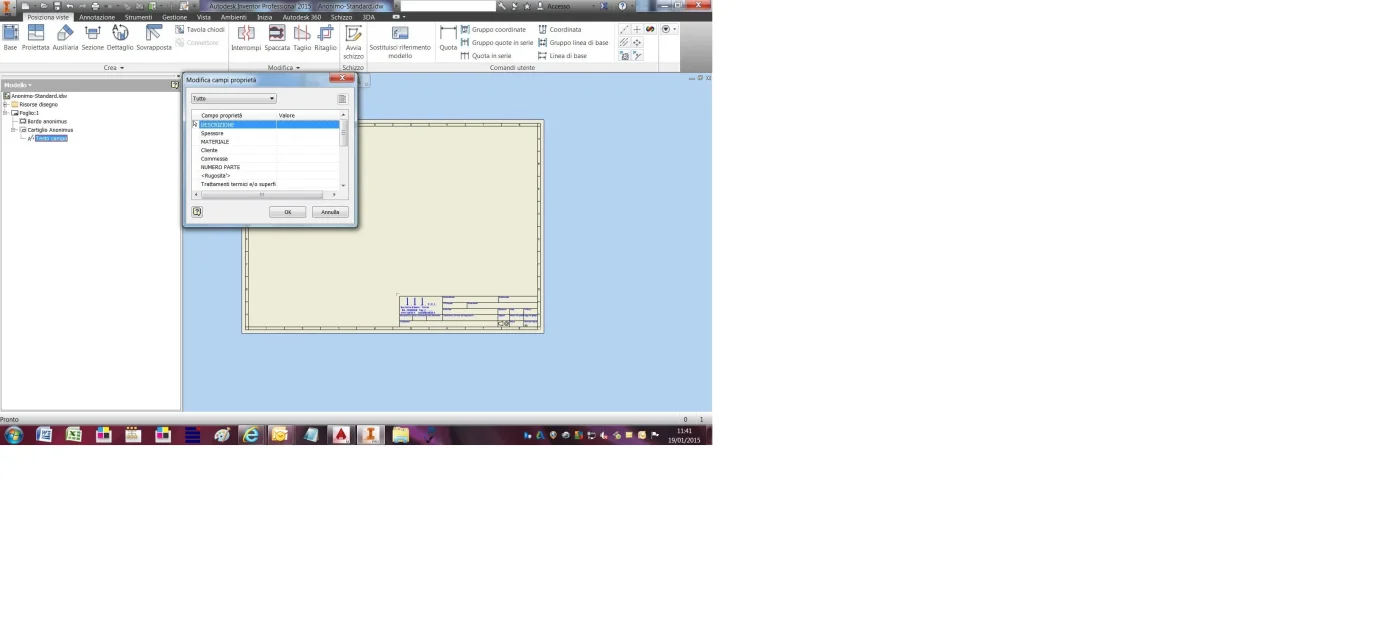
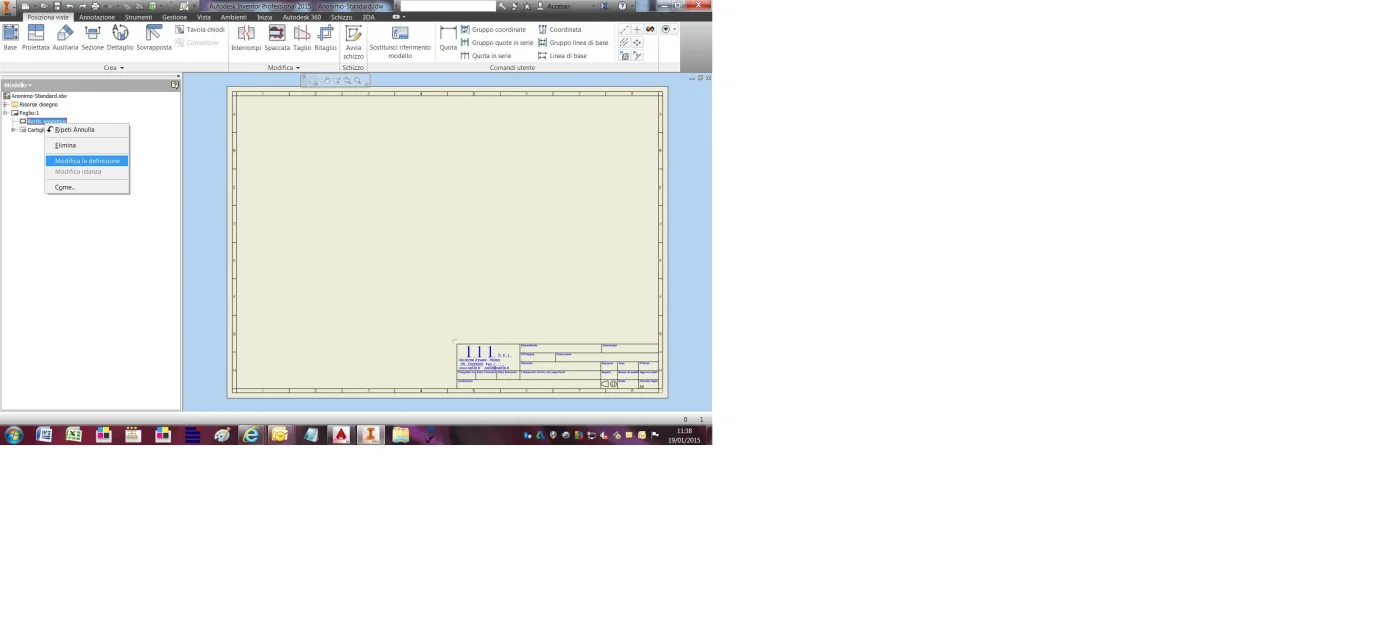
then, if you have created the folder with the various boxes where you want the text to be compiled manually (through the "field text" window), you must, in the browser, right click on the name of the folder and choose "change the definition"
Write now for each box that interests you the name of the property you want to enter p.es. material, annotation etc,
n.b.in the Text dialog box, at the type box you have to choose "Input Request".
save and close the change of the cartiglio
in this way your property will be brought back in the field text window. .
 

Attachments

  • Immissione richiesta.webp
    Immissione richiesta.webp
    131 KB · Views: 47
  • Mdifica la definizione.webp
    Mdifica la definizione.webp
    92.3 KB · Views: 39
  • Testo campo.webp
    Testo campo.webp
    99.3 KB · Views: 31
I hook up with this tread because the existing ones are dated.

I'm creating cartilage and edges for my food.

I would say well, I added a point that defines the insertion in the table.

I have difficulty with the edges, in the sense that I created them and inserted in the sheet, but at the change of the sheet the edge does not "follow" the same.

How do you do that?
 
must be bound.
the four edges of the sheet must be bound to the four points of the white field.... but I do not remember how I did in its time...:redface::mad:
 
must be bound.
the four edges of the sheet must be bound to the four points of the white field.... but I do not remember how I did in its time...:redface::mad:
I did, thank you.
I only have one aspect to be bound, namely the lines between the 2 squares that define the areas where the changes are placed.

to understand those spaces with a figure in one sense and a letter in the other that define the coordinates in which to look for the change.

If I make a series to change the sheet does not change, I should make segments related to the sheet side size.

But I don't think of how to do it.
 
refresh my memory on how to bind the cart.
then to bind the letters and numbers for the coordinates of the sheet you can bind the first and the last to the adjacent edges, then quoted from the first to the last letter, if they are already bound proposes a non-parametric quota, tell him ok and keep in mind that the n° of parameter p.e. "d28"
then quoted from a letter to the next, putting as a quota "d28/n" where n will be the number of letters you are using.
idem for numbers
 
then, if you have created the folder with the various boxes where you want the text to be compiled manually (through the "field text" window), you must, in the browser, right click on the name of the folder and choose "change the definition"
Write now for each box that interests you the name of the property you want to enter p.es. material, annotation etc,
n.b.in the Text dialog box, at the type box you have to choose "Input Request".
save and close the change of the cartiglio
in this way your property will be brought back in the field text window. .
I think I understand, as soon as I can try...
 
then, if you have created the folder with the various boxes where you want the text to be compiled manually (through the "field text" window), you must, in the browser, right click on the name of the folder and choose "change the definition"
Write now for each box that interests you the name of the property you want to enter p.es. material, annotation etc,
n.b.in the Text dialog box, at the type box you have to choose "Input Request".
save and close the change of the cartiglio
in this way your property will be brought back in the field text window. .
Okay, I did, thank you very much.
 
refresh my memory on how to bind the cart.
then to bind the letters and numbers for the coordinates of the sheet you can bind the first and the last to the adjacent edges, then quoted from the first to the last letter, if they are already bound proposes a non-parametric quota, tell him ok and keep in mind that the n° of parameter p.e. "d28"
then quoted from a letter to the next, putting as a quota "d28/n" where n will be the number of letters you are using.
idem for numbers
I simply used a hilly bond between the outer lines of my square and the blocked points found in the corner of the sheet.

I initially couldn't because I had copied the score from that existing in autocad to maintain continuity in the works, only that the autocad designs are not minimally bound so you can't fix them to the sheet.

remade the teaming with the sketch tools and the appropriate quotas and constraints and the game is made.
 
always about the cartiglio, how can you set the scale saying so that you automatically take it?

I do not find in the properties of the sheet or design the property to which to bind the parameter.

is it to be created personalized? and how should it be set so that it takes the scale of the view inserted?
 
then to bind the letters and numbers for the coordinates of the sheet you can bind the first and the last to the adjacent edges, then quoted from the first to the last letter, if they are already bound proposes a non-parametric quota, tell him ok and keep in mind that the n° of parameter p.e. "d28"
then quoted from a letter to the next, putting as a quota "d28/n" where n will be the number of letters you are using.
idem for numbers
binding as you say, however, the letter will not remain centered on the box to change the sheet.
this because I have bound so that the boxes always remain the same and change size by following the sheet.
 
always about the cartiglio, how can you set the scale saying so that you automatically take it?

I do not find in the properties of the sheet or design the property to which to bind the parameter.

is it to be created personalized? and how should it be set so that it takes the scale of the view inserted?
Has anyone set this option?
 
I'm going back to the discussion to ask for something that they put me in. I have my cartilage where in the various items to fill out I made all the connections so that automatically there is name, description, scale, weight etc. Is it possible for me to have only the numerical value without the unit of measurement?
 
I'm going back to the discussion to ask for something that they put me in. I have my cartilage where in the various items to fill out I made all the connections so that automatically there is name, description, scale, weight etc. Is it possible for me to have only the numerical value without the unit of measurement?
hi davide, can I ask you how you set the scale?
to what parameter did you tied the note to?
 

Forum statistics

Threads
44,997
Messages
339,767
Members
4
Latest member
ibt

Members online

No members online now.
Back
Top