the_sniper
Guest
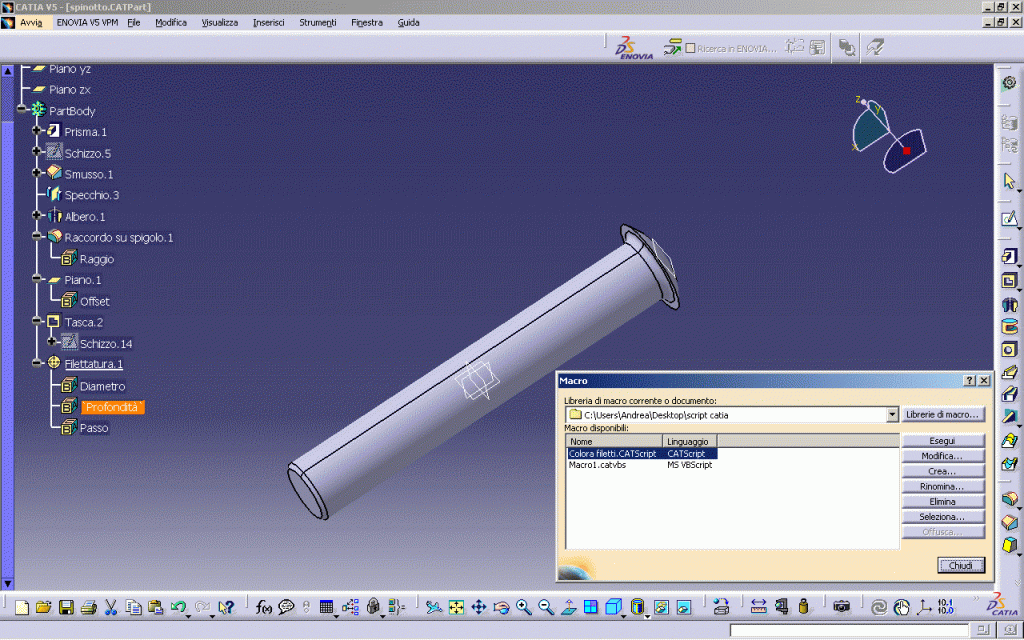
It's the first time I put a new discussion since this precious forum is a great tool to know, deepen arguments, as well as to unravel caskets. After developing my skill with the various modules I decided to throw myself into the development of macros to automate my procedures, especially in the case of parametric design, change of catpart components. for test, with high amazement, after downloading a macro from this forum to color threads in 3d, at the time of the execution of the macro the following error window appeared:
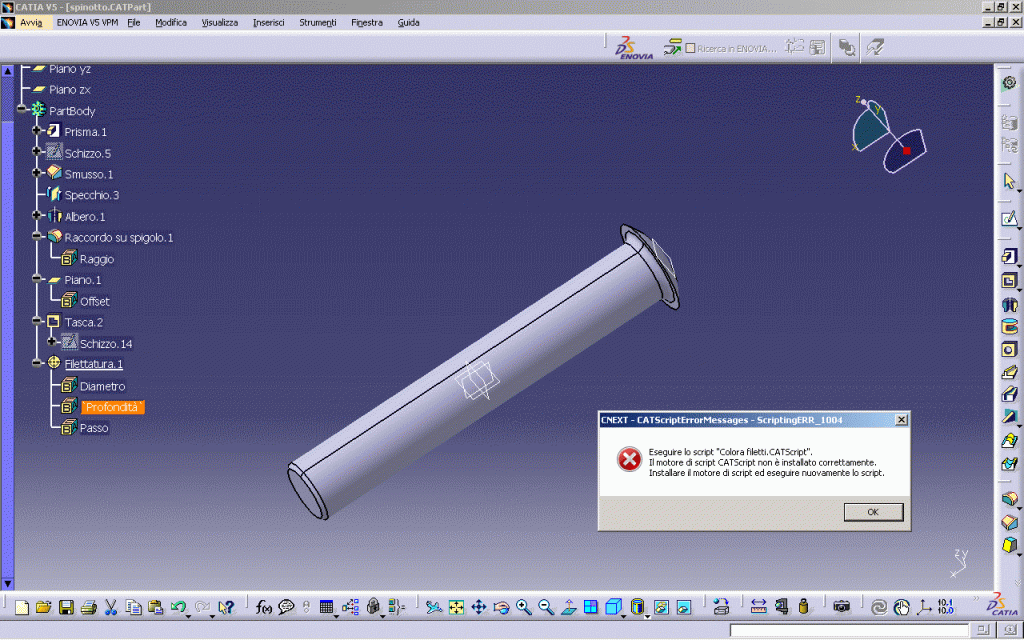
cnext - catscripterrormessages: scriptingerr_1004
run the script:"colorafiletti.catscript"
the catscript script engine is not installed properly.
install the script engine and run the script again.
This error has been repeated with all the scripts I tried to compile and run later, whether in catscript or ms vbscript format. in the second case the error message is more or less similar:
cnext - catscripterrormessages: scriptingerr_1004
run the script:"hellomsg.catvbs"
the ms vbscript script engine is not installed properly.
install the script engine and run the script again.
convinced that it was a problem related to a wrong installation of catia I had from my colleagues other versions of catia but this problem has not resolved. I have searched both on this forum and on non-Italian forums potential cases similar to mine but at the moment it seems it is the only one to have this kind of problem.
At this point I ask you more experienced users of the forum and your experience on how to get out of this pantano.
my setup is the following:microsoft windows view home edition 6.0.6002 (winvista beta)- intel repentum ii xeon, 2000 mhz (2.5 x 800)-nvidia geforce 9600m gt- ram 4 gb- hd 232 gb, ide.
Thank you in advance for your availability!
cnext - catscripterrormessages: scriptingerr_1004
run the script:"colorafiletti.catscript"
the catscript script engine is not installed properly.
install the script engine and run the script again.
This error has been repeated with all the scripts I tried to compile and run later, whether in catscript or ms vbscript format. in the second case the error message is more or less similar:
cnext - catscripterrormessages: scriptingerr_1004
run the script:"hellomsg.catvbs"
the ms vbscript script engine is not installed properly.
install the script engine and run the script again.
convinced that it was a problem related to a wrong installation of catia I had from my colleagues other versions of catia but this problem has not resolved. I have searched both on this forum and on non-Italian forums potential cases similar to mine but at the moment it seems it is the only one to have this kind of problem.
At this point I ask you more experienced users of the forum and your experience on how to get out of this pantano.
my setup is the following:microsoft windows view home edition 6.0.6002 (winvista beta)- intel repentum ii xeon, 2000 mhz (2.5 x 800)-nvidia geforce 9600m gt- ram 4 gb- hd 232 gb, ide.
Thank you in advance for your availability!